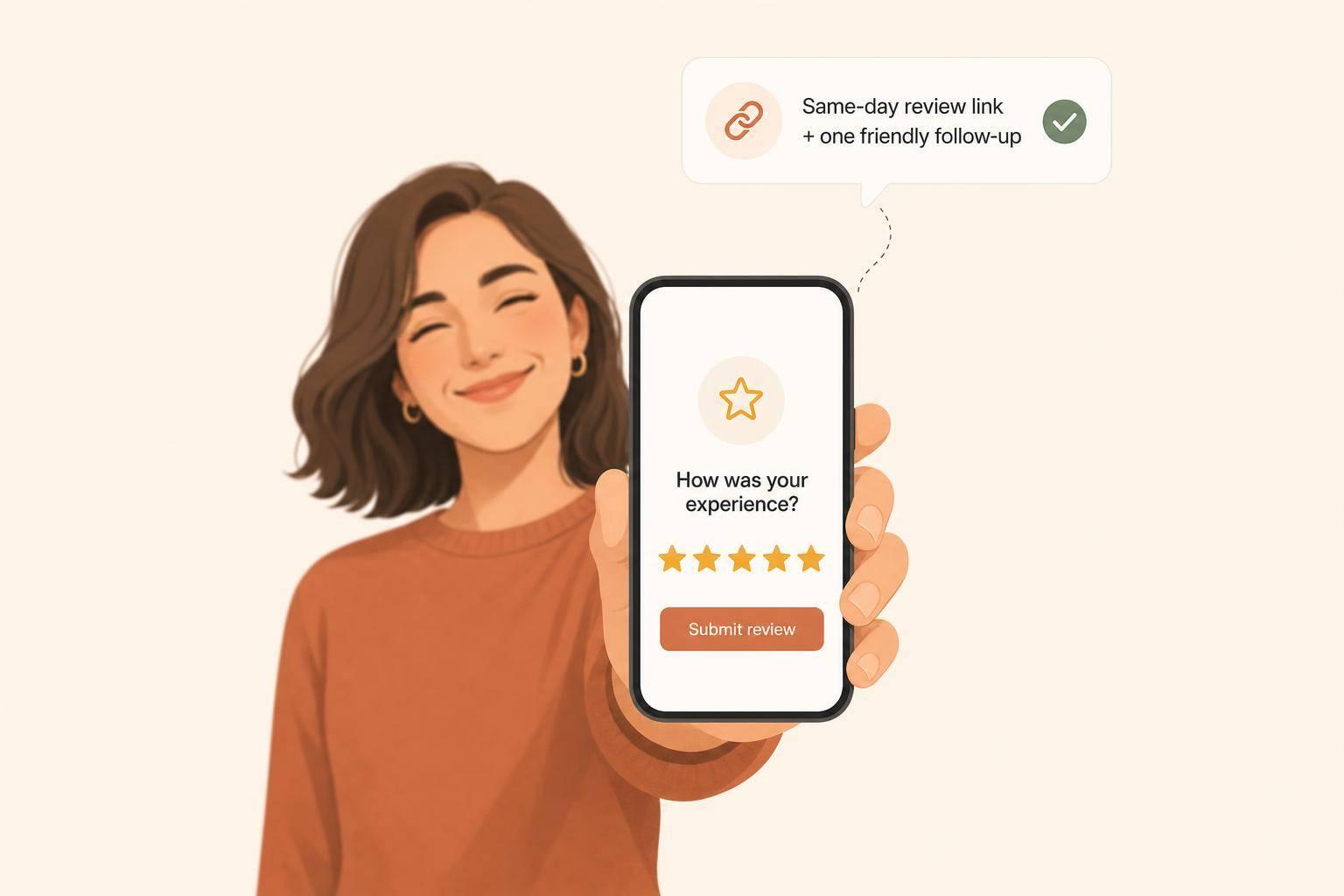
Most happy customers won’t leave a Google review unless I ask right away and make it easy. That’s the whole issue. The fix is simple: ask at the moment they’re happiest, send a direct review link, and follow up once.
Here’s the short version:
If I boil the article down, it comes to this:
What to do now:
This article shows how I’d turn happy customers into visible proof on Google without making the process hard for staff or customers.
Happy customers often stay quiet because, in their mind, the job is done. The leak is fixed, the bill matches the quote, and life moves on. That sounds like a win, but it leaves your Google Business Profile short on social proof. In most cases, the gap comes down to two simple things: no urgency and too much friction.
When a plumber arrives on time, fixes the issue, and charges exactly what was promised, the customer feels satisfied. But satisfied doesn't always mean motivated.
A smooth, no-drama experience gives people very little reason to take the next step. Frustrated customers, on the other hand, feel a strong push to speak up. They want to vent, warn others, or just feel heard. Happy customers usually do the opposite. They mentally check the box and move on the second the work is finished.
That's a big reason only 5–10% of customers leave a review without being prompted [4]. So your review profile can start to skew toward unhappy edge cases instead of showing what most customers actually experience.
Even when people want to help, tiny obstacles get in the way.
A lot of customers mean to leave a review, then forget as soon as they get back to their day. Others assume it will take more effort than it does. They picture a long write-up when, in most cases, a star rating and one sentence would do the job.
Telling someone to “search for our business” makes things harder right away. Now they have to find the right listing and track down the review button [7][2]. That's extra work, and plenty of people drop off before they ever get there.
Each added step lowers the odds of a review:
And it's not just the tech side. 41% of non-reviewers say they simply didn't know what to write [4]. A blank text box with no prompt can be enough to make someone close the tab and forget about it.
What customers need is a simpler path, not more persuasion.
The next issue is that most businesses make the ask harder than it has to be. That's why timing - and the way you ask - matters more than the experience alone.
Review requests usually break down for a few simple reasons: bad timing, weak wording, and no clear owner. And once the ask is in place, the next issue is how it gets carried out day to day.
As Jeremy Bengtson, Founder of The Search Sherpa, puts it:
"Most local businesses do not have a review problem. They have an asking problem." [2]
Timing matters more than most teams think. The probability of a customer leaving a positive review drops by roughly 50% within 24 hours of the experience ending [3]. That’s a steep drop.
So the ask should go out while the visit, purchase, or service call is still fresh. Same day is best. Wait too long, and the moment is gone.
A loose ask like “Check us out online” or “Leave a review sometime” sounds easy, but it gives the customer almost nothing to act on. There’s no direct path, no urgency, and no clear next step.
Each extra click hurts response rates [7]. That’s why a direct review link helps so much. The customer doesn’t have to search, guess, or bounce around your profile pages. In person, a QR code on a receipt or counter card does the same job.
When review requests depend on staff remembering to ask, the process gets patchy fast. Busy shifts get in the way. People forget. Some customers get asked, others don’t.
A simple system tied to your POS or booking tool is much more dependable than memory alone. It turns review requests into part of the workflow instead of a “maybe if we remember” task.
The table below shows common process failures and what they cost:
| Common Mistake | What Happens Next | Local Business Example |
|---|---|---|
| Asking too late (3+ days later) | The memory fades; details of the service are forgotten [6] | An HVAC company emails a request 10 days after the furnace was fixed |
| Vague wording ("Leave a review sometime") | The customer has no clear reason to act | A cashier gives no link or QR code with the ask |
| No direct link or QR code | Customer must search and navigate; reviews drop off per extra click [4] | A restaurant receipt says "Review us on Google" with no QR code |
| No follow-up | 72% of customers who verbally agree to leave a review "later" never follow through [4] | An HVAC tech asks once in person; the customer gets distracted and forgets |
| No staff ownership | Requests get skipped during busy shifts; reviews come in unevenly | A retail shop only gets reviews when the manager personally handles checkout |
The next step is building a review system staff can repeat every week.
How to Get More Google Reviews: The 1-Link, 1-Ask, 1-Follow-Up System
The answer isn’t more persuasion. It’s a system your team can repeat without thinking too hard about it.
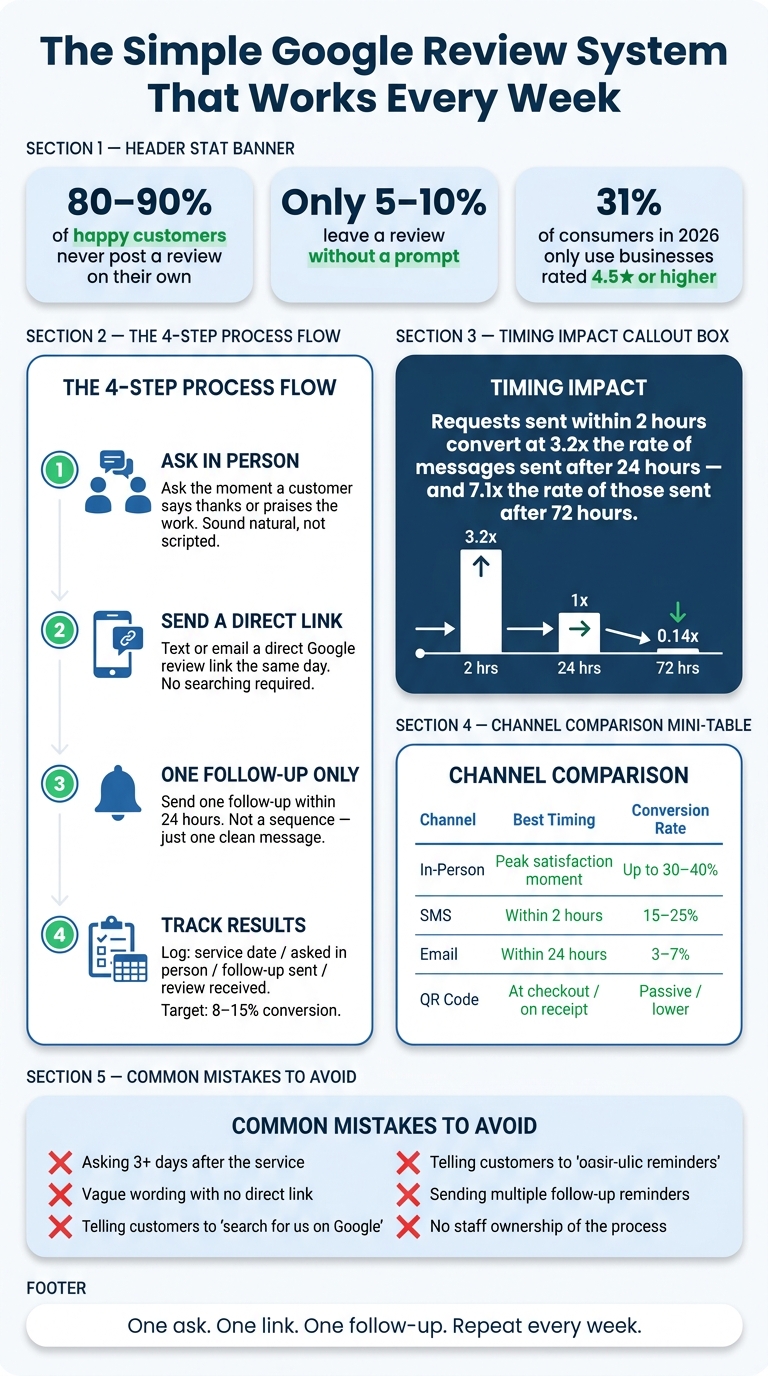
The best setup is simple: one in-person ask, one follow-up message, and one direct link. That’s it. This system starts with a quick ask face-to-face, then a single follow-up message.
Ask when the customer is clearly happy. That moment matters. If someone just had a good visit, got fast service, or thanked your team, that’s your opening.
Then send one follow-up message within 24 hours. Not a long sequence. Not a pile of reminders. Just one clean message while the experience is still fresh. Once that flow is in place, timing becomes the next thing to tighten up.
If people have to hunt for your review page, many won’t finish. Use a direct Google review link from your Google Business Profile dashboard under "Get more reviews" so the review form opens in one tap.
A QR code at checkout, on receipts, or on service paperwork cuts out the last bit of friction. It sounds small, but it matters. The easier the path, the more often people finish it.
If you don’t track requests, the whole system can fall apart during the first busy week.
Use a simple CRM, spreadsheet, or task list your team already looks at every day. No fancy setup needed. You only need four fields:
The target conversion rate to aim for is 8–15% of requests turning into reviews [8]. Track every request so the ask happens every week, not just when staff happen to remember.
| Tool Type | Main Job | Best Fit |
|---|---|---|
| CRM / Tracking Sheet | Log service dates and request status | Service-based businesses (plumbers, HVAC) |
| SMS Automation | Send direct links immediately after a trigger | High-volume or casual services (salons, gyms) |
| QR Codes | Provide instant path to the review form | Retail, restaurants, and walk-in traffic |
With the process in place, the next step is the exact wording and timing.
Once your system is set up, wording and timing do a lot of the heavy lifting. You can have the right process on paper, but if the ask feels awkward or shows up too late, people often do nothing.
The key is to sound natural, not rehearsed. The best time to ask is right after a customer says thank you or praises the work. That’s the point when satisfaction is highest, so the request feels normal instead of pushy.
The formula is simple: notice the moment, ask directly, use the word honest instead of "positive" or "five-star", and make it easy for the customer to act on the spot.
Use lines like these to keep the ask simple and low-friction:
One small move makes a big difference: send the link right away. Don’t ask customers to go search for your business later.
A good follow-up doesn’t need to be long. It just needs a few parts: the customer’s name, the specific service they got, the staff member’s name if that matters, a direct review link, and a real signature.
Here’s what that can look like for a local plumbing company:
"Hi Sarah, this is Mike from Apex Plumbing. Thanks for having us out today for the water heater repair. If everything looks good, we'd really appreciate an honest Google review - it helps our small team a lot. Here's the direct link: [link]. Reply STOP to opt out."
Email follows the same pattern, with a slightly more formal tone. A subject line like "Quick favor, [Name]?" works well. Personalized subject lines like this get 30–40% open rates [9]. Keep the message short, mention the visit or job, and include the direct link.
Stick to one follow-up only: send SMS within 2 hours or email within 24 hours. Don’t send a third message.
Timing shifts based on when the customer feels the result.
For restaurants and retail, the experience happens right away. That means the ask should come at the table after the meal or during payment. For home services like HVAC or plumbing, the feeling of relief hits as soon as the issue is fixed. Ask in person before leaving, then follow up by text within 2 hours. For legal, accounting, and other professional services, the result comes later, so wait until the outcome is complete before sending anything.
Different businesses need different timing, but the target stays the same: ask at peak satisfaction.
| Channel | Best Timing | Strength | Risk |
|---|---|---|---|
| In-Person | Moment of peak satisfaction | Highest trust; can reach 30–40% conversion [9] | Doesn't scale; relies on staff memory |
| SMS | Within 2 hours of service [6] | 90% read rate in 3 minutes; 15–25% conversion [5][9] | TCPA compliance; requires mobile opt-in [9] |
| Within 24 hours [9] | Scales well; better for professional/formal services [5][9] | Lower open rates; 3–7% conversion [9] | |
| QR Code | At checkout or on receipt [10] | Passive; always available; no staff effort | Requires customer initiative; lower conversion [9] |
Requests sent within 2 hours of service completion convert at 3.2x the rate of messages sent after 24 hours, and 7.1x the rate of those sent after 72 hours [6]. That window closes fast. Log the service, send the message the same day, and don’t put it off just because it’s easier later.
Your best customers are often happy with the experience, but not driven to leave a review on their own. Life moves on. Unless you ask while the moment is still fresh, many of them won't come back to do it later.
Most review gaps come down to three things: bad timing, too much friction, and no clear person handling follow-through. The fix isn't complicated. But it does need to happen every week, not just once in a while.
That gap is easier to close than most businesses think. Review growth usually comes from a simple system: ask at the right trigger moment, send a direct link right away, and track results weekly. One ask, one direct link, one follow-up. Then repeat it every week.
Small changes in timing can increase review volume fast. Once that process is running on a steady rhythm, reviews stop feeling random and start working like visible proof on Google.
Fresh reviews make your Google Business Profile look more current, more trusted, and more clickable. In 2026, 31% of consumers only use businesses rated 4.5 stars or higher [1]. That number keeps climbing. The businesses that show up are the ones that ask.
The easiest way is through your Google Business Profile dashboard. Sign in, pick your business, and click Ask for reviews or Get more reviews to copy your short review link.
There’s another simple option too. Search for your business on Google, click Write a review, and then copy the URL from your browser.
If you don’t have admin access, you can use your business’s Place ID to build the link by hand.
If staff forget to ask, don’t count on memory during a busy shift. Set up a simple system instead: send an automated email or text as soon as a service is marked complete, so every customer gets a review request.
For in-person asks, keep it easy for both staff and customers. Use a direct Google review link or a QR code they can scan on the spot.
Yes. You should ask every customer, not just the happy ones.
Google prohibits review gating. That means you can't send only satisfied customers to leave reviews while steering unhappy customers somewhere else.
Keep the request simple. Don't offer incentives. And share a direct link to the review form so it's easy for people to leave a review.
Discover strategies to elevate your business.