Most customers will leave a review if you ask at the right time and keep it simple. One stat says 94% of people are open to leaving a review, and 83% do so when asked. So the goal is not to push harder. It’s to ask in a calm, direct way.
Here’s the short version:
I’d sum it up like this: if your ask is short, well-timed, and easy to act on, it won’t sound awkward. If it sounds emotional, drawn out, or repeated too often, it will.
A few timing examples from the article make this clear:
There’s also a compliance side to this. Google does not want businesses asking only happy customers for reviews, and the FTC can fine companies for rule breaks. The article also notes penalties of up to $53,088 per violation.
So if I were putting this into one line, it would be: ask every customer politely, make it easy, send one reminder, and stop.
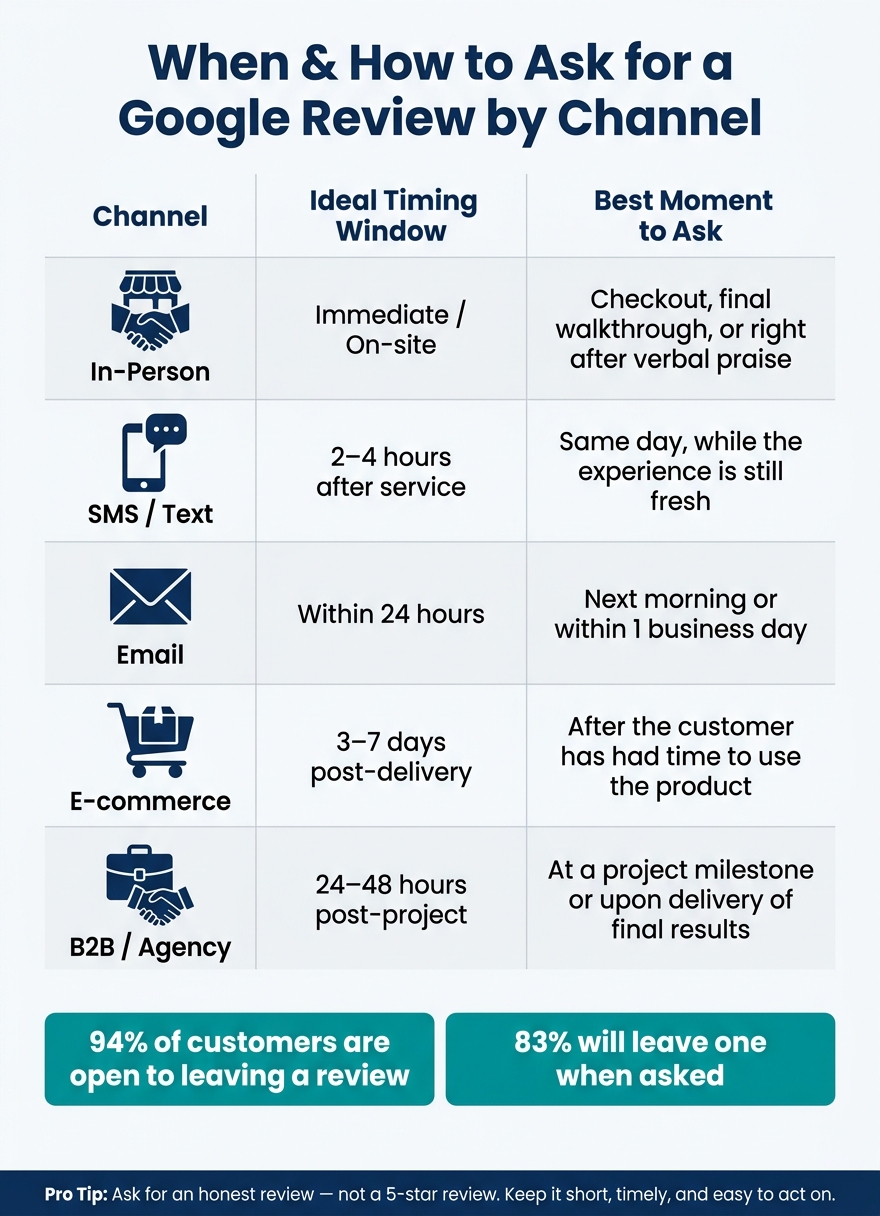
When & How to Ask for a Google Review by Channel
Even a well-written review request can miss the mark if you ask at the wrong time. During the sales process, it can feel forced. It works much better after a clear sign that the customer is happy. Then the request feels normal, not pushy.
Once you have that timing, keep the wording short and direct.
The easiest signal is a compliment. If a customer says, "you guys did a great job" or "this is exactly what I needed", that’s usually your opening. Other good moments include:
Before you ask, do a quick check-in. That gives unhappy customers room to share concerns in private instead of being pushed into a public review.
A gym in Raleigh raised its review count from 12 to 89 in two months by sending a text two hours after each new member's first class [2].
The channel should fit the moment. Then the message can stay short and easy to answer.
| Channel | Ideal Timing Window | Best Moment to Ask |
|---|---|---|
| In-Person | Immediate / On-site | Checkout, final walkthrough, or right after verbal praise |
| SMS / Text | 2–4 hours after service | Same day, while the experience is still fresh |
| Within 24 hours | Next morning or within 1 business day | |
| E-commerce | 3–7 days post-delivery | After the customer has had time to use the product |
| B2B / Agency | 24–48 hours post-project | At a project milestone or upon delivery of final results |
When the timing lines up with the channel, the ask feels a lot more natural.
Once the timing is right, keep the wording simple too.
Ask for a quick Google review, not a favor. Make the request short, direct, and easy to decline. You already did the work and gave the customer a good experience. The review just puts that experience into words.
Use one sentence, then stop.
Match the verbal ask with a printed QR code card or a follow-up text right away, so customers don't have to look up your business later. [1][5]
Send one short text with a direct link. Keep it under 160 characters so it shows up cleanly in message previews. One simple version is: "Hi [Name], thanks for choosing [Business]! If you have 30 seconds, we'd love your honest feedback: [Link]. No worries if you're busy!" [8]
For email, plain text can feel more personal. Keep the message under 75 words and start with the customer's experience. A subject line like "How did we do?" keeps the focus on them, not on your request for reviews. Google Business Profile owners can create a direct review link with the "Ask for reviews" feature. [1][5] A simple email version is: "Subject: Quick question. Hi [Name], how was [Service] today? If you have 30 seconds, a Google review really helps: [Link]. No worries if not." [7]
Mention one specific detail, such as "your kitchen remodel" or "this morning's teeth cleaning." That small touch makes the message feel personal without making it longer. [5][7]
Skip emotional pressure. Phrases like "It would mean the absolute world to us" or "We really need reviews to compete" can make the request feel awkward. A low-pressure opt-out like "No worries if not" may even lift response rates because people feel free to say no. [1][8][7]
A simple system makes review requests consistent and keeps them from turning pushy. It helps you keep the right tone: confident, polite, and never needy.
Send the first request on the day of service or purchase. Then send one reminder 3–7 days later. After that, stop.
Keep the reminder light:
"Quick reminder in case this got buried: [Link]."
That wording takes the pressure off. It also shows you’re not going to keep chasing the person down. Once that message is sent, end the outreach.
After you set this rule, track every request so no customer gets contacted twice.
Duplicate requests can create friction fast, especially if more than one staff member is following up. Tracking helps you avoid repeat asks and keeps the experience smooth.
For most small businesses, a spreadsheet is enough to start. Add columns for:
Log each request right away instead of trusting memory. [8] If you use a CRM or field service tool, set it to send a request when a job is marked complete. Then turn off any follow-up as soon as a review comes in. [12]
The goal is one clear record for each customer.
With the follow-up system in place, the next step is avoiding wording and behavior that make the request feel pushy.
Once your timing and follow-up are in place, the next step is simple: don’t make the request feel heavy-handed. A few common habits can turn a normal review ask into something awkward fast.
Lines like "We really need this to stay competitive" or "It would mean the absolute world to us" shift your business problems onto the customer. That changes the tone. Instead of a simple request, it starts to feel like guilt.
You also need to avoid review gating. Don’t screen customers first or send review links only to people you think will say nice things. Google explicitly bans this, and the FTC treats selective review solicitation as a violation of the Consumer Reviews Rule. [4][3][10] Asking customers to mention a staff member by name or to "leave a 5-star review" is banned too. [3][13]
"Don't discourage or prohibit negative reviews, or selectively solicit positive reviews from customers." - Google Business Profile Help [10]
The better move is to ask for an honest review, not a positive one. It sounds neutral, fair, and far more confident than any five-star plea. [1][4]
Two mistakes show up again and again: asking only for good reviews and trying to steer how or where the review gets posted.
Don’t offer discounts, gifts, or loyalty points in exchange for a review. That creates a serious compliance problem. The FTC Consumer Reviews Rule allows civil penalties of up to $53,088 per violation as of January 2025. [10] Yelp bans incentivized review requests outright, and Google may remove reviews or suspend your profile. [3][9]
It’s also a bad idea to use review kiosks, shared tablets, or face-to-face pressure while the customer writes. Reviews should be left on the customer’s own device, on their own time. [3]
Keep the request honest, optional, and low-pressure.
The formula is pretty simple. Ask soon after a good experience, keep the message direct and low-pressure, and send customers a direct Google review link[1][5].
If they don’t reply, send one reminder a few days later, then stop[1][6].
Ask all customers honestly, skip incentives tied to reviews, and keep the process consistent. A respectful system builds a more trustworthy review profile[4].
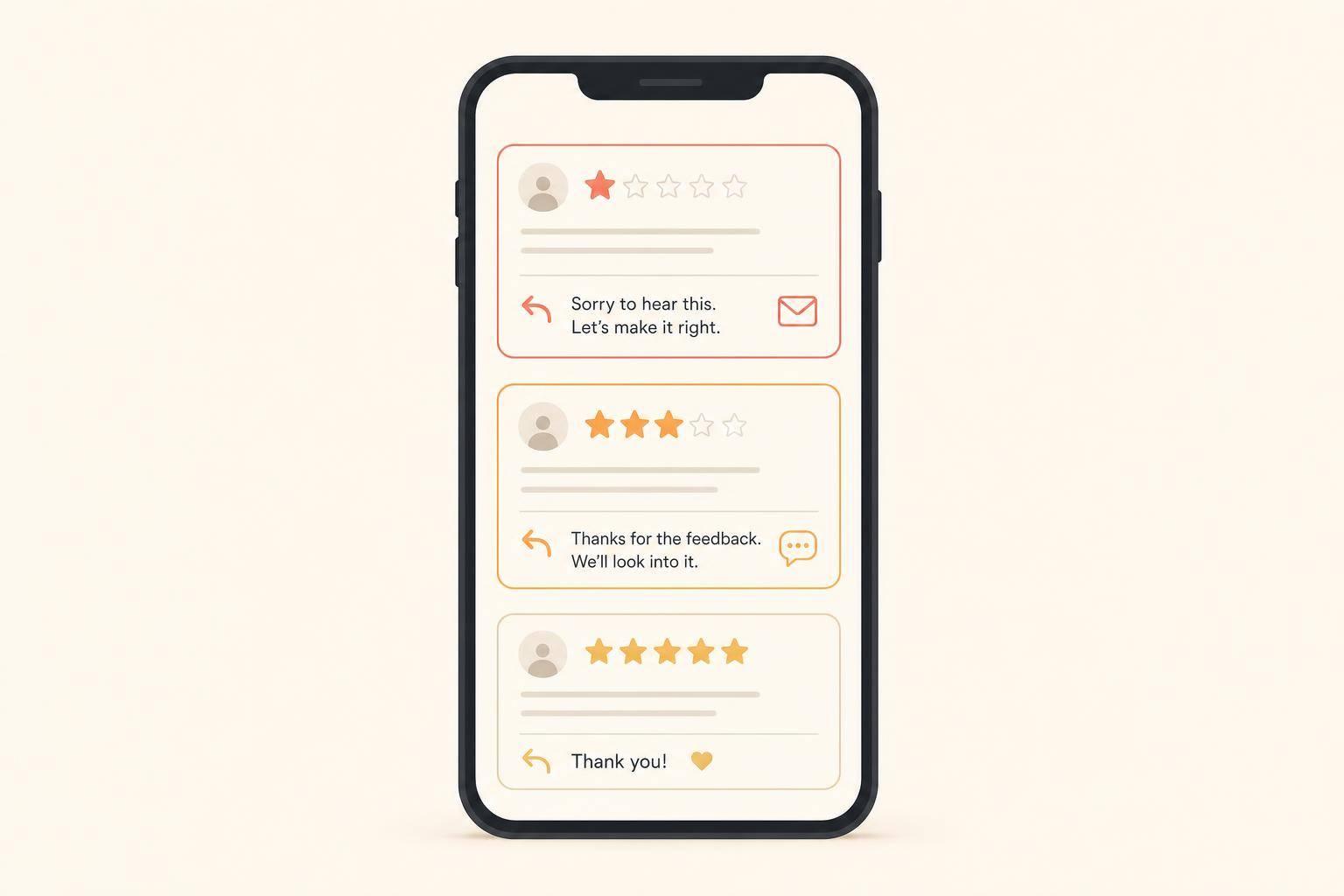
If a customer seems unhappy or had a poor experience, don't ask for a review right away. First, deal with the issue in private.
That shows you care more about the customer’s experience than your star rating. And that matters. Once the issue is resolved, you can follow up later if it makes sense.
Done well, this kind of response can build more trust than a flawless score that doesn't feel believable.
Sign in to your Google Business Profile manager. You can also search for your business name while logged in as the owner.
From there, select Ask for reviews or Get more reviews. Google will generate a shareable link that takes people straight to the review form.
If you have a physical location, you can download a QR code too. Before you send the link by email, text, or put it on signage, test it in a private browser window first.
Yes - if you have enough volume, it can work well. The key is timing and tone.
Send the request only when it’s tied to a real event, like a purchase, order completion, or project milestone. That way, the message feels natural instead of forced. It should still sound personal, not like a mass blast.
Keep it simple:
Also, make it easy for people to act. Add a direct review link or QR code, use the customer’s name, and mention the specific product or service they bought.
One more thing matters here: don’t filter requests so only “happy” customers get asked.
Discover strategies to elevate your business.