

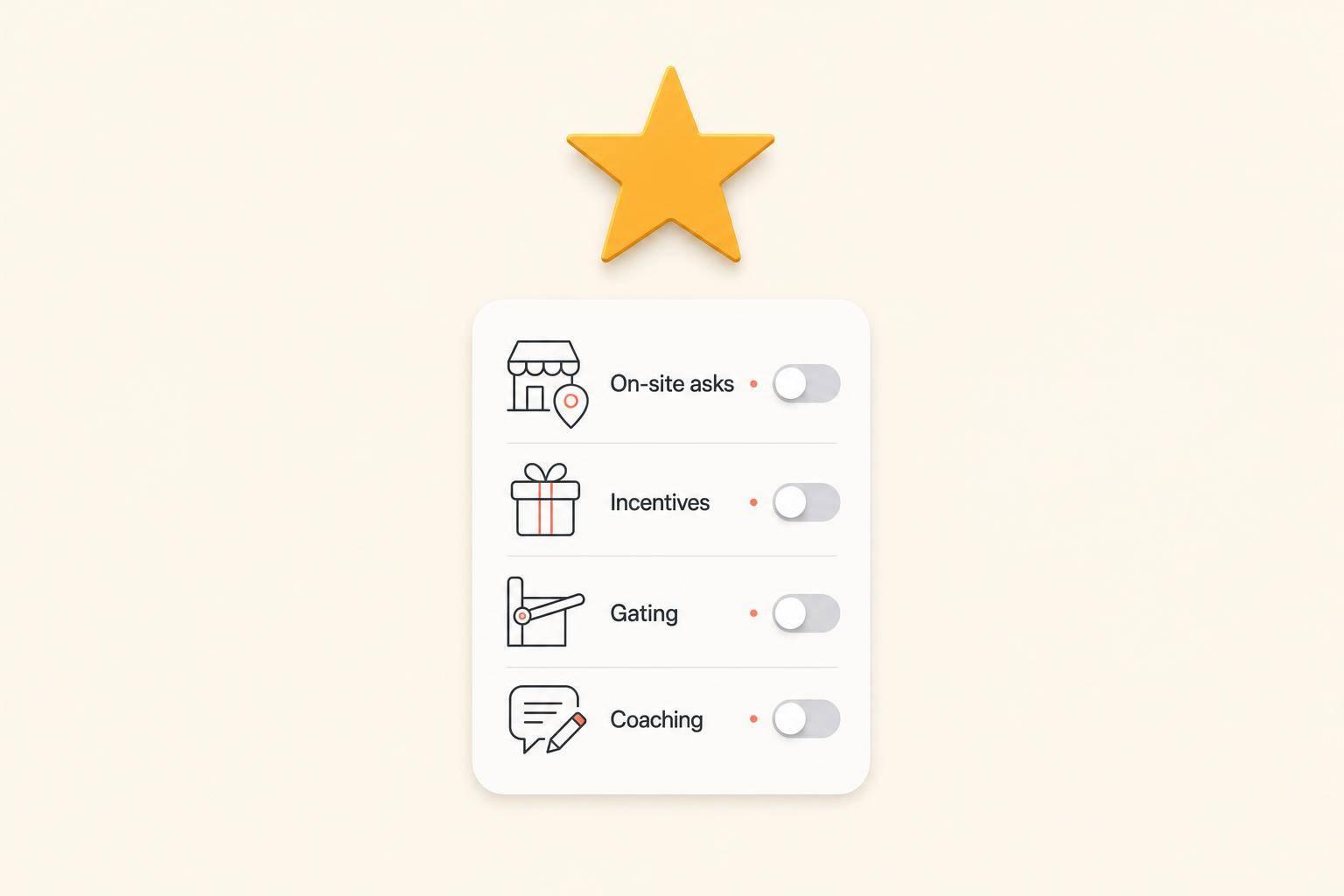
Yes - you may be breaking Google’s review rules even if your process feels normal. If you ask for reviews on-site, use a shared tablet, offer 10% off, ask only happy customers, or tell people to mention a staff member by name, you’re at risk.
In plain terms, Google now treats many old review habits as manipulation. That matters because Google removed 292 million policy-violating reviews in 2025. So this is no longer just a rulebook issue. It can affect your reviews, your Google Business Profile, and how often people find you in Maps and Search.
Here’s the short version of what I’d fix right away:
Bottom line: I’d keep the process simple - ask every customer, ask after they leave, and never shape what they say. That gives you a cleaner system and lowers the risk of removed reviews or profile issues.
The rest of the article walks through the common mistakes, how to audit your setup, and what to change now.
A lot of small businesses slip into this without meaning to. They ask for a review while the customer is still standing there, often at the front desk or right at checkout. It feels normal. But that setup can run into trouble fast.
A shared iPad, kiosk, or checkout tablet can trip Google's filters because multiple reviews may come from the same device or IP address [1][2]. That's why it's safer to send the review link after the visit is over, not during the face-to-face moment. This kind of issue often hides inside an everyday process that looks harmless on the surface.
The next problem comes down to who gets asked and what's tied to the ask.
If you're giving any reward in exchange for a review, that's a violation [3][2][5].
That includes obvious stuff, like discounts or gift cards, and it also includes softer offers that still nudge people to leave feedback. If there's a tradeoff attached to the review, that's where the problem starts.
Gating is another big one. If your software, staff, or agency filters out unhappy customers before sending the review link, you're gating, even if the whole thing runs on autopilot [2][1]. In plain English: if only happy customers get the chance to leave a public review, you're shaping the outcome.
The last set of problems has to do with who leaves the review and how the request is handled.
Reviews from employees, former staff, family members, vendors, or contractors are not allowed because they aren't independent customer feedback [1]. These are normal business relationships, but the second one of those people posts a review, it crosses the line.
The wording of the request matters too. Telling customers what to say can backfire. Asking for specific phrases, asking for a "5-star" review, or telling someone to mention a staff member's full name can all lead to removal. In one 2026 experiment, reviews that named a staff member by full name were flagged, while the same customers' resubmitted reviews without that instruction stayed live [1].
"It's not human nature to leave the name of the person who sold you the product or service in the review - especially when the review mentions the first and last name of the sales person." - Greg Gifford, SearchLab Digital [2]
There's also the timing issue. A sudden wave of review requests can create a spike that looks unnatural. Google's automated enforcement systems are built to spot that pattern, even when the reviews come from real customers [3].
Use this checklist to see where policy issues slip into your workflow.
Start by listing every spot where your business asks customers for a review. That includes receipts, QR signs, email, SMS, CRM automations, and staff scripts.
Then check each one with three simple questions:
If you answer yes to any of those, that channel needs work.
Next, pull up the exact templates you use. Watch for lines like "give us 5 stars", "mention [staff name]", or prompts that ask customers to include a certain service keyword. As of May 1, 2026, Google treats coached reviews, even from real customers, as prohibited rating manipulation [4]. A neutral line like "We'd love to hear your honest feedback" is a safer swap.
Third-party review platforms, reputation tools, and marketing agencies can run gating flows for you without making it obvious.
Start with one direct question: Does any customer see a satisfaction step before the Google link? If yes, that's gating. Any setup that keeps the Google link away from unhappy customers counts as gating [2][1].
Then go a step further. Ask your vendor or agency if their system sends review requests in batches or on a fixed schedule. Review bursts can trigger Google's automated spam removal [2]. A steady post-visit request flow is much safer than sending one big monthly blast.
Use this table to spot risk fast:
| Red Flag to Check | Why It's a Problem |
|---|---|
| Satisfaction question shown before Google link | Classic gating - filters out unhappy customers |
| Staff full names appear too often to be organic | Can signal coached content |
| Shared device or same-IP submissions | Can point to a shared device or on-site kiosk |
| Batch-sent review bursts | Can trigger automated spam removal |
| Templates asking for "5 stars" or specific keywords | Prohibited coaching |
In your CRM, make sure every completed job gets the same request.
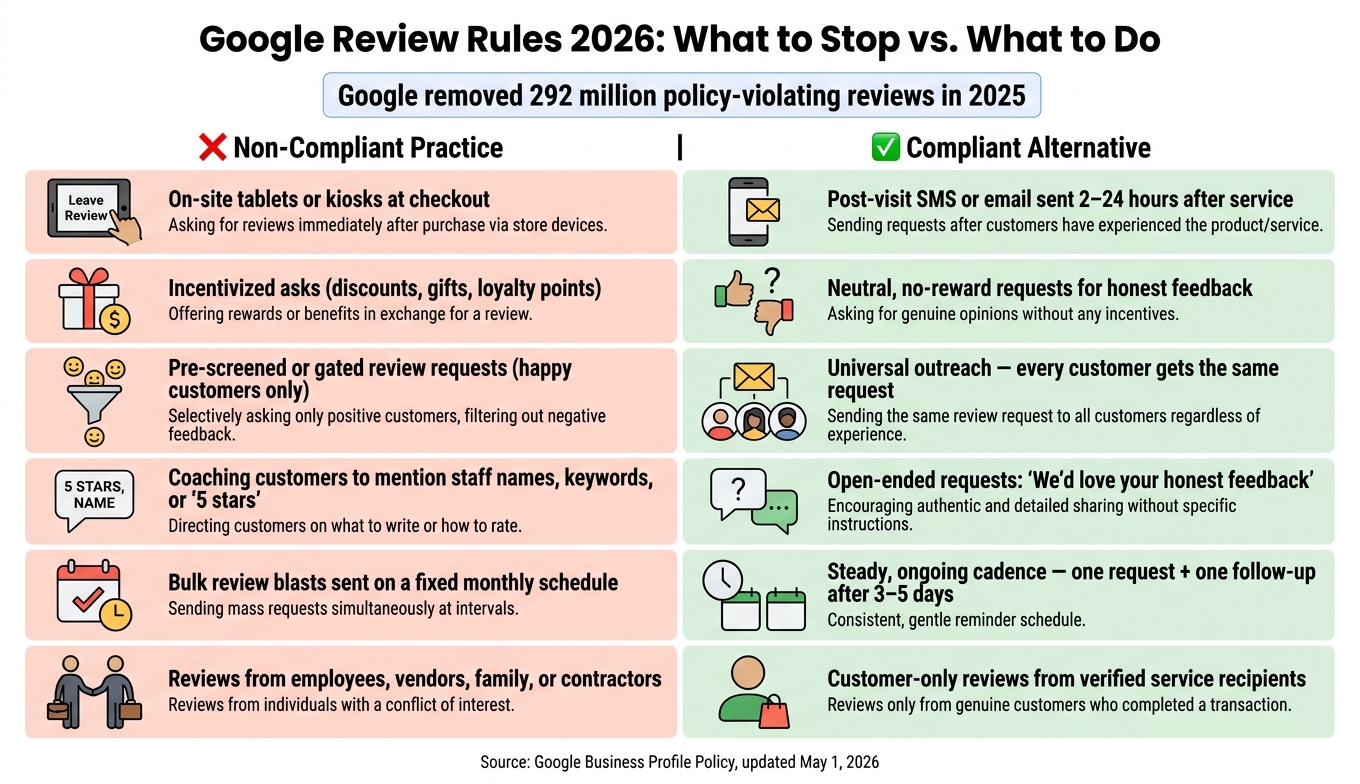
Google Review Rules 2026: Non-Compliant vs. Compliant Practices
If your audit found any of these problems, switch to simple, compliant workflows now. The goal is plain: remove anything that filters customers, tells them what to say, or bunches review requests in a way that looks unnatural.
A good first step is to stop using shared tablets or kiosks at checkout. Replace them with QR cards that customers can scan later. That small shift moves the review request off-site and can lower device-based flags.
Next, send review requests one at a time after the service is done. Your CRM or POS should trigger a single SMS or email 2–24 hours after the transaction closes. If the customer doesn't respond, send one follow-up 3–5 days later. That's it. A third message can drift into bulk solicitation territory [6].
Keep the wording neutral. Ask for honest feedback, not a rating and not a script. For example: "We'd genuinely appreciate your honest feedback on Google. It helps others find us".
You should also stop rewarding staff based on review counts. That setup can push bad habits fast. Track response rate or overall sentiment instead.
Use this table to retrain staff fast.
| Non-compliant Practice | Compliant Alternative |
|---|---|
| On-premises tablets or kiosks at checkout | Post-visit SMS or email |
| Incentivized asks (discounts, gifts, loyalty points) | Neutral, no-reward requests for honest feedback |
| Pre-screened review requests | Universal outreach to every customer |
| Coaching customers to mention staff names or keywords | Open-ended feedback requests without scripted content |
| Bulk review blasts | Steady, ongoing request cadence |
| Staff or vendor reviews | Customer-only reviews |
After that, write the process down in a short internal policy. It doesn't need to be long. It just needs to answer four things clearly:
It should also require universal outreach, so every customer gets the same request no matter how happy or unhappy you think they are.
Your written policy should include a prohibited reviewers list. Employees, vendors, contractors, and family members should all be off-limits. Putting that in writing gives you some cover if Google ever flags a suspicious review tied to your profile.
If you run multiple locations, use the same policy, timing, and language at every site. That kind of consistency helps protect review quality and local visibility.
"The goal is to make it easy for genuine customers to share their experience, not to engineer what they say or who they credit." - Hamzah Khadim, Co-Founder, Logik Digital
Google is removing policy-violating reviews at scale. After you clean up your process, the goal shifts from more reviews to steady, consistent review collection.
The safest approach is simple:
That’s the bar. No incentives, no on-site pressure, no AI-written reviews, and no gating.
A cleaner review process can lead to fewer silent removals, a more trustworthy profile, and stronger Google Maps visibility over time. Honest reviews can also help AI tools surface your business.
Audit every place where you ask for a review. Strip out anything that filters, coaches, or pressures customers. Retrain staff so KPIs track response rate and sentiment, not review counts [4]. Check that any software, agency, or automation you use follows the same rules. Then put the whole process into a written policy so it stays consistent, no matter who handles it.
A steady mix of honest reviews beats a perfect average built on tactics Google may filter [3].
Review gating means screening customers by sentiment before sending them to leave a public review. A common setup looks like this: you ask people about their experience first, then only send the public review link to those who give a positive response. Anyone unhappy gets routed to a private feedback form instead.
Google now explicitly prohibits this practice, and in 2026 it is actively enforcing that rule.
Yes. Google can remove real customer reviews if they break updated policies. That includes reviews that mention staff names, include incentivized content, or show unnatural patterns.
What’s changed is the way Google handles this. Enforcement is now more automated and more aggressive, so even legitimate reviews can get taken down if they seem to violate those rules.
Ask every customer for an honest review. Use neutral, open-ended language, and send the request soon after a genuine positive experience. Email, SMS, and QR codes all work well, especially when you include a direct review link.
Keep the request simple. Don’t offer incentives, gate reviews, apply pressure, or ask for specific wording, star ratings, staff names, or keywords. And don’t ask while the customer is still on-site.
Discover strategies to elevate your business.


