

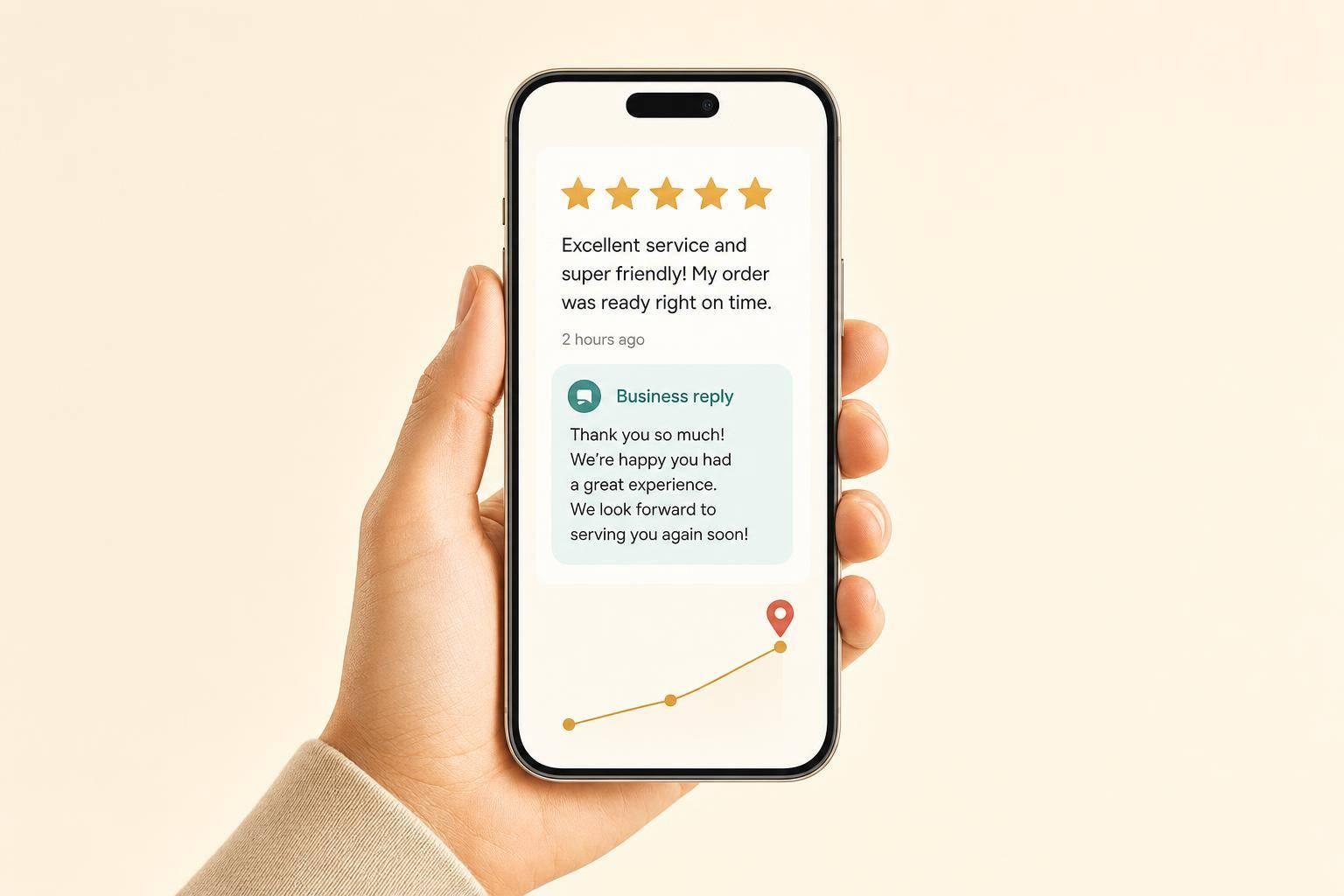
If your reviews are thin, old, or ignored, you can lose calls before anyone visits your website. I’d fix four things first: get more reviews, get better review text, keep reviews recent, and reply to them fast.
Google and customers look at many of the same signals. If I want more local clicks and calls, I need to focus on:
A few numbers make the case fast:
Here’s the short version: set up your Google Business Profile, ask every happy customer for honest feedback right after service, make the review link easy to use, reply within 24–48 hours, and track the numbers each month. I wouldn’t chase a perfect 5.0. A steady 4.7–4.9 with recent activity often does more for clicks and trust.
The rest of the article breaks down how I’d put that system in place without breaking Google’s rules.
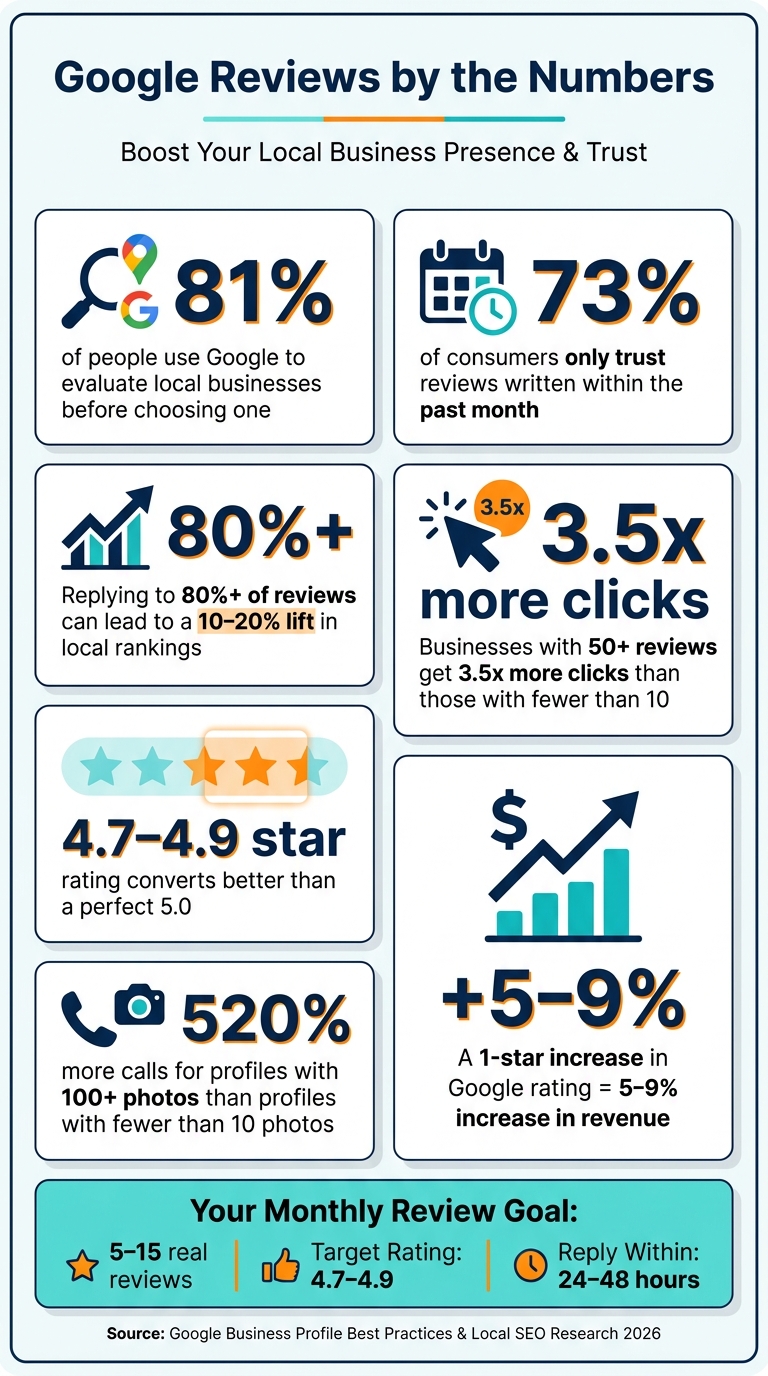
Google Reviews by the Numbers: Why Your Review Profile Wins or Loses Local Customers
A weak review profile can filter you out of search results, phone calls, and walk-in visits before a customer ever reaches out.
Google looks at review volume, recency, and sentiment when it judges local ranking signals. If your review count is low, your reviews are old, or you rarely reply, your visibility can slip.
Fresh reviews carry more weight in 2026 than they did in the past, and 73% of consumers only trust reviews written within the past month [2]. Owner replies matter too. Businesses that respond to 80% or more of their reviews can see a 10–20% lift in local rankings [2].
Google uses these signals to rank your business. Customers use the same signals to decide if you're worth their time.
That’s why people make snap judgments from the small review snapshot they see in search. They usually check:
A rating in the mid-4s can often convert better than a perfect 5.0 [2][4]. Why? A flawless score can look a little too polished, while a strong rating with a healthy mix of recent feedback feels more believable.
In search results, freshness and owner replies often matter more than raw review count. A profile with recent reviews and active responses will often beat a bigger profile that looks stale.
The fix starts with a complete Google Business Profile. If the profile is weak, it’s harder to earn trust and harder to get reviews in the first place. Before you ask for more reviews, make sure your Google Business Profile is easy to find, easy to trust, and easy to share.
Start with a complete, verified Google Business Profile. If your profile looks thin or half-finished, fewer review requests will turn into actual reviews. A complete profile gives customers a page they can trust when they click.
Once your profile is filled out, each review request sends people to a page that looks legit. Head to google.com/business and claim your listing if you haven’t done it yet. Verification often comes by postcard with a code, though some businesses can verify by phone or video.
Your primary category matters more than most people think. Pick the most specific option you can, like "Personal injury attorney" instead of "Lawyer," or "Plumber" instead of "Contractor." Keep your business name, address, and phone number the same across your profile, website, and directory listings. Add your hours, services, and booking link. Then use the business description to explain your main services in plain language.
Photos do a lot of heavy lifting here. Profiles with 100 or more photos generate 520% more calls than profiles with fewer than 10 [9]. That’s a huge gap. Upload real photos of your storefront, your team, and your work while it’s happening. Clear file names help too.
Use the GBP "Ask for reviews" button to create a direct review link. Before sending it out, test it on your phone. A broken link at this stage is the kind of small mistake that can cost you easy reviews.
Put that link anywhere it makes sense:
Send the link within two hours after finishing a job or service. If the customer hasn’t replied, follow up once after 3–5 days.
Track each request in a spreadsheet or your CRM. Then compare review growth against calls, visits, and direction requests in GBP Insights.
With your profile ready, you can set up a repeatable review request workflow.
Once your profile and review link are set up, asking for reviews should become part of the day-to-day job.
The best time to ask is right after a good experience, when the work is done and the result is still top of mind. Who asks should match the type of business:
| Industry | Who Asks | Best Channel |
|---|---|---|
| Home Services | Technician during the final walkthrough | Verbal ask + SMS follow-up |
| Local Retail | Front-line staff or cashier | QR code on receipt or bag |
| Restaurants | Server or host | QR code on guest check |
| Professional Services | Primary provider or project manager | Personalized email |
It also helps to guide the customer a bit. Ask them to mention the service they got, the result, or the team member they worked with. That makes the review more useful for future buyers.
A family-owned HVAC company in Indianapolis implemented a structured request system in early 2026. Over four months, they grew from 11 to 84 reviews, moved from position #9 to #2 on Google Maps for "HVAC repair Indianapolis", and filled their summer booking calendar three weeks in advance [10].
The best reviews aren’t just positive. They’re specific.
Keep your scripts short and natural. And train your team to ask for honest feedback, not a “5-star review,” so you stay within Google’s rules. It’s better to ask for details than broad praise.
In-person ask (technician or server): "I'm really glad everything went well today. If you have a minute, an honest Google review would mean a lot to us - I'll send you a quick link."
SMS follow-up (send within 2 hours): "Hi [Name], thanks for choosing us today! If you have 2 minutes, we'd love your honest feedback on Google: [your review link]. It really helps our small business."
Email follow-up (professional services, send 2–3 days after project): "Hi [Name], it was great working with you on [project]. If you're happy with how things went, a quick Google review helps others find us - here's a direct link: [your review link]. Thanks for your time."
That review text does more than reassure buyers. It also helps AI assistants and search systems understand what your business does best [7][11].
Once you’ve got the wording down, the next step is consistency. That’s where automation comes in.
If you handle a lot of transactions, automation makes review requests easier to manage. Platforms like Birdeye, Podium, NiceJob, and Grade.us can connect to your CRM or job management software - such as Jobber, ServiceTitan, or Square - and send review requests after a completed transaction [12][6].
If a paid tool isn’t in the budget yet, there’s still a simple option: put QR codes on receipts, invoices, or takeout bags. Low effort, easy to roll out.
Between March and May 2026, a local pizza restaurant printed review QR codes on every takeout bag and pizza box. Within 60 days, the business grew from 28 to 91 reviews with zero additional staff effort after the initial setup [10].
No matter which setup you use, stay within Google’s rules. Here are the review habits that cause the most problems:
| Practice | Allowed | Risk Level | Notes |
|---|---|---|---|
| Direct review links | Yes | Low | Use the official Google Business Profile direct link to reduce friction. |
| Asking every customer | Yes | Low | Google encourages asking all customers for honest feedback. |
| Incentivizing reviews | No | High | Offering discounts or gifts violates Google TOS and FTC rules [1][4]. |
| Review gating | No | High | Routing unhappy customers to private forms is prohibited [3][12]. |
| Buying fake reviews | No | Critical | Can lead to permanent profile suspension or legal penalties [3][4]. |
| Employee reviews | No | High | Conflict of interest; Google filters these aggressively [3][12]. |
A good target is 5–15 real reviews per month. Steady review flow matters more than a big spike that fades out.
After the requests start producing results, the next move is learning how to respond to reviews and use that feedback well.
Once reviews start coming in, the work shifts a bit. Now it's about replying fast, spotting patterns, and checking whether those changes show up in your numbers.
Getting reviews is only half the job. How you respond matters just as much. In fact, 88% of consumers read a business's responses to reviews before making a buying decision [7].
For positive reviews, keep your reply personal and specific. Thank the customer by name, mention the service and city once, and sound like an actual person. For example: "Thanks so much, Maria! We're glad our Milwaukee team could help with your roof repair - appreciate you taking the time to share your experience." A reply like that helps future readers feel more at ease.
Negative reviews call for a different approach. Stay calm, and write with future readers in mind, not just the person who left the review. A steady public reply can do more for your reputation than a pile of five-star ratings, because it shows accountability. A simple format works well:
For example: "We're sorry to hear this wasn't the experience we aim for. Please reach out to us directly at [phone/email] so we can make it right." Try to reply within 24 to 48 hours. Fast responses show that your business is active and paying attention [11][5].
If the same complaint keeps popping up, don't just answer it. Fix what's causing it, then watch whether next month's reviews start to shift.
Reviews are free market research. That's not hype. It's just true.
Each month, tag the themes that come up again and again. Repeated mentions of "slow response", "pricing surprises", or "hard to reach" aren't just complaints. They're signs of a process issue you can fix [5][8]. If "slow to call back" appears five times in one month, that's probably not bad luck. It's a staffing or workflow problem.
Fixing the issue at the source usually means fewer bad reviews later. It's like patching a leak instead of mopping the floor every day.
Next, line up review trends with your GBP leads and see whether reputation shifts are turning into business results. A one-star increase in your Google rating can lead to a 5% to 9% increase in revenue, and businesses in the Local Pack with 50+ reviews get 3.5x more clicks than those with fewer than 10 [10].
Set aside 20 minutes each month to track:
Then compare those numbers with calls, direction requests, website visits, and messages in GBP Insights [13].
After a few months, the link between review growth and lead volume usually starts to stand out. And when it comes to rating goals, don't chase a perfect 5.0. Aim for 4.7 to 4.9. That's the range that tends to build steady local visibility over time.
There isn’t one magic number here. The right review count depends on your niche, your city, and the local businesses you’re up against.
Instead of fixating on a set total, pay attention to review velocity. That just means getting new reviews on a steady basis over time.
A simple way to size up the competition is to look at the top three businesses in your local Map Pack. Compare:
For many businesses, 8 to 12 new reviews per month is a solid goal that’s realistic to maintain.
Stay professional and don’t get pulled into an argument. When you reply, you show potential customers that you’re paying attention and willing to deal with problems in a responsible way.
Try to respond within 24 hours. Start by acknowledging the concern. Apologize for the shortfall. Then move the conversation offline by sharing a direct phone number or email so the issue can be handled one-on-one.
A few ground rules help here:
Ask for reviews in a neutral, honest way. Don’t offer cash, gifts, discounts, or refunds in exchange for reviews. And don’t use review gating by only asking people you think will leave positive feedback.
Instead, ask all customers for honest feedback. Use your official direct review link from your Google Business Profile dashboard, and keep the request simple and pressure-free.
Discover strategies to elevate your business.


