If your shop is missing from “near me” searches, the issue is usually one of two things: Google can’t show your business at all, or it can show it but ranks other shops higher. I’d check those first before changing anything, because the fix for a missing listing is not the same as the fix for a low-ranking one.
Here’s the short version:
A few numbers stand out. Google has 4,000+ business categories, reinstatement after a suspension often takes 3 to 14 days, and broader local ranking movement can take 3 to 6 months after updates. So I’d start with the fixes that can change visibility first, then track clicks, calls, and direction requests over time.
If I were doing this step by step, I’d go in this order:
That’s the whole article in plain English: first make sure Google can show your business, then give it better signals so it shows you for the right nearby searches.
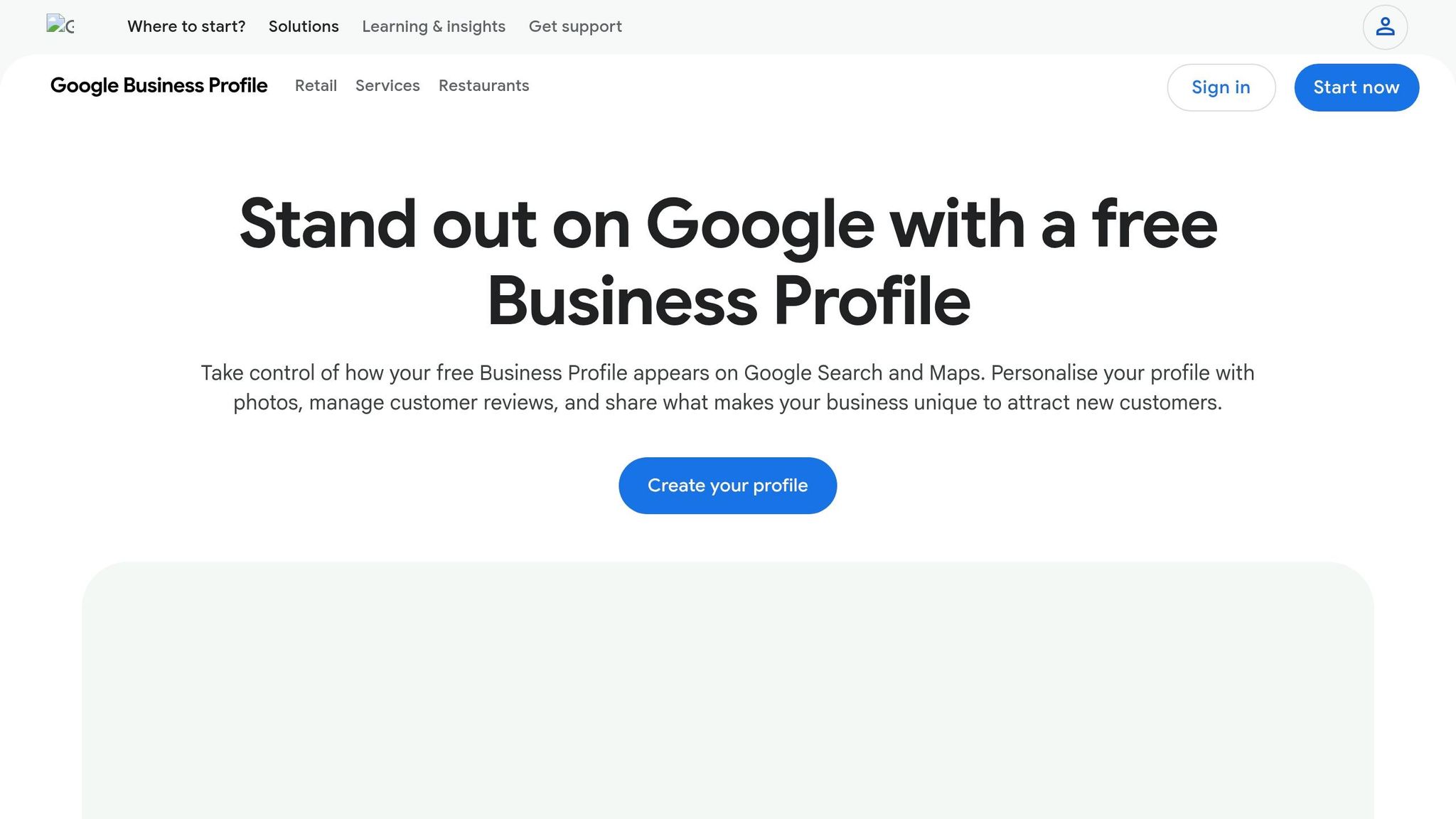
If your shop doesn’t show up when you search its exact name, start with your profile status.
A Verified profile can appear in public. Profiles marked Pending, Verify now, Suspended, or Disabled can’t.
Sign in to your Google Business Profile dashboard at google.com/business and check what status you see. A few common reasons profiles get suspended include:
If your profile is suspended, fix the issue first. Then submit a reinstatement request. That review usually takes 3 to 14 days [1][8].
Most new listings now go through video verification. Google usually wants one continuous video that shows your signage, your entrance, and proof that you run the business at that location [1].
Once your profile is live, your business details need to line up everywhere Google looks.
Google puts more trust in listings when the business details match across channels. It checks your name, address, and phone number across your profile, your website, and major directories like Yelp, Facebook, Apple Business Connect, and Bing Places. Use one exact format in every place.
Small changes can cause issues. For example, “Suite 200” in one place and “Ste. 200” in another may look inconsistent to Google. Pick one version and stick with it.
Two situations trip people up all the time. One is phone numbers. Don’t use different public tracking numbers across directories. Keep the main business number the same anywhere Google can read it [8]. The other is service-area businesses. If you travel to customers, hide your address in Google Business Profile and list cities or ZIP codes instead. Showing a home address can trigger suspension [1][8].
Your website also has to be visible to Google. Search site:yourdomain.com in Google. If nothing shows up, your site may be blocked by a noindex tag or by robots.txt [8][6].
If Google can already show your business, the next step is making sure it shows up for the right local searches. Verification makes you eligible. Ranking is a different job.
A fully verified profile can still miss the map pack if Google doesn't see enough relevance signals. Put simply, Google needs to understand that your business matches what a nearby person searched for.
Your primary category tells Google what kind of business you are. That makes it one of the strongest signals in your Google Business Profile.
The mistake I see all the time is going too broad. A plumber who chooses "Contractor" instead of "Plumber" is telling Google the wrong thing. That can push the profile into the wrong search results. Google has more than 4,000 distinct categories [5], so there's often a tighter fit available.
A simple way to check this: search your main service in Google Maps and look at the primary categories used by the top three results. If their categories don't match yours, that's a sign to fix it.
Add supporting categories only when they match services you actually offer. Stuffing in extra categories can backfire. The same idea applies to your service descriptions. Use the terms people search for.
For example, if you do roof repair but your profile only says roofing, you could miss people searching for that exact service. Small wording gaps like that matter more than most owners think.
Category tells Google what you are. Your website helps prove where and how you serve nearby customers.
Your website should make your local focus obvious. That means using city names, neighborhood names, and service-area details in crawlable text. If those details aren't on the page in plain text, Google has less to connect to nearby searches.
One missed fix is the link from your Google Business Profile. Many owners send it to the homepage. In many cases, it's better to link straight to the most relevant service or location page.
If someone searches "emergency plumber Austin," they should land on a page about emergency plumbing in Austin. Not a general homepage. The page needs to match the exact search intent: service + city.
If you serve more than one city, create separate pages for each area. Each page should include local details that are specific to that place. Swapping only the city name and leaving the rest of the copy the same won't do much.
Also, use the most specific business type in your site's structured data. A generic LocalBusiness tag is weaker when a tighter option like Plumber, Dentist, or ItalianRestaurant is available.
If your relevance signals are in place and you still don't show for nearby searches, the next limit usually comes down to trust and proximity.
If your profile is live but you still don't show up in nearby searches, the last roadblocks are often prominence and distance. Once your profile is verified and set up for local search, the next question is simple: Does your business look more trusted and more established than the shops around you? Verification gets you in the game. Prominence helps decide where you rank.
That’s why the first places to look are reviews, photos, and recent activity.
Ask for reviews on a steady basis, not all at once. A sudden spike can look unnatural, while a consistent flow sends a better signal. One easy move is to put a QR code on receipts or invoices that sends people straight to your Google review page.
Keep adding new photos too. And post each week so your profile doesn't look abandoned. Small updates can go a long way here. [10][5]
Google often gives the edge to the business that's closest, especially on mobile. So if you're not showing up, check your map pin first. If it's in the wrong spot, Google may calculate your distance the wrong way. [11]
That said, the nearest business doesn't always win. A profile with better reviews, more relevance, and more recent activity can still rank above a closer one.
Before you blame distance, compare your profile against the top three results. Look at:
That's the level you need to beat. [8]
If your trust signals are strong and you still don't appear, distance is likely the limit. No amount of tuning will make one shop show up evenly across every part of a city. [8][9]
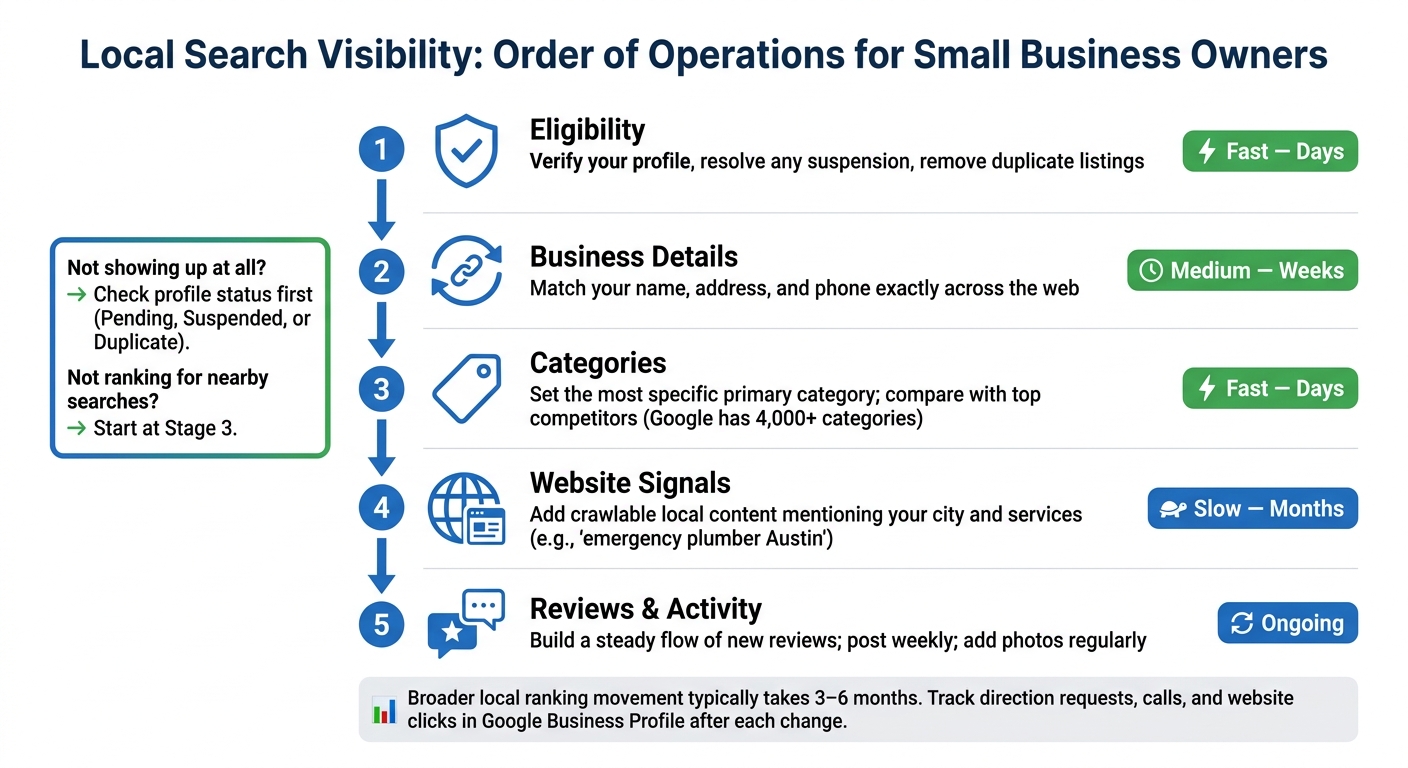
Why Your Shop Isn't Showing Up in 'Near Me' Searches: Fix It Step by Step
Once you know whether the problem is visibility, relevance, or trust, start with the issue most likely to move the needle first.
| Priority | Fix | Typical Lag |
|---|---|---|
| 1. Eligibility | Verify your profile, resolve any suspension, and remove duplicate listings | Fast - days |
| 2. Business Details | Match your name, address, and phone exactly across the web | Medium - weeks |
| 3. Categories | Set the most specific primary category and compare it with top competitors | Fast - days |
| 4. Website Signals | Add crawlable local content mentioning your city and services | Slow - months |
| 5. Reviews & Activity | Build a steady flow of new reviews and keep the profile active | Slow - ongoing |
Work through these in order. Fix the biggest issue, then check results before you move to the next one. If your shop still doesn’t show publicly, rule out profile status first [7][6].
In plain English, the path is simple: start with eligibility, then move to consistency, relevance, and trust.
After each fix, give it a little time and measure what happened before touching anything else. Change one thing at a time. That’s the only clean way to tell what helped [4].
Watch direction requests, calls, and website clicks inside Google Business Profile [3][2][7]. Also check non-brand searches, not just searches for your business name [9]. If those numbers start moving, Google is likely picking up on your local signals.
Some updates can show results in a few days. Broader local ranking movement often takes 3 to 6 months [6][2]. That’s not a reason to wait around. It’s a reason to get started now.
First, make sure your Google Business Profile is verified, active, and using the same business name, address, and phone number everywhere.
If your profile looks complete but you still don’t show in the map pack, compare two things with the top competitors:
If you appear for branded searches but not for category searches like “plumber near me,” that usually points to a ranking issue, not a visibility or indexing problem.
It’s also smart to check that your website is indexed in Google.
It depends on what you fix.
Small updates, like verifying your profile or clearing up a suspension, can start to show results in 1 to 2 weeks.
Bigger work takes more time. Things like NAP consistency, citation cleanup, and profile optimization often need 4 to 8 weeks before you see measurable ranking movement.
If you're trying to reach strong placement in a competitive market, that usually takes 3 to 6 months. For major changes, give it at least 6 weeks before you judge the results.
Yes - for map and “near me” results.
Google Maps rankings come from your Google Business Profile. It’s free, and it’s separate from your website. That means you can show up there even if you don’t have a site.
That said, you’ll usually need a claimed, verified, and complete profile to be eligible and stay competitive. A website mostly helps with organic results and trust signals, which can also support local visibility.
Discover strategies to elevate your business.