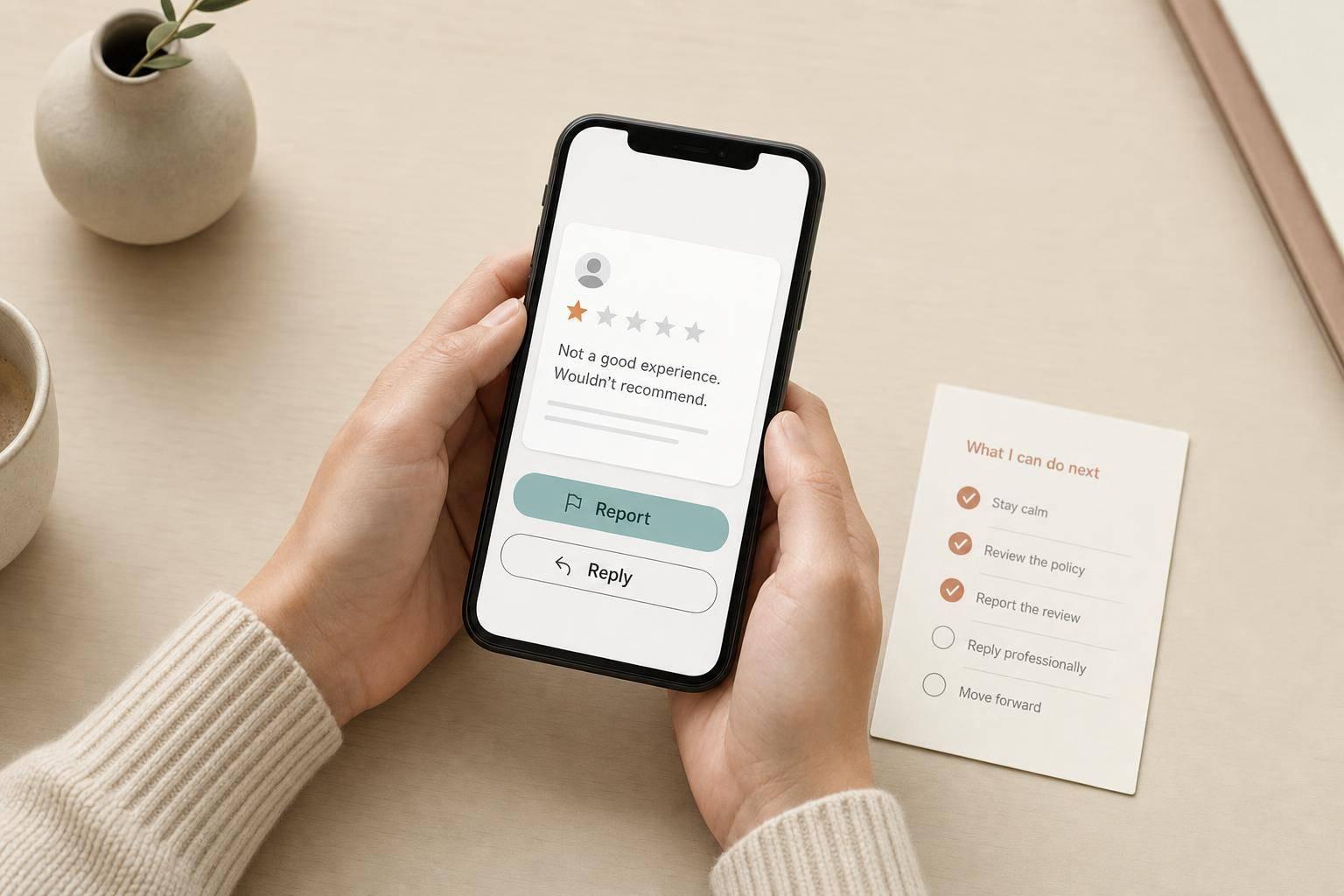
If I get a fake Google review, my best move is simple: check if it breaks Google’s rules, save proof, report it once, and reply calmly only if the review stays up.
Google removed 292 million reviews in 2025 for rule violations. That sounds huge. But Google does not remove reviews just because they feel unfair, harsh, or wrong. It usually acts only when a review breaks a stated policy.
Here’s the short version:
A few things matter most:
The main idea is this: I should build my case around Google’s rules, not my frustration. That gives me the best chance of getting the review taken down and keeps me from making the problem worse.
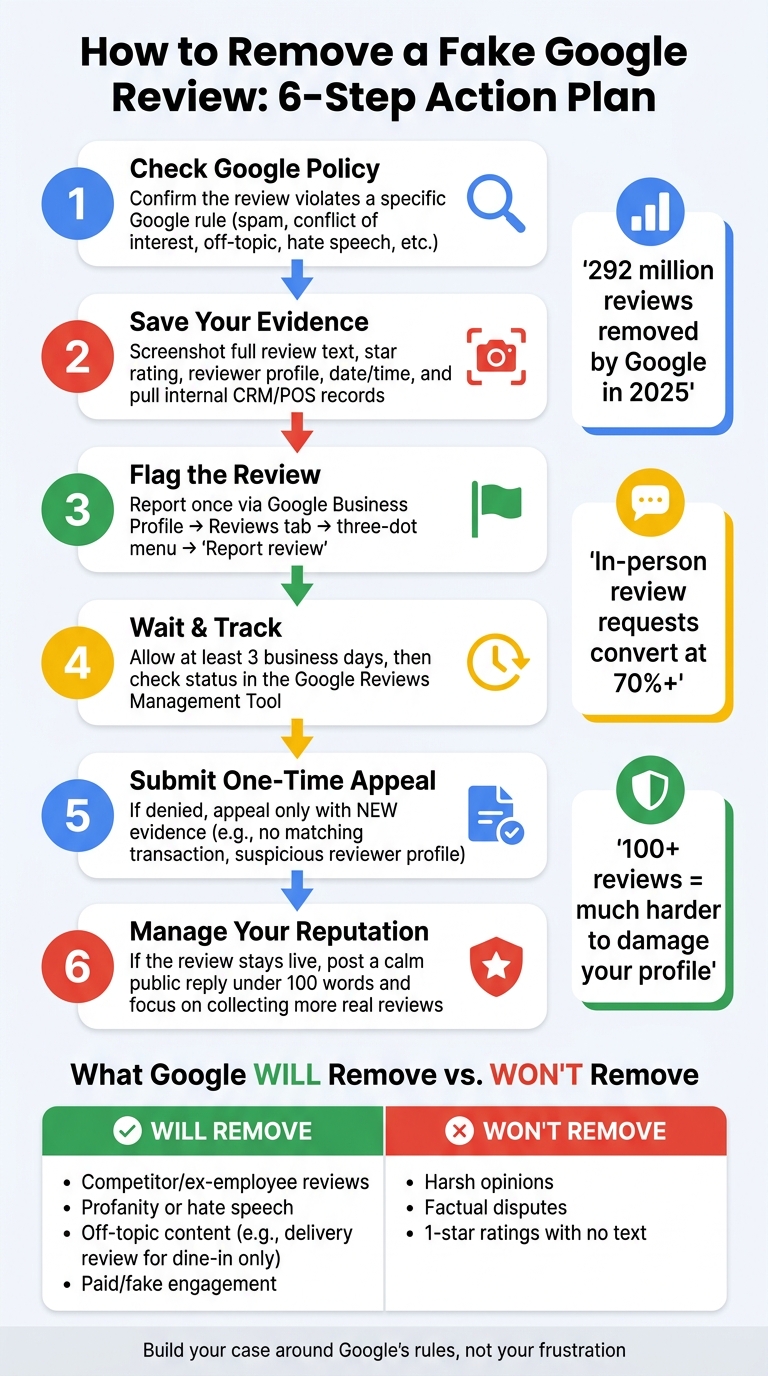
How to Remove a Fake Google Review: 6-Step Action Plan
Before you report anything, figure out whether the review gives Google a clear reason to step in. A review can be wrong and still remain live unless it breaks a specific Google rule. If it does break policy, save your proof first.
Google removes reviews only when they violate stated policies. That includes spam or fake engagement, conflict of interest, off-topic content, restricted content, and privacy violations. In plain English, that can include paid reviews, posts from employees or competitors, political rants, profanity, hate speech, harassment, and personal information shared without consent.
A simple example: if a dine-in-only restaurant gets a review about a delivery order, that review can be flagged as off-topic.[2]
A harsh opinion like "worst experience I've ever had" usually stays up. That may sting, but it isn't the same as harassment. And if a reviewer gets the date or price wrong, Google will often treat that as a dispute between the business and the customer, not a reason to remove the post.
The practical rule here is simple: if the review could reasonably describe a real customer experience, expect Google to keep it live. Don't count on removal. In fact, repeatedly flagging reviews that don't break policy can hurt your case if Google sees that you're misusing the reporting tool.
| Review Content | Google's Likely Action | Why |
|---|---|---|
| One-star rating with no text | Stays live | Not a policy violation |
| "Staff was rude and unhelpful" | Stays live | Opinion, not a policy violation |
| Factual error (wrong date or price) | Stays live | Treated as a factual dispute |
| Review mentions delivery for a dine-in-only restaurant | Removed | Off-topic content |
| Posted by a competitor or ex-employee | Removed | Conflict of interest |
| Contains profanity or hate speech | Removed | Restricted content violation |
If the review clearly breaks a rule, the next move is to document it and flag it through Google Business Profile.
If a review seems to break policy, save your proof first. After you report it, the reviewer might edit the text or delete the profile. If that happens, your proof can vanish too.
Capture the full review text, star rating, reviewer name, and the exact date and time it was posted. Take clear screenshots on desktop and mobile. Make sure your business name and the review show up in the same frame. Then click the reviewer’s name and screenshot the full profile, including the photo or avatar and any visible review history. Save the direct URL to the reviewer’s profile and the direct link to the review itself.
Then check your internal records. Pull CRM, POS, appointment, invoice, phone, and email records. Search for the reviewer’s name and the experience they described. If nothing matches, note that clearly. That can help show the reviewer was never a customer.
Document the policy violation, not your opinion.
Use this checklist to keep everything in order:
| Evidence Category | What to Capture | Why It Helps |
|---|---|---|
| Public Review | Full text, star rating, date, business listing | Proves what was said and when |
| Reviewer Profile | Name, avatar, profile URL, review history | Flags bot patterns or geographic fakes |
| Internal Records | CRM, POS logs, invoices, appointment books | Proves the reviewer was never a customer |
| Pattern Data | Timestamps of multiple reviews, similar wording | Supports claims of coordinated review bombing |
| Extortion Proof | Emails, DMs, payment demands | Critical for Google's Merchant Extortion reporting form |
These clues matter most when they match what you see in your own records. Start with the reviewer’s profile history. One red flag is an account created only days before the review. Another is a profile that reviewed a plumber in Miami, a bakery in London, and your business in Seattle on the same day. That kind of pattern can look fishy fast.
Also check the details in the review itself. If the person talks about a service you don’t even offer - like delivery for a dine-in-only restaurant - that helps your case.
Keep one dated file with every screenshot, URL, note, and case ID. Log every date in U.S. format, such as Aug. 8, 2026, and record each step you take.
Once you've saved your screenshots and records, report the review through Google's own tools.
Sign in to your Google Business Profile dashboard and open the Reviews tab. Find the review, click the three-dot menu, and choose "Report review." Then select the closest policy category and explain the violation in one sentence.
Do not write "this review is fake." Write the specific policy and the matching facts. [3]
Be precise. Point to the policy and the facts that line up with it. Flag the review once from your account.
After you flag the review, use the Google Reviews Management Tool to track the case status. [2][6] Don't check too soon. Wait at least three business days before looking for an update. [4][3]
If Google rejects the report, go to the one-time appeal and submit new proof. This is where many people slip up: they repeat the same claim and hope for a different result. That's not enough. Use your one appeal only when you have new evidence, such as no matching transaction or a reviewer profile that conflicts with the claim in the review. [3][6]
If the appeal fails, post the Case ID and your evidence in the Google Business Profile Help Community so a Product Expert can review it.
If the review stays live, stop treating this as a removal issue and move to damage control.
If Google leaves the review live, move from takedown mode to reputation management.
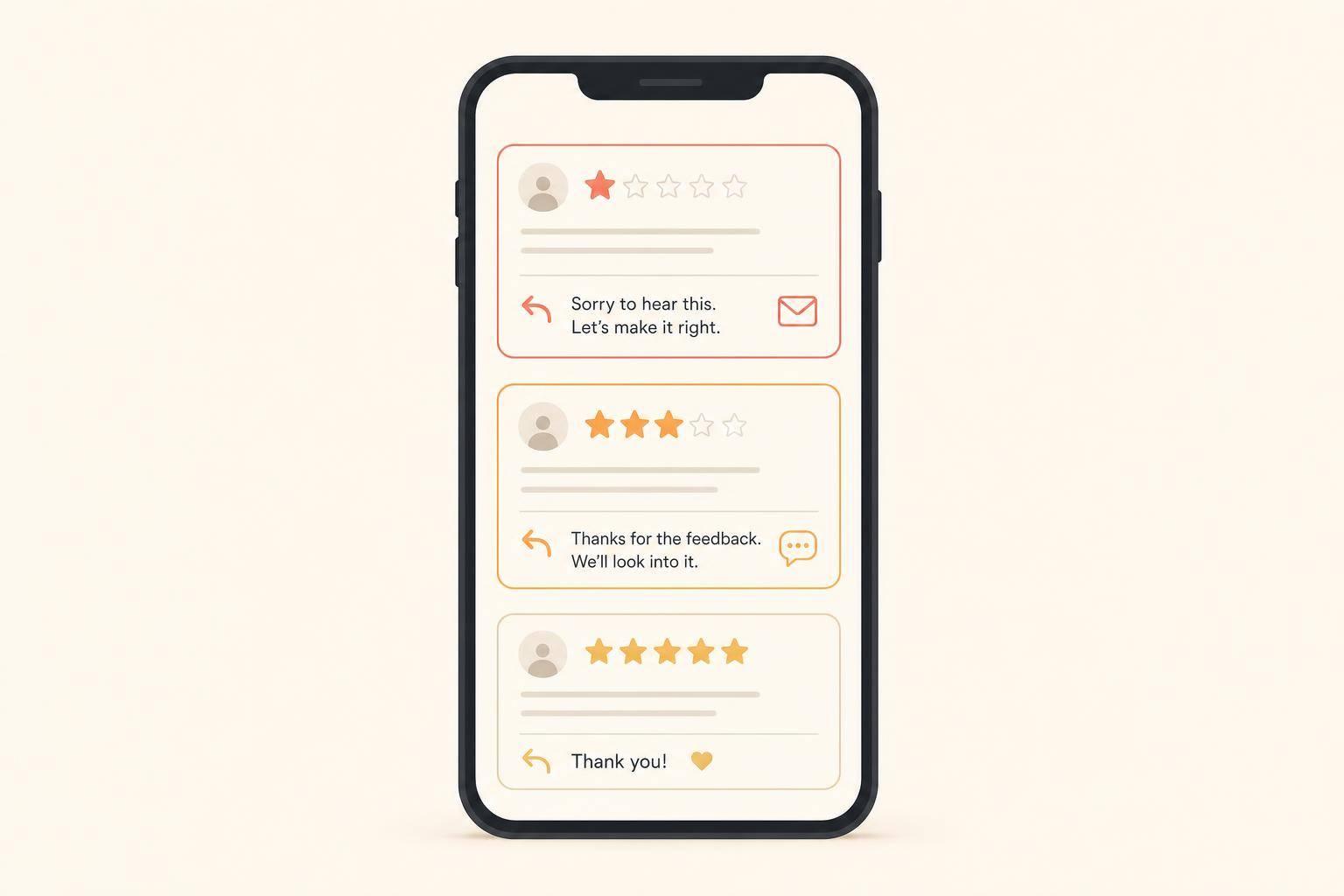
A short, factual reply can help - not because it will change the fake reviewer’s mind, but because it gives future customers some context when they check your profile later.
Write for future customers, not the reviewer. Keep it under 100 words. Say you have no record of the person as a customer, like this: "Thank you for your feedback. We can't find a matching record under this name. If you're a customer, contact us at [phone/email] so we can help." That tells people the review may not be legitimate without sounding accusatory.
There’s one catch: don’t reply to an old review that’s buried low on the page. A reply can bring it back into view.[3]
After that, put your energy into getting new reviews so the fake one carries less weight.
A calm reply can help in the short term. Steady review growth does more over time.
Profiles with only 1–10 reviews are easier to damage, while profiles with 100+ reviews tend to hold up much better.[5] Keep new reviews coming at a steady pace, and ask right after a completed job or a good customer interaction. In-person requests can convert at over 70%.[1]
It also helps to build reviews on other major platforms. Yelp, Facebook, and industry-specific sites like Healthgrades or Houzz give people more places to check your business. That way, one fake Google review doesn’t shape your whole online reputation.
Confirm that the review breaks policy, save timestamped screenshots and records, report it through Google Business Profile, and if it stays live, post a calm public reply while you keep collecting real reviews over time. That makes the fake post look like what it is: an outlier.
A review is usually removable only when it breaks Google’s policies, not just because it’s negative or feels unfair.
A review may qualify for removal if it includes:
Before you report it, save your evidence. That can include CRM records, the reviewer’s profile history, and suspicious timestamps.
Save clear, timestamped screenshots of the review and the reviewer’s profile. Make sure the name, avatar, and date are visible in each image.
Then check your CRM, appointment logs, transaction records, and email history to confirm you have no record of that person as a customer.
It also helps to save proof of anything that looks off, such as:
Keep all of this in one folder so it’s easy to use in your report or appeal.
If Google denies your request, don't panic. And don't send the same report again.
Instead, file an appeal through the Google Business Profile Review Management Tool and include new evidence. If that doesn't work, post a clear summary in the Google Business Profile Community Forum with the review link and your case IDs.
If the review stays live, publish a calm, professional public response. Then keep building more positive reviews so the bad one carries less weight.
For extreme cases where the review is provably defamatory, talk to an attorney.
Discover strategies to elevate your business.