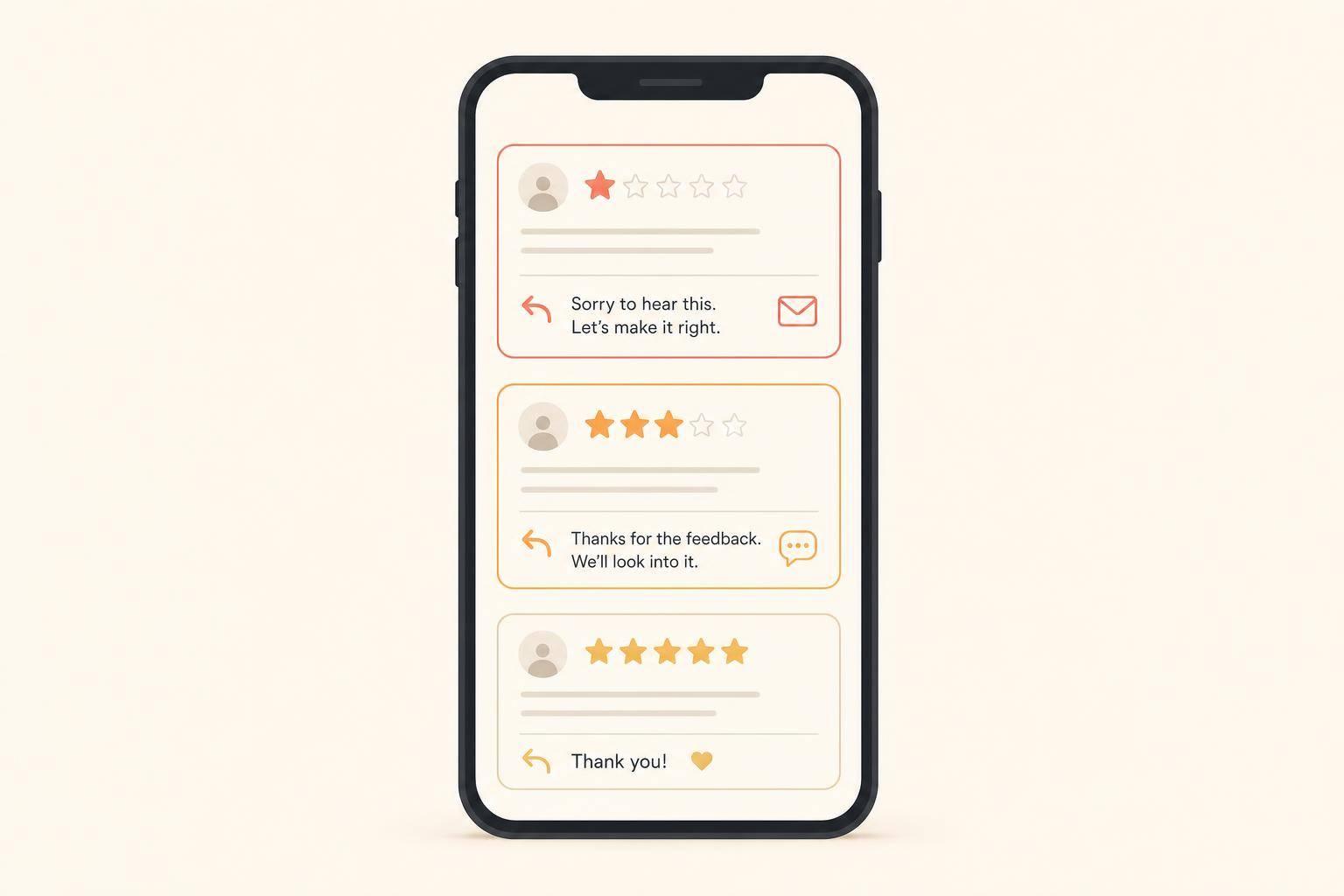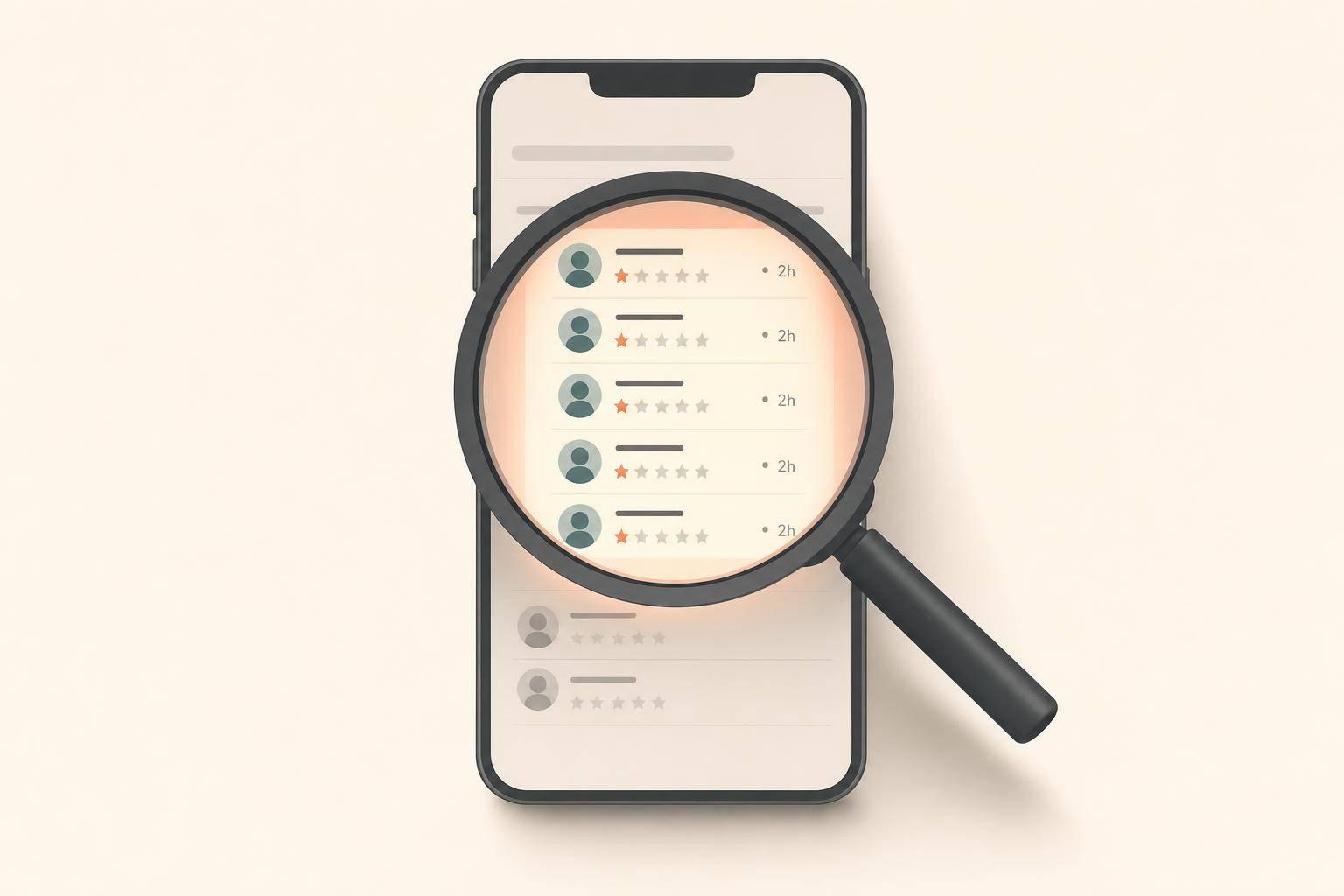
A bad Google review is not fake just because it feels unfair. What matters is whether the review matches your records, fits a policy violation, and shows a pattern like vague wording, thin profiles, or a burst of 1-star posts within 24 to 72 hours.
If I thought a competitor might be targeting my business, I’d keep it simple:
A few profile clues can look odd without meaning much. No photo, no review history, or a blank-looking account can be suspicious, but not enough on its own. What pushes a review into reportable territory is when the story falls apart: it mentions a service I don’t offer, a staff member who doesn’t exist, a visit on a day I was closed, or it tells people to use a competitor instead.
Here’s the short version: I should use evidence, not guesswork. If the review is specific and lines up with my records, I should reply and move on. If it’s vague, false, and part of a pattern, I should document it and report it through Google’s review tools or the Business Redressal Complaint Form.
| Review type | What I’d do |
|---|---|
| Specific negative complaint | Reply calmly; report only if it breaks policy |
| Generic 1-star with no details | Check records and watch for a pattern |
| Mentions a service I don’t offer | Flag and document |
| Names a competitor | Treat as conflict of interest and report |
| Burst of 1-star reviews in 24–48 hours | Log the timeline and escalate |
| Threat tied to money, refunds, or discounts | Use Google’s extortion form |
Bottom line: I shouldn’t accuse anyone too early. I should match the review against my records, save proof, and act only when the facts support it.
The more red flags a review shows - mainly when the same signs appear across several reviews - the stronger the case that it may be fake. From there, look for patterns in the profile, timing, and wording that often give these reviews away.
Start by clicking the reviewer's name. A bare profile with no photo or no past reviews is worth documenting [3][4]. Profiles tied to review manipulation often post only 1-star or 5-star reviews [4]. One profile alone doesn't prove much, but the same pattern showing up across multiple accounts can say a lot.
Location matters too. If a local business keeps getting reviews from accounts based in another state or another country, that mismatch is worth saving as part of your record [3].
The biggest profile warning sign is competitor overlap. If the same account reviews your business and a direct competitor within a short time - especially if it leaves you a negative review while praising the competitor - document that pattern [8].
If the profile seems off, the next thing to check is whether the review showed up as part of a cluster.
A sudden wave of 1-star reviews over 24 to 72 hours is a major warning sign, especially if it doesn't match your usual review pattern [3][2][6]. If there was no known issue, promotion, or unusual event in the business, that kind of spike deserves a closer look.
Fake reviews are often vague. They leave out names, dates, products, or clear details about what went wrong [2][4][8]. And if you spot nearly identical wording across several reviews from different accounts, that may point to a copy-and-paste campaign [3][4][8]. Odd tone, stiff wording, or awkward phrasing can also be a clue.
At that point, compare the claims in the reviews with what happened in your own records.
A suspicious review starts to fall apart when it clashes with your schedule, services, or staff list. If it mentions a service you don't offer, an employee who doesn't exist, or a visit on a day you were closed, that's a factual error you can document [2][4][5][8].
A direct competitor mention is the clearest conflict-of-interest signal. If a review tells people to go to a named competitor while attacking your business, that review may violate Google's conflict-of-interest policy [8][6].
Once you see a pattern, document it before you decide whether to report it.
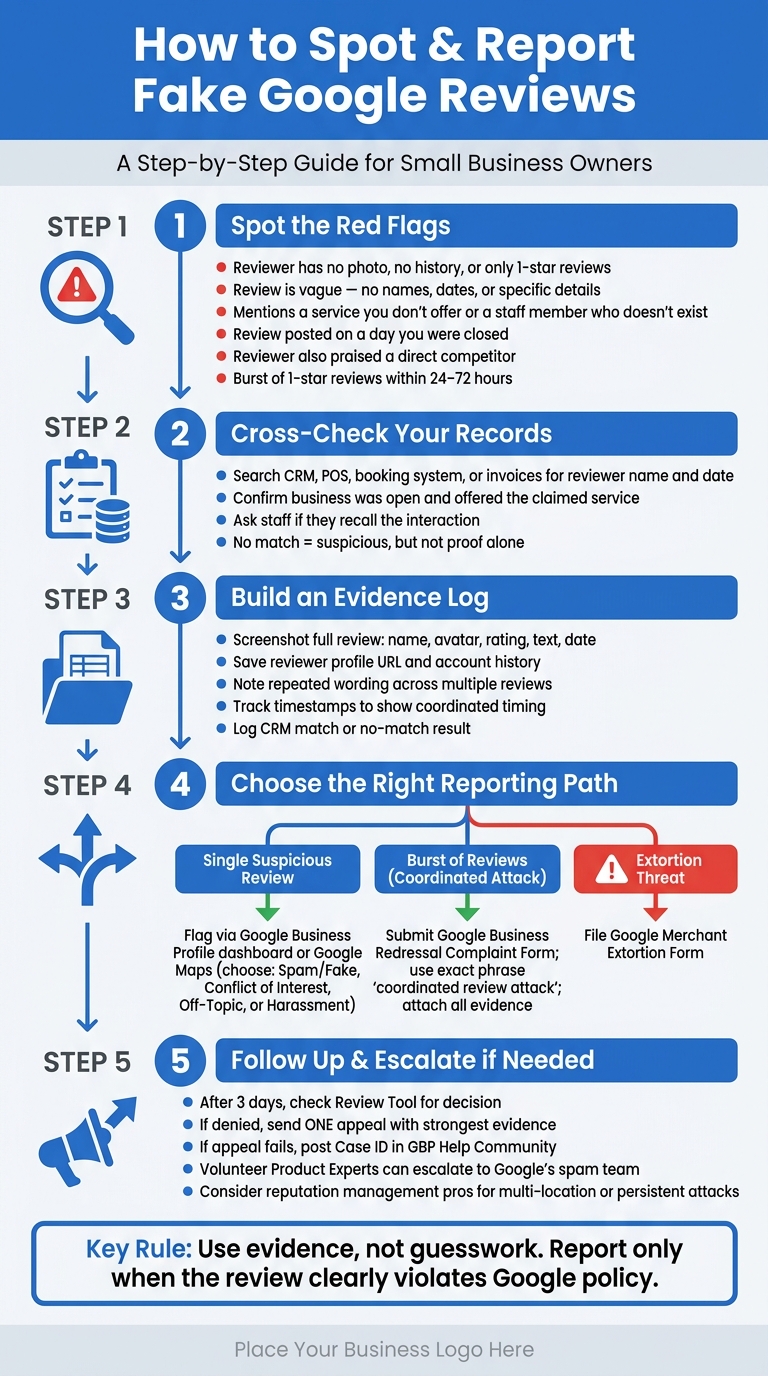
How to Spot & Report Fake Google Reviews: A Step-by-Step Guide
Red flags show you where to look. Your records show you whether the review lines up with a real customer interaction. Once you spot something off, check it against your internal records before you respond.
Start with the basics. Search your booking system, CRM, point-of-sale system, or invoices for the reviewer's name, the service date, and any issue the review mentions [2][9]. If the post names a staff member or describes a complaint, ask your team if anyone remembers the situation [9].
A missing match doesn't settle the matter by itself. It's just one piece of the puzzle. You're not trying to prove motive here. You're checking whether the review matches actual customer activity. It also helps to confirm whether your business was open that day or even offered the service the reviewer claims to have used [9].
When you reply in public, don't identify the reviewer or post private customer details. Keep it simple and factual:
"We cannot find a matching appointment or transaction. Please contact us at [phone/email] so we can review it." [2]
If the details still don't line up, add the review to your evidence log.
Save suspicious reviews as soon as you see them. People can edit or delete posts later, and that can make your review harder to report [7]. Take full screenshots that show the reviewer's name, avatar, star rating, review text, and posting date [9][4][1].
Then track each review in a simple spreadsheet. Include the review URL, capture date, reviewer name, claimed complaint, and whether your records showed a match [9]. Also jot down repeated wording, sudden clusters of reviews, or profile details that look thin, recycled, or inconsistent. Those notes can help show a pattern instead of a one-off complaint.
| Evidence to Capture | Why It Matters |
|---|---|
| Full screenshot with date, reviewer name, avatar, and rating | Reviews can be edited or deleted before you finish investigating [7] |
| Reviewer profile URL and account history | Helps spot thin history or unusual review patterns [3][9] |
| Record match or no match | Shows whether a real customer interaction exists [2][9] |
| Claimed service vs. actual offerings | Flags factual mismatches you can reference in a report [2][4] |
| Review timestamps | Helps show coordinated timing rather than organic feedback [3][9] |
This kind of log gives you a clear paper trail if you decide to report the review later.
A batch of suspicious reviews can do more than drag down your star rating. It can also cut into visibility and incoming leads. Compare review dates with your Google Business Profile insights to see whether calls, direction requests, or search impressions dropped around the same time [3][2]. If website traffic or inbound leads also fell, document that too [3][2][7].
If you can tie the review pattern to a drop in visibility, you'll have stronger support when it's time to escalate.
Report reviews only when they match a Google policy violation, not just because they seem unfair. The key is to use your evidence log and line the review up with the right policy category.
Pick the clearest violation category: spam or fake content, conflict of interest, off-topic content, or harassment. A low star rating or harsh wording by itself does not break policy.
If it's one suspicious review, flag it in your Google Business Profile dashboard or in Google Maps. Choose the most specific reason that fits the evidence.
If you're dealing with a burst of reviews instead of one post, use the escalation form. When a group of suspicious reviews shows up in a short time frame, submit the Google Business Redressal Complaint Form and describe the pattern as a coordinated review attack. When you file it, use the exact phrase "coordinated review attack" so Google can see this is a pattern, not a one-off review [6]. Include the evidence you've already collected: screenshots, timestamps, reviewer profile details, and notes showing no customer match in your CRM, POS, or booking records [2][1].
After 3 days, check the Review Tool. If Google denies the flag, send one appeal with your strongest evidence [10][4]. If that fails too, post your Case ID in the GBP Help Community. Volunteer Product Experts can escalate clear cases to Google's internal spam team [10][6].
If the reviews keep coming, or the pattern is big enough to affect multiple locations or your Local Pack visibility, outside help may make sense. Reputation management pros can help when you don't have the time to track patterns, organize proof, and handle the appeal process yourself [10][7].
Use a different path when a review is tied to a threat. If someone says they'll leave a bad review unless you pay, refund, or give a discount, don't use the standard reporting process. File the Merchant Extortion Form instead [11].
Once you have screenshots, timestamps, and record checks, the final call is simple: does the review belong in Google's reporting process?
Not every bad review is a competitor hit. Sometimes a bad review is just that - a bad review. The difference usually shows up in the pattern. One vague 1-star review deserves a look. A 24–48-hour burst from thin accounts, with repeated wording and no CRM match, deserves documentation and escalation. That's why an evidence log matters.
Keep it simple. Spot the red flags, check your internal records, build a factual evidence log, and report a review only when it clearly breaks Google's policy.
Your best defense is a steady flow of real reviews. If a review doesn't violate policy, reply once, document it, and move on.
Use this quick read to figure out your next step.
| Review type | How to interpret it |
|---|---|
| Specific but negative complaint | Likely real. Respond professionally. Do not report unless it violates policy. |
| Generic 1-star with no text or details | Suspicious. Check your records and watch for a pattern. |
| Mentions a service you don't offer | Likely off-topic or fake. Flag it. |
| Recommends a competitor by name | Likely conflict of interest. Document it and report it. |
| Reviewer profile with zero history | A red flag, not a policy violation. Cross-check your records first. |
| Sudden burst of 1-star reviews in 24–48 hours | Likely coordinated. Document the timeline and escalate. |
A review is more likely fake when you can't tie it to a real customer record. The same goes for reviews that mention services, employees, or locations that don't exist, or that stay so vague you can't tell what actually happened.
Patterns matter too. A sudden burst of multiple 1-star reviews can be a red flag. So can reviews with near-identical wording, brand-new reviewer accounts, or posts linked to a competitor or showing up right after a dispute.
At the same time, a single unfair complaint usually isn't enough to get a review removed.
Before you report a review to Google, save timestamped screenshots of the review and the author’s profile, with the date visible.
Then document your internal check of your CRM, appointment logs, and transaction history. Write down any patterns you find, such as timing clusters, repetitive or vague wording, competitor connections, threats or extortion attempts, and your reporting or escalation attempts.
Escalate the issue if your first Google Business Profile report gets denied, or if the review is still live after two weeks. The same goes for coordinated, high-volume attacks that basic reporting just doesn’t fix.
Use the Google Business Profile Help Community to ask for a manual review. Share your case ID, a clear summary of your evidence, and the policy violation. If you’re dealing with a severe, malicious, or illegal campaign that’s causing financial harm, talk to a legal professional.
Discover strategies to elevate your business.