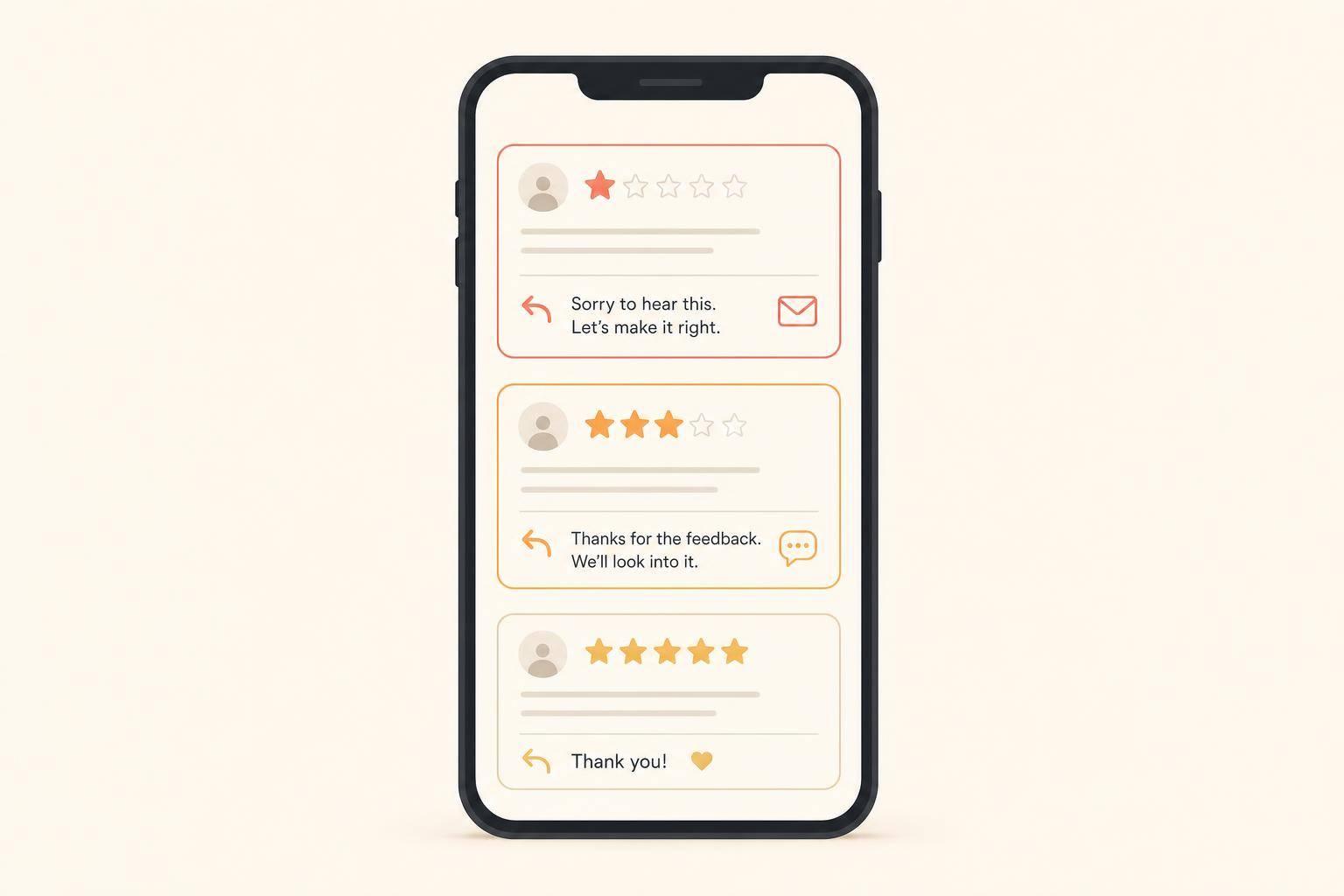
If you want more customer reviews, text usually beats email. In most cases, SMS review requests get 15% to 25% completion rates, while email gets about 2% to 5%. That means text can bring in 3 to 5 times more reviews.
Here’s the short answer:
If I boil the full article down, this is what matters most to you:
My take: if your main goal is review volume, start with text. If your business already runs on email, keep email in the mix. And if you want a simple plan, send one text first, then follow with email on day 5 to 7 for people who did nothing.
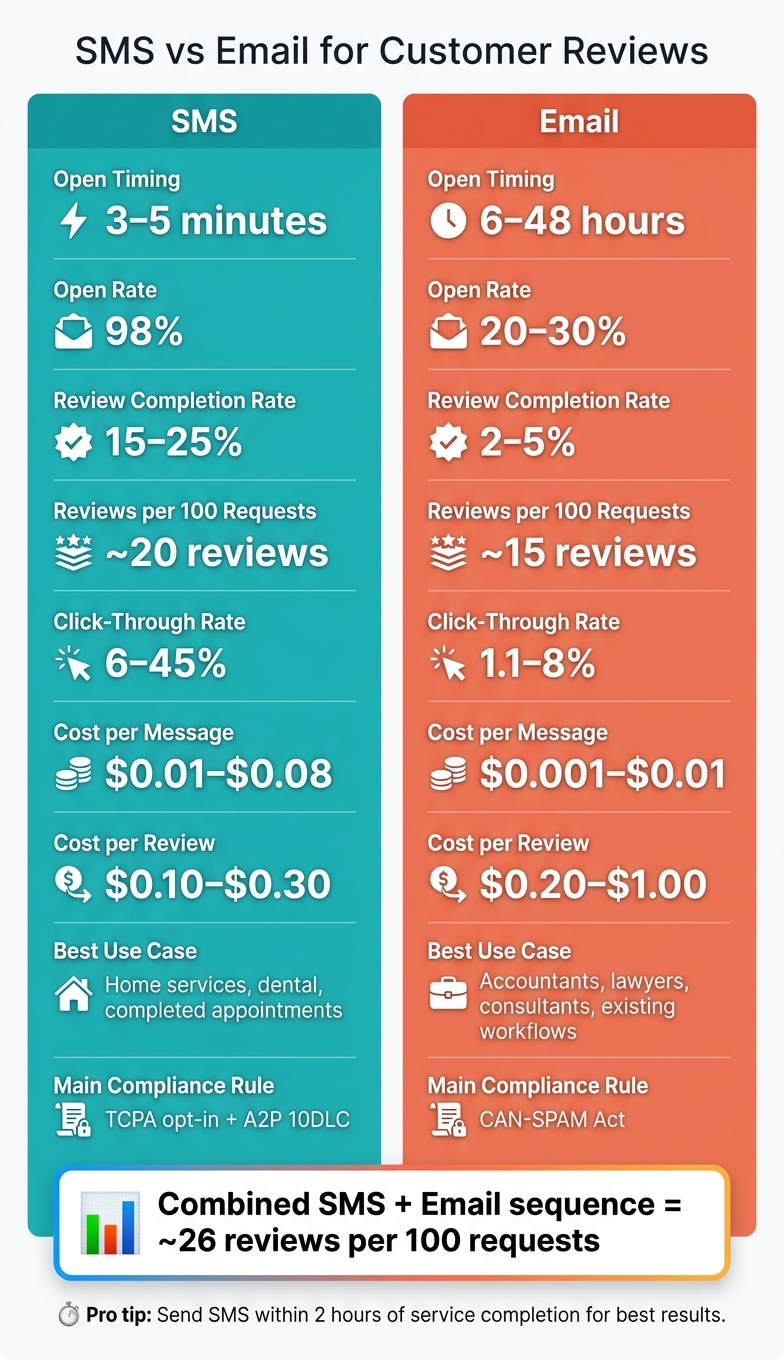
SMS vs Email for Customer Reviews: Key Stats Compared
| Metric | SMS | |
|---|---|---|
| Open timing | 3–5 minutes | 6–48 hours |
| Review completion rate | 15%–25% | 2%–5% |
| Reviews per 100 requests | About 20 | About 15 |
| Cost per message | $0.01–$0.08 | $0.001–$0.01 |
| Cost per review | $0.10–$0.30 | $0.20–$1.00 |
| Best use case | Completed jobs and appointments | Follow-up emails and client-based work |
| Main issue | Opt-in rules and setup | Lower response rates |
If you’re deciding between the two, the simple rule is this: text gets more reviews, email fits more workflows.
SMS tends to work well because it's fast and easy to act on. A text lands on the customer's phone almost right away and is often read within minutes. That matters. The less time that passes, the less chance the customer forgets the visit or loses interest.
There's another simple reason SMS performs well: most reviews are written on phones. So when your text includes a direct Google review link, the customer can go from request to review in one tap. And if someone already trusted you enough to share their phone number, they're often more likely to respond than a person who only gave you an email address [10].
Timing makes this even stronger. In a 12-month LaunchSMS study of 50,000 review requests, SMS messages sent within 2 hours of job completion reached a 42% response rate. After 48 hours, that fell to 6% [9]. That's a huge drop, and it shows why SMS works best when the experience is still fresh.
SMS is a strong fit when the service has a clear finish line and the customer can take action right away. Think home services, dental visits, or any completed appointment. In fact, SMS can beat email by up to 6.7x in fields like plumbing and HVAC [2].
That said, SMS is not as simple to set up as email.
In the U.S., you need written opt-in under the TCPA. If you ignore that rule, penalties can run from $500 to $1,500 per message [10]. You also need A2P 10DLC business registration to cut down on carrier filtering and delivery issues [4][10].
SMS also costs more per send than email. It usually runs $0.01 to $0.08 per message [6][4]. But here's the trade-off: the cost per review can still be lower because more people complete the review. Average cost per review is about $0.10 to $0.30 for SMS versus $0.20 to $1.00 for email [2].
A few rules matter here:
| Factor | SMS |
|---|---|
| Open rate | ~98% [10] |
| Time to open | Within 3–5 minutes [10] |
| Review completion rate | 15%–25% [6][2] |
| Cost per message | $0.01–$0.08 [6][4] |
| Cost per review | $0.10–$0.30 [2] |
| Compliance requirement | TCPA opt-in + A2P 10DLC registration [4][10] |
| Best for | Home services and other completed appointments |
| Main drawback | Setup rules and per-message costs at scale |
Here are two short sample review request texts for U.S. small businesses. Each one stays under 160 characters, which helps keep the message tight and avoids multi-segment costs [7][11].
Home services (HVAC/plumbing):
Hi [Name], thanks for letting us handle your AC repair today. Google review: [link] Reply STOP to opt out.
Dental office:
Hi [Name], glad we could see you today. Google review: [link] Reply STOP to opt out.
The best SMS review requests feel personal without getting wordy. Mention the exact service or visit, and send people straight to your Google review form, not your main profile page [11]. Short wins here. A clear ask, a direct link, and good timing usually do the job better than a longer message.
Email uses the same basic ask, but it's often a better fit when speed matters less and you want it to sit inside your usual follow-up flow.
If SMS wins on speed, email wins on workflow fit.
Email usually converts at 2% to 5%, with 20% to 30% opens, 3% to 8% clicks, and a 6 to 48 hour delay before most customers open it [2][4][6][13].
For a lot of businesses, email just fits the way they already work.
It gives you space to include a project recap, a thank-you note, or a receipt right next to the review ask. You don't need to add another channel or change your follow-up process. If the customer relationship already lives in email, the request feels normal instead of out of place.
Email is also cheap. At $0.001 to $0.01 per message [2][6], it's about 10x cheaper than SMS per send [2]. For a small business sending 200 requests per month, total email cost is often just $0 to $5, depending on the provider [4].
The downside is simple: email asks the customer to come back later.
That delay costs reviews. The customer has to find the message, open it, click the link, and then finish the review after the first burst of goodwill has worn off. Each step adds friction, and each extra step gives people another chance to drop off.
Inbox clutter makes that worse. And if the message lands in Gmail's Promotions tab, open rates can drop by as much as 50% [6]. Unsubscribe rates for review-request emails can run from 5% to 12% [2].
There are also compliance rules to follow. In the U.S., email is governed by the CAN-SPAM Act. Every review request email needs an accurate From name, a clear subject line, and a working unsubscribe link [4][14].
| Factor | |
|---|---|
| Open rate | 20%–30% [2][4] |
| Time to open | 6–48 hours [2] |
| Click-through rate | 3%–8% [2][13] |
| Review completion rate | 2%–5% [2][13] |
| Cost per message | $0.001–$0.01 [2][6] |
| Cost per review | $0.20–$1.00 [2] |
| Compliance requirement | CAN-SPAM (accurate sender ID + unsubscribe link) [4][14] |
| Best for | Professional services, project-based work, existing follow-up flows |
| Main drawback | Lower conversion; higher spam/Promotions tab risk |
Here are two sample emails for U.S. small businesses. Both use a real sender name, one review link, and a short body.
Professional services (accounting/consulting):
Subject: Your project with Maple Ridge Advisors - quick favor?
Hi [Name], it was a pleasure working with you on your Q2 filing. Attached is your final summary for your records. If you have 30 seconds, a Google review would mean a lot to our small team: [link]. Thanks again for trusting us with your business.
- Sarah, Maple Ridge Advisors
Unsubscribe: [link]
Home services follow-up:
Subject: How did we do, [Name]?
Hi [Name], thank you for choosing Ridgeline Plumbing today. We're a small team, and your feedback means the world to us. If you have 30 seconds, could you share your experience on Google? [link] Thanks for your support!
- Mike, Ridgeline Plumbing
Unsubscribe: [link]
A few details matter here. Send from a real person, not a generic sender address. Mention the exact job. And keep the timing close to the work itself, so the request goes out soon after the job closes [3][14].
That tradeoff sets up the side-by-side comparison next.
If your main goal is more reviews, SMS usually comes out ahead. Per 100 requests, SMS tends to generate about 20 reviews, while email lands closer to 15 [1][7]. And if you use both in a sequence, results can climb to about 26 reviews per 100 requests [1][7].
Here’s how the two channels compare.
| Metric | SMS | |
|---|---|---|
| Typical time to open | ~3 minutes [2][6] | 6–48 hours [2][6] |
| Click-through rate | 6%–45% [2][3] | 1.1%–8% [2][3] |
| Review completion rate | 15%–25% [2][6] | 2%–5% [2][6] |
| Reviews per 100 requests | ~20 [1][7] | ~15 [1][7] |
| Cost per review | $0.10–$0.33 [2] | $0.20–$1.00 [2] |
SMS does cost more per message - about $0.01–$0.05, compared with $0.001–$0.01 for email [2]. But that higher message cost often gets canceled out by better conversion rates. In plain English: SMS can still end up cheaper per review [2].
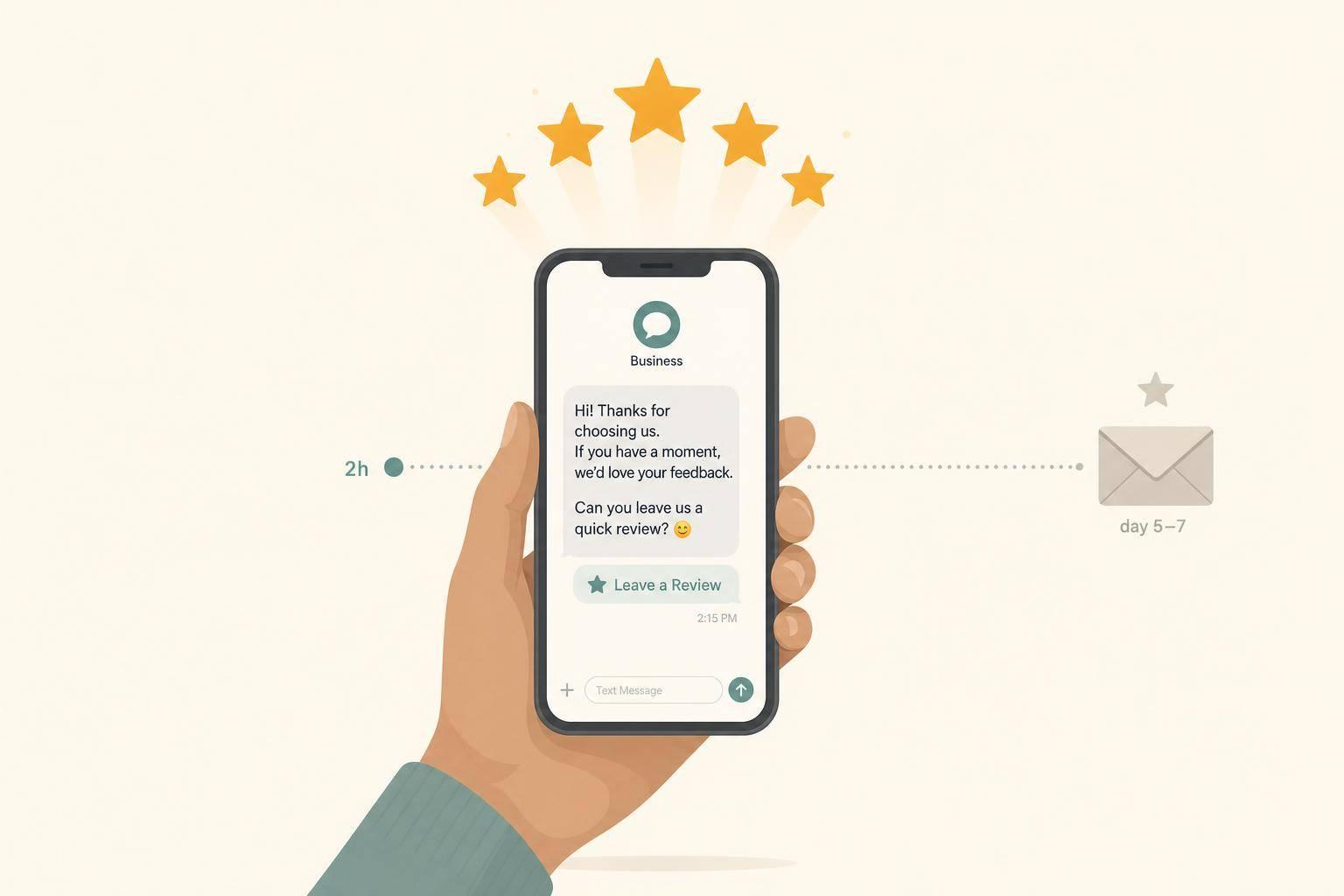
The best setup is usually simple: send SMS first, then follow up only when needed. Send the first text within 2 hours, send a second one at 48 hours, and then email the people who still haven’t responded on day 5 to 7 [2][6].
That sequence works for a pretty obvious reason. Some people act right away on their phones. Others wait and deal with it later from a laptop or desktop. Using both gives you a better shot at both groups.
The best channel often depends on how your customers already like to communicate.
So the choice isn’t just about open rates or cost. It’s about fit. Pick the channel that lines up with your workflow first, then test a combined sequence when review volume matters most.
SMS usually gets more reviews. Email makes sense when it already fits how you work, and a combined sequence tends to do best. For most small businesses, SMS should be the default, with email as the fallback.
Start with the contact data you already have. If you collect mobile numbers, SMS should be your first move. If your process already runs through email - like invoices, project reports, or client summaries - start there and add SMS when you’re ready.
What matters most is consistency. Set up the review request to go out right after service is done or payment comes in. Then follow up with people who didn’t respond by email. Check review completion rates every month and adjust anything that isn’t pulling its weight. Use a tool that can automate follow-ups and track review completion rates monthly.
Yes - using both text and email can help increase review volume.
Text usually works best as the main channel because people tend to see it fast. Email, on the other hand, works well for follow-ups or for certain customer groups who are more likely to reply there.
A common setup looks like this:
That way, you get the speed of text without giving up the extra reach that email can add.
Send the review request as soon as you can, while the experience is still fresh. For most service-based businesses, the sweet spot is 2 to 4 hours after the job is done.
There’s a big difference in timing. Requests sent within 2 hours can get response rates as high as 42%. Wait 48 hours or more, and responses often fall below 10%.
If the customer doesn’t reply to the first SMS, send a follow-up at 48 hours. After that, you can optionally follow up by email in 5 to 7 days.
Yes. In the United States, you need prior express consent before you send SMS review requests. Just having a customer’s phone number isn’t enough.
You need to keep a record of clear permission, say who your business is in the text, and give people a simple way to opt out, like replying STOP.
Discover strategies to elevate your business.