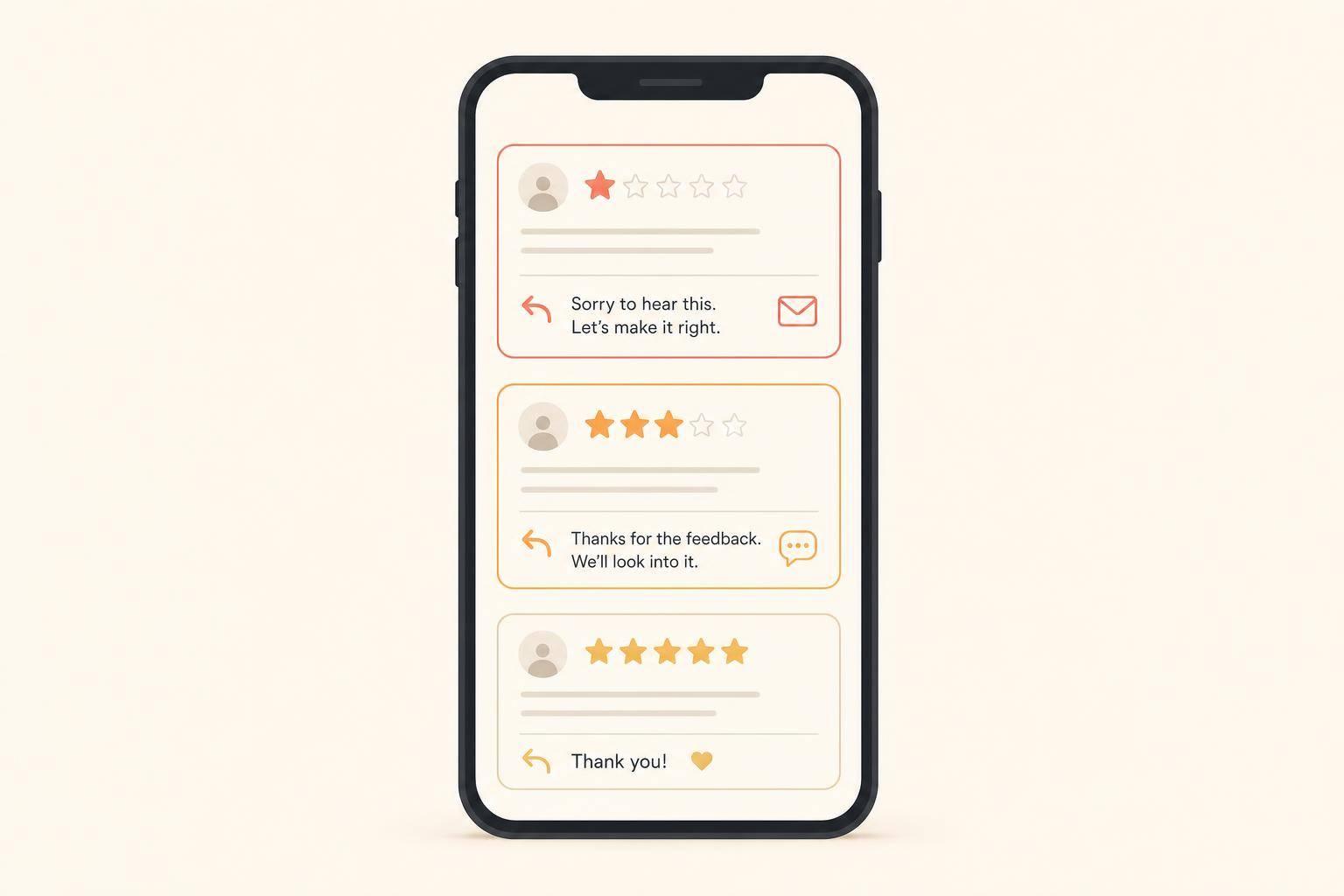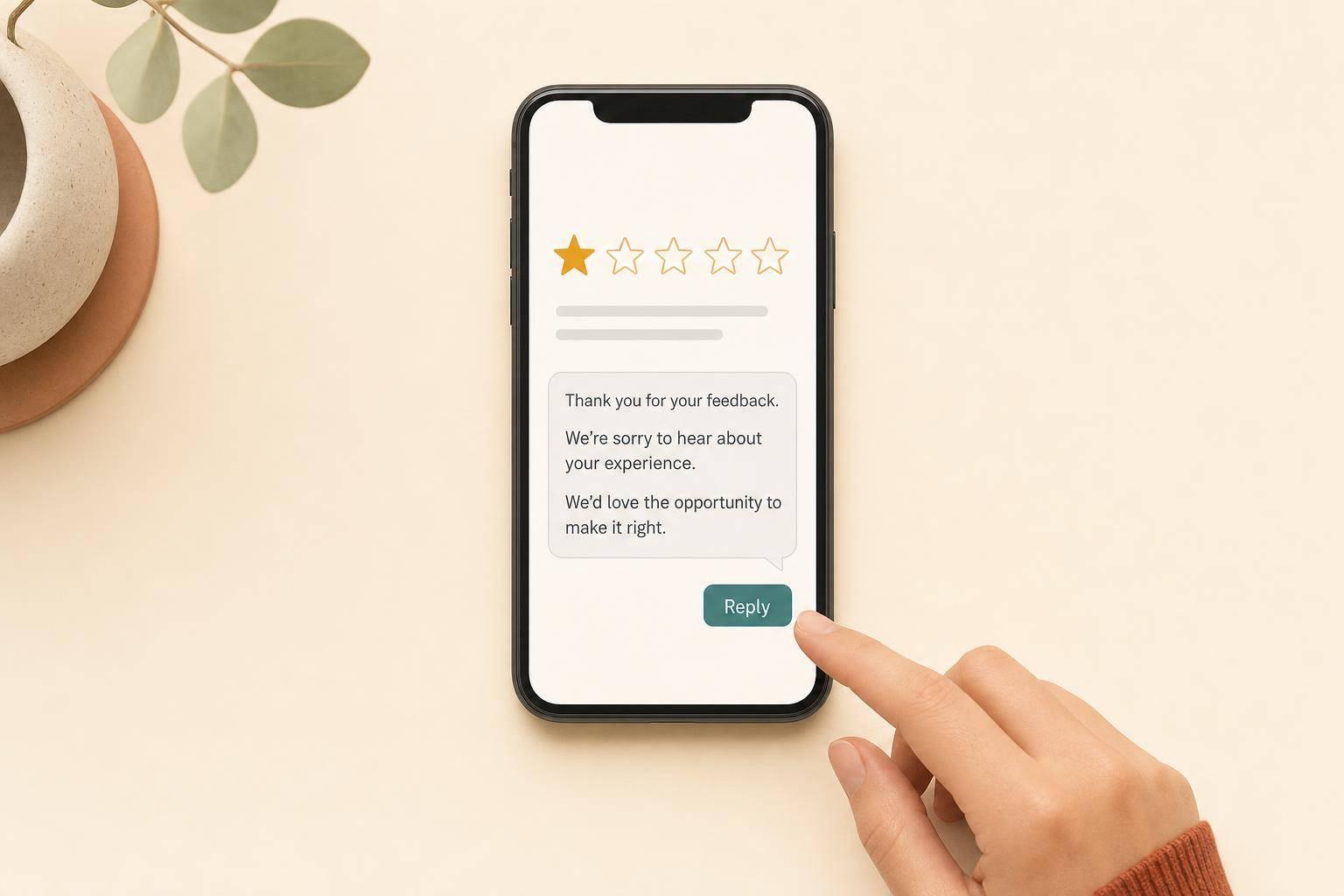
A bad review is not the main problem. A bad reply is. If I answer with a calm, short, public response, I can protect my reputation, move the issue offline, and show future customers that I pay attention.
Here’s the short version:
A few numbers show why this matters: 96% of people read negative reviews, 88% read the owner’s response, and 97% read business replies in general. So when I respond, I’m not just talking to one upset customer. I’m talking to everyone else who may call, visit, or buy next.
In plain terms: read carefully, stay calm, reply with care, take it offline, and fix what caused the complaint.
Before you write anything, slow down and read the review all the way through. The first job is to figure out what kind of issue you're dealing with. A billing complaint is one thing. A fake review or a review meant for another business is something else. That first pass helps you decide whether you should reply, clear something up, or report it.
Start by checking the reviewer's name and the details in the review against your booking system, POS records, or CRM. Real complaints often include specifics, like a date, a staff member's name, or a certain product or service. Those details are a good sign that the person actually visited your business.
On the other hand, vague language, no matching transaction, an empty profile, or a burst of 1-star reviews in a short time are warning signs.
Use the review type below to pick your next move.
| Review Type | Signs to Look For | Recommended Action | Platform Tools to Use |
|---|---|---|---|
| Service failure | Specific date, staff name, or product; matches your records | Acknowledge, apologize, and offer a fix | Google Business Profile (Reply) |
| Misunderstanding | Confusion over a policy, pricing, or a third-party delay (e.g., shipping) | Politely clarify without making the customer feel foolish | Google Business Profile (Reply) |
| Spam or malicious | No transaction record; vague text; empty profile; cluster of 1-stars | State that no record exists; invite them to email you directly; then flag | "Flag as inappropriate" / Reviews Management Tool |
| Wrong business | Mentions products, locations, or services you don't offer | Politely note the likely mix-up | "Report review" → Off-topic |
| Policy violation | Hate speech, threats, harassment, or personal information | Do not reply publicly; report immediately | Google Content Policy Reporting |
If you see the same complaint come up in multiple reviews, don't treat each one like a one-off. That's a pattern, and it usually points to a process problem worth fixing.
Your reply on Google Business Profile is public, and future customers often sort by the lowest-rated reviews to see how a business handles problems [3]. In fact, 97% of people read business responses to reviews [6]. So the audience isn't just the person who left the 1-star review. It's also everyone else watching from the sidelines.
That's why point-by-point arguing tends to backfire. It can make the business look combative. A calm, plainspoken reply does a much better job of building trust.
Once you've figured out what kind of review you're dealing with, step away for a minute and draft your response offline.
Once you've pinned down the type of review, don't jump in right away. Stop for a few minutes, check the facts, and write your response somewhere other than the review site.
Negative reviews can push people into a defensive reply. That's why it's smart to draft somewhere else first [2][8]. Open a notes app or a document, write the response there, and trim any defensive wording before you post anything live [1][5][8].
After that short pause, make sure the facts line up with your records.
Check the record before you reply. Look up the reviewer's name, match any details they mentioned, and confirm the transaction date or appointment.
| Fact to Verify | Where to Look |
|---|---|
| Customer visit | CRM, POS records, or customer history |
| Billing accuracy | Receipts or merchant processing logs |
| Service timing | Appointment software or check-in logs |
| Staff involvement | Shift schedules or team notes |
| Product or order details | Order numbers or inventory records |
A CRM can keep notes, visit history, and follow-up actions in one place [1][6].
Once you have the facts, decide what your first reply is meant to do: apologize, clarify, or move the conversation offline [1][7]. Stick to one main goal per response.
That choice will shape the reply formula next.
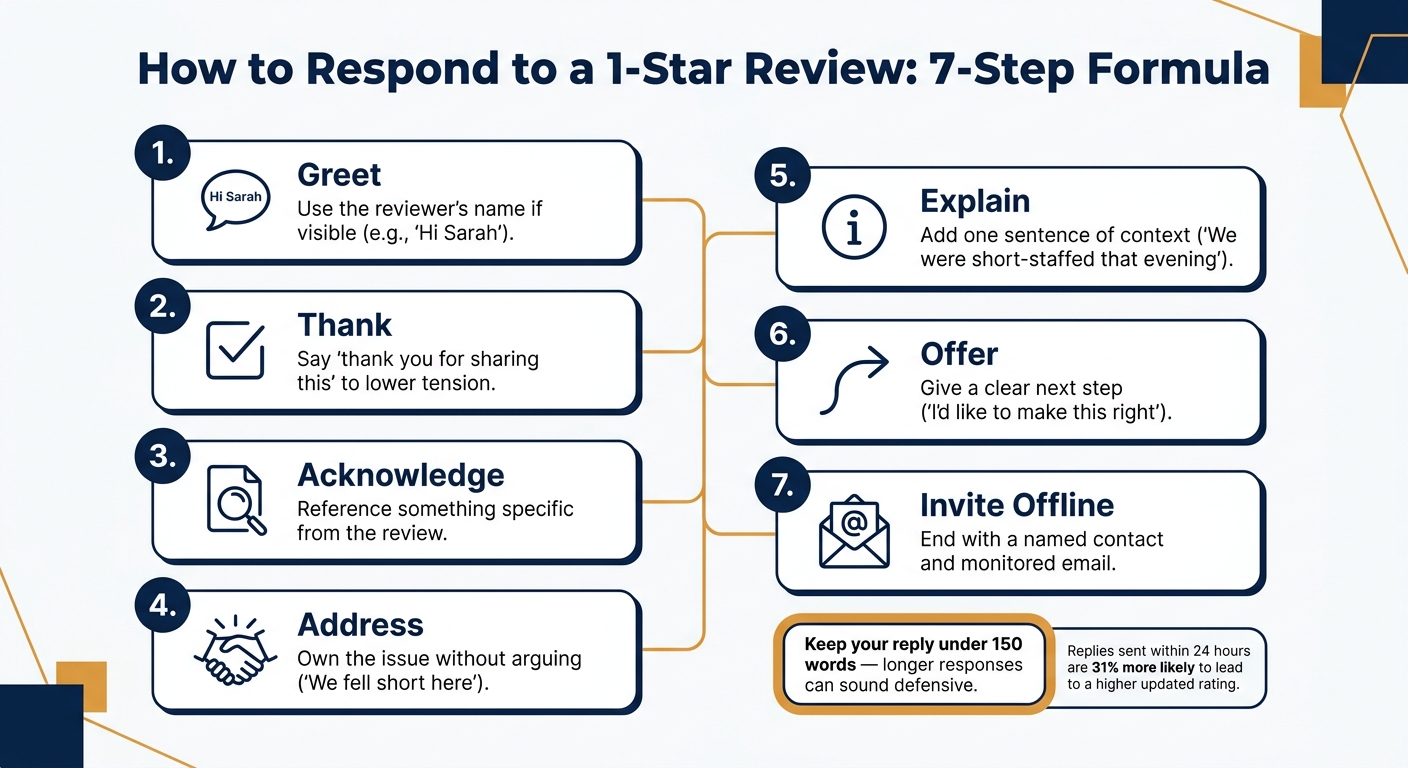
How to Respond to a 1-Star Review: 7-Step Formula
Once you've decided whether to apologize, clear something up, or take the conversation offline, the next step is simple: write the reply in a way that stays calm and easy to read. A set structure helps a lot here. For Google Business Profile, use this 7-part formula for short, steady 1-star review responses.
Use this checklist for every 1-star review. Keep the structure the same each time. Only the wording should change.
Keep the full reply under 150 words. Once responses get too long, they often start to sound defensive.
Keep the structure fixed. Change the tone based on the kind of complaint.
| Scenario | Tone | Key Phrases to Include | What to Avoid Saying |
|---|---|---|---|
| Service Failure | Accountable & Sincere | "We dropped the ball", "I've spoken with our team", "I want to fix this." | "We're sorry for any inconvenience", "This rarely happens." |
| Policy Complaint | Firm but Empathetic | "Our policy is in place because...", "I understand this is frustrating." | "It's our policy, take it or leave it", "You should have read the fine print." |
| Misunderstanding | Helpful & Clarifying | "I can see how that was confusing", "We'll look at how we communicate this." | "You are wrong", "Actually, you didn't listen." |
| Wrong Business | Factual & Neutral | "We have no record of a transaction matching your description", "We'd like to help clarify." | "You are a liar", "This is a fake review from a competitor." |
If you can't connect the review to any record, say that plainly, invite the person to contact you directly, and flag the review for review.
After the reply is posted, switch from response mode to follow-up mode.
One of the fastest ways to make things worse is to open with "Actually..." or "That's not what happened." The moment you do that, the reply stops sounding helpful and starts sounding like an argument.
Also, never post private details in public. That includes order numbers, medical information, or details about specific purchases. It creates privacy risk and turns the review thread into a public fight for every future customer to watch. Legal threats don't belong here either. And long, defensive paragraphs that read like a legal brief? They don't calm anyone down. They look like panic.
A public reply isn't the place to debate. Post the response, take the conversation offline, and work on the root issue.
Once your public reply is live, the next job is simple: fix the issue.
That public response matters, but it's only the opening move. The actual resolution should happen offline.
Use a real person's name and a direct email address, not a generic inbox. That small detail shows ownership. And when the customer gets a prompt reply from an actual person, it sends a clear message: someone is paying attention.
Reviews that get a response within 24 hours are 31% more likely to be updated to a higher star rating than reviews answered after seven days [9]. About 1 in 10 negative reviews are removed entirely after a successful offline resolution [1].
When the customer replies, solve the problem first. Don't argue. Don't hash out compensation in public. Once the issue is settled, ask in private whether they'd be open to updating the review.
After you've handled the issue privately, don't just move on. Use it to spot patterns and stop the same problem from happening again.
Pull the records tied to the complaint, like receipts, appointment logs, and staff notes. Then figure out what you're looking at. Was it a one-off mistake, or is it part of a bigger pattern?
If the same complaint keeps popping up, that's a signal. Maybe it's slow service. Maybe it's one staff member's tone. Maybe a policy is confusing people. Whatever it is, the pattern is doing you a favor by pointing straight at the weak spot.
Use actual review examples in team huddles. Coach people on the specific miss instead of giving vague advice like "be nicer." Businesses that respond consistently to all reviews, including negative ones, see an average rating increase of 0.12 stars per month [2].
It also helps to track a few basics on a set schedule:
You can do this in Google Business Profile's dashboard or with a simple review tracker.
Stick to the same calm flow each time: read, pause, identify the issue, reply, and move the resolution offline. Then document what happened and fix the root cause.
"Nobody expects perfection. They just want to know that when things go wrong, someone real is paying attention." - Zoho [4]
The reply itself usually isn't what wins the customer back. What happens after the reply is what counts.
Yes. Reply to every 1-star review. If even one goes unanswered, it can come across as dismissive. A calm, brief public reply helps build trust with future customers who are reading those reviews.
Keep it short, usually 2–5 sentences. Mention the specific issue, apologize once when it fits, and give the person a clear next step to keep the conversation offline by email or phone.
If a review is fake or meant for another business, don’t call the reviewer a liar or a bot. First, take a screenshot.
Then report the review through the Google Business Profile three-dot menu as spam, off-topic, or a conflict of interest. You can also post a calm, factual reply saying you have no record of the customer or transaction, and invite them to contact you directly.
Ask only after you’ve fully fixed the issue offline and the customer says they’re satisfied.
Don’t ask in a public reply. That can break platform rules and come across as pressure. Instead, make the request in a private follow-up, and never offer discounts or free services in exchange for an update.
Discover strategies to elevate your business.