If you buy a business with bad reviews and broken listings, fix the basics first. Start by claiming every profile, correcting business info, replying to old reviews, fixing the service problems behind those reviews, and asking new customers for honest feedback.
Here’s the short version:
My take: when I inherit a business like this, I treat it as a two-part job. I clean up what people see online, and I fix what customers are complaining about inside the business. If I do only one of those, the problem stays.
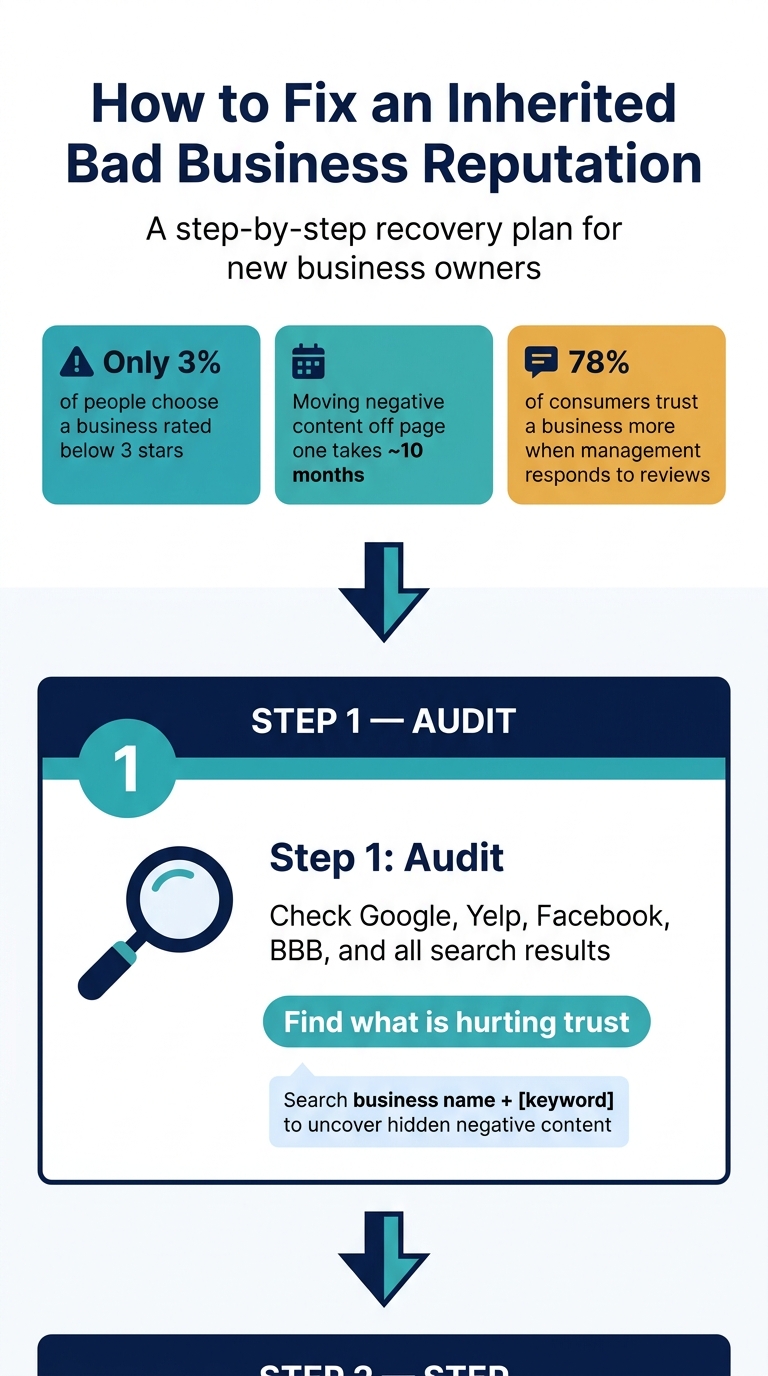
The simplest order is:
| Step | What I do | Main goal |
|---|---|---|
| Audit | Check Google, Yelp, Facebook, BBB, and search results | Find what is hurting trust |
| Fix | Update NAP, hours, categories, photos, and links | Stop losing leads from bad info |
| Respond | Reply to valid complaints and flag rule-breaking reviews | Show the business is under new ownership |
| Request | Ask for honest reviews after service | Shift attention to current customer experience |
| Monitor | Track ratings, review count, calls, and page-one results | See if lead flow improves |
If I move in this order, the business starts to reflect how it runs now, not how it was run before.
How to Fix a Bad Business Reputation After Buying: 5-Step Recovery Plan
Before you fix anything, get clear on what you actually inherited. A first-pass audit shows where trust is slipping and which platforms may be draining calls and leads.
Start with Google Business Profile. If no one has claimed it, claim it. If another person owns it, request access or ownership and send any transfer documents the platform asks for.
Then check Yelp, Apple Maps, Bing Places, Facebook, Nextdoor, and the Better Business Bureau (BBB). If the company depends on niche directories, review sites like TripAdvisor, Healthgrades, Trustpilot, or other industry sites that matter for your business. On each platform, ask the prior owner to transfer admin or owner access to your official business email. If that person has disappeared, go straight to the platform’s support team with proof that you own the business.
Search for name variations too. If you find duplicate profiles, merge or remove them.
After access is locked down, document the damage before you start editing profiles.
Open an incognito browser window and search the business name, city, and owner names with terms like "reviews", "complaints," and "scam." Look closely at page one. Then pull data from each major platform. Focus on the signals most likely to affect calls, map views, and conversions.
| Platform | What to Document | Why It Matters |
|---|---|---|
| Google Business Profile | Star rating, review count, response rate, photo recency, hours, categories | Drives local visibility and map pack rankings |
| Yelp | Rating, complaint history, most prominent reviews | High consumer trust and a common source of recurring complaints |
| Page activity and negative comments | Shows how active the business is and how it handles customer interactions | |
| BBB | Complaint history, accreditation status | Adds another trust signal and shows whether complaints are being addressed |
Pay close attention to repeated complaint themes. Maybe people keep mentioning staff behavior, billing mix-ups, or slow response times. That’s not just a review problem. It usually points to an issue inside the business, and that issue needs to be fixed at the source.
Also mark any reviews that describe service from staff or managers who are no longer there. That context matters when you begin writing responses.
Use this snapshot as your baseline. Then watch for new reviews and listing changes every day.
Use Google Business Profile alerts, Google Alerts, and a shared review-tracking sheet or dashboard. If you want a simple way to track visibility and spot patterns, Humble Help’s free Business CRM, Milo AI Marketing Coach, and Analytics Dashboards can help you watch lead-flow changes as you make updates.
Once you know what’s broken, fix the problems with the biggest effect first: wrong listings, thin or weak GBP details, and repeated complaint themes.
After the audit, start with the problems that are costing you leads the fastest: bad business info and the service issues behind new negative reviews. Fix the basics first. Then deal with the reviews themselves.
Start with your profiles because bad hours, wrong phone numbers, and old photos can cost you calls before anyone even reads a review. If your address, phone number, or hours are wrong, update your Google Business Profile right away.
Make sure your NAP matches exactly across Google, Yelp, Apple Maps, Bing Places, and Facebook [1][4]. Small differences - like "Ave." vs. "Avenue" or "&" vs. "and" - can confuse search engines and hurt local rankings. Use the same hours format everywhere. Add holiday hours ahead of time so customers don't show up to a closed location or see unverified hours during busy seasonal periods [4].
Then check the rest of the profile details: service areas, business categories, appointment links, and your website URL [4]. After that, swap out old photos for current, high-quality images of your storefront, team, or service. New photos help show what the business looks like now and make people more comfortable choosing you [4].
When the same complaint shows up again and again, that's a sign something inside the business still needs work. Go back to the themes from your audit - long wait times, unanswered phones, rude staff, quality issues, or health and safety concerns - and treat each one like a service problem, not just a reputation problem.
If reviews keep mentioning missed calls, fix staffing or scheduling. If customers complain about surprise charges, fix how pricing is explained. Reviews don't get better just because you want them to. They get better when the root issue changes.
These fixes slow the flow of new complaints. Next, deal with the reviews that are already public.
| Change | Impact on Customer Experience | Impact on Online Signals | Time to Impact |
|---|---|---|---|
| Correcting NAP/Hours | Prevents wasted trips and missed calls | Improves local search rankings | Short-term |
| New Photos/Branding | Builds immediate visual credibility | Increases engagement and click-through rates | Immediate |
| Fixing Service Issues | Reduces the flow of new negative reviews | Improves sentiment and average star rating over time | Longer-term |
| Responding to Reviews | Shows the business is active and accountable | Signals freshness and responsiveness | Immediate |
With the core issues fixed, you can move on to the reviews that still shape first impressions.
Once your profile updates are live, review replies become one of the next big trust signals people notice. Old reviews don’t disappear after a takeover. But your responses can change how new customers read them.
That matters most after you’ve already fixed the basics, like business info, hours, and service problems. At that point, a well-written reply signals something simple: the business is being run differently now. And people pay attention. Research shows that 78% of consumers trust a business more when they see management respond to reviews [3].
A common mistake new owners make is replying as if they personally caused the old issue. That can backfire fast. There’s also no upside in debating details you can’t confirm.
Write for the next person reading the review, not just for the person who left it.
A simple format works best:
Also, don’t fire off a reply the minute you read a harsh review. Pause first. A calm, accurate response almost always reads better.
Most inherited negative reviews won’t be removed. In most cases, you should only flag a review when it clearly breaks platform rules, such as hate speech, spam, fake reviews, or a conflict of interest.
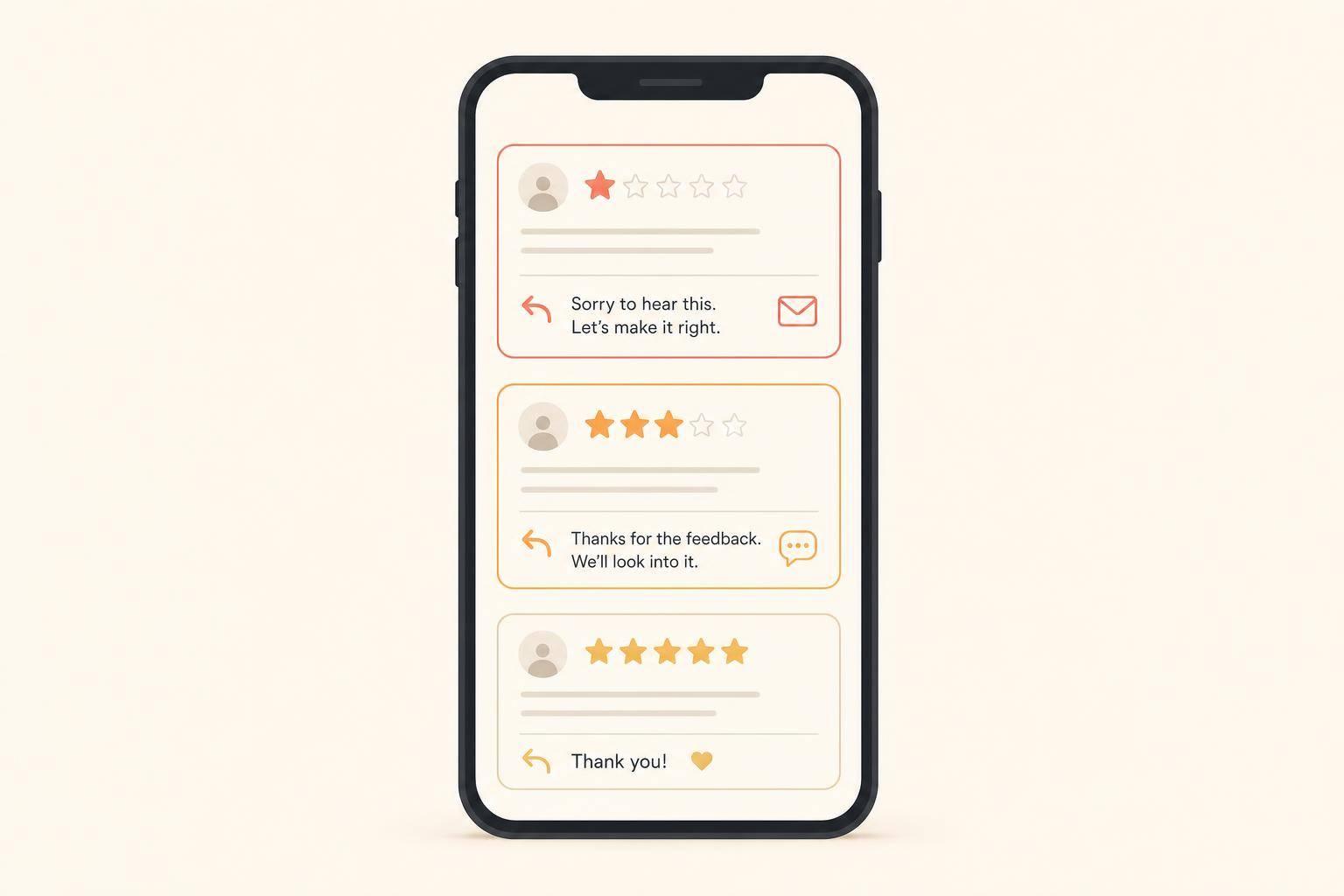
If the complaint looks legitimate, even if it’s old, a public reply is usually the better move. Note the ownership change, acknowledge the frustration, and invite the person to give the business another try under new management.
If you flag a Google review, wait about three days for a decision. If the request is denied, use Google’s Manage Your Google Reviews tool and appeal by citing the exact policy violation [2].
| Review Type | Best Action |
|---|---|
| Legitimate legacy complaint | Reply as the new owner |
| Policy violation (spam, hate speech, conflict of interest) | Flag for removal |
| Suspicious or likely fake review | Flag first; reply publicly if removal fails |
| 1-star rating with no comment | Invite the customer to share details privately |
Once you’ve worked through the old reviews, the next step is to bring in a steady stream of new ones. That helps the profile reflect what the business is like now, not what it was before.
After you’ve dealt with the visible complaints, start bringing in current feedback. A simple ask after each completed job or visit works well, whether by SMS or email.
Keep it clean. Don’t offer incentives in exchange for reviews. And don’t screen people based on whether you think they’ll leave praise or criticism. That goes against Google and Yelp policies.
The first cleanup is a big step. But it only sticks if you keep your business’s online signals up to date. Once the cleanup is done, the job shifts from damage control to steady upkeep.
Keep your NAP the same across your Google Business Profile, website, and major citation sites. Even small mismatches can create confusion.
Your GBP also needs regular attention. Update photos, holiday hours, service areas, and FAQs on a set schedule [4]. Then make those same updates on your About page and service pages. That way, what people see on Google matches what they see when they click through to your site.
Don’t just assume the cleanup is working. Track whether it’s changing lead flow.
Here are the core metrics to watch and where to find them:
| Metric | What It Tells You | Where to Track |
|---|---|---|
| Average star rating trend | Whether new reviews are improving your score | Google Business Profile |
| Reviews per month | Whether fresh content is displacing old complaints | GBP / Yelp dashboard |
| Calls and direction requests | Whether profile visibility is driving real actions | GBP Insights |
| Contact form submissions | Whether trust improvements convert to inquiries | Google Analytics |
| Search results for your business name | Whether negative content still dominates page one | Private-browser search |
Then look at what’s happening in search. Run a private-browser search for your business name plus "reviews" at least once a month [3]. If negative content still owns page one, it may make sense to increase review volume. Why? Because one negative search result can cost a business up to 22% of potential customers [3].
Review responses matter too. Profiles that respond to at least 80% of reviews get 12–20% more new reviews per month [5]. That habit pays off over time.
The order is straightforward: audit, fix, respond, request, and monitor. The online work and the service-side work need to move together. When both improve at the same time, the business you inherited starts to look - and perform - like the business you’re running now.
Reputation recovery takes time. It’s not an overnight fix, and the timeline mostly comes down to how much damage has been done.
For smaller issues, you may see improvement in 1 to 3 months. Moderate cases often take 3 to 6 months. If the damage is more serious, the process can stretch to 6 to 12 months. In severe crisis situations, it may take 12 to 18 months or longer.
Search-result suppression campaigns usually fall somewhere between 3 and 18 months. In plain English: the deeper the problem, the longer it tends to take to push things in the right direction.
No. Google usually won’t remove negative reviews just because a business has a new owner.
In most cases, reviews stay up unless they break Google’s rules. That includes things like fake reviews, spam, or personal attacks.
What should you do instead? Reply to older complaints as the new owner. Keep it simple and direct:
That approach shows accountability. It also helps set the record straight for new readers while newer positive reviews start to outweigh the older ones.
Start with a full audit of your online reputation so you know where things stand. Open an incognito browser and search for your business name, city, and product category. Then review the first and second pages of results. Note the publication date for each result, and label each one as positive, neutral, or negative.
First, deal with content that breaks platform rules, such as fake reviews, defamation, or privacy leaks. At the same time, make sure you have full control of your Google Business Profile, website, and social accounts. Your contact details should also match everywhere they appear.
Discover strategies to elevate your business.