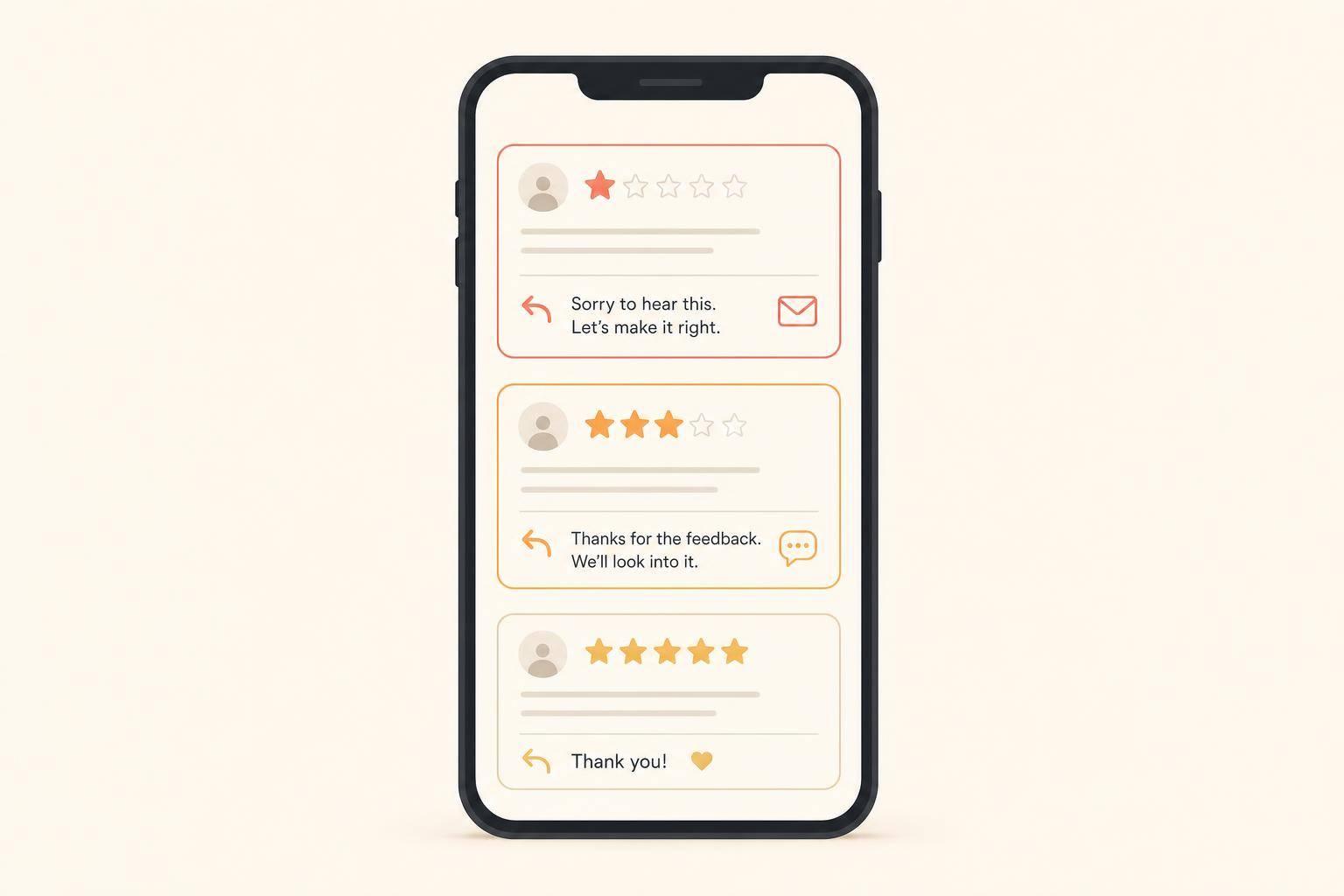
You can protect your online reputation in just 20 minutes a week. I’d use that time to reply to reviews, spot repeat problems, ask 2–5 happy customers for a review, and check that my Google Business Profile details are still correct.
Here’s the core idea in plain English:
A few numbers show why this matters:
This works because consistency beats catch-up. I’m not trying to do everything at once. I’m setting one short weekly block to keep reviews, customer feedback, and profile details under control.
Use three free tools to keep your weekly routine in order: Google Business Profile (GBP), Google Alerts, and a simple tracking spreadsheet [5][3]. Set these up first so the review check stays fast and easy to repeat.
Start with your Google Business Profile. If you haven’t claimed and verified your listing yet, do that first. Without it, you won’t get review notifications or have the option to reply in public.
Once you’re inside GBP, go to Customers > Reviews and turn on notifications for new reviews and messages. There’s one detail a lot of owners miss: notification settings are tied to each Google account. So if a manager helps you watch reviews, they need to switch on alerts in their own account too [3]. That way, new reviews and messages show up as soon as they come in.
Next, set up Google Alerts at google.com/alerts. Search for your business name in quotes - for example, "Riverside Plumbing" - to catch exact matches only [6][7]. Then add a second alert for your street address [6][7]. Set the frequency to "At most once a day" so your inbox doesn’t get buried [6]. This helps you catch mentions that don’t show up in Google reviews [3][6].
For the tracking sheet, open a blank Google Sheet and add these six columns [5][6]:
Use the sheet to log each review, spot repeat complaints, and pick one follow-up step. If “wait times” comes up three weeks in a row, that’s not just one unhappy customer. It points to an operations problem.
Add more tools only if jumping between platforms starts pushing you past the 20-minute limit [2][3].
With these tools ready, the weekly review check turns into a short habit you can stick with.
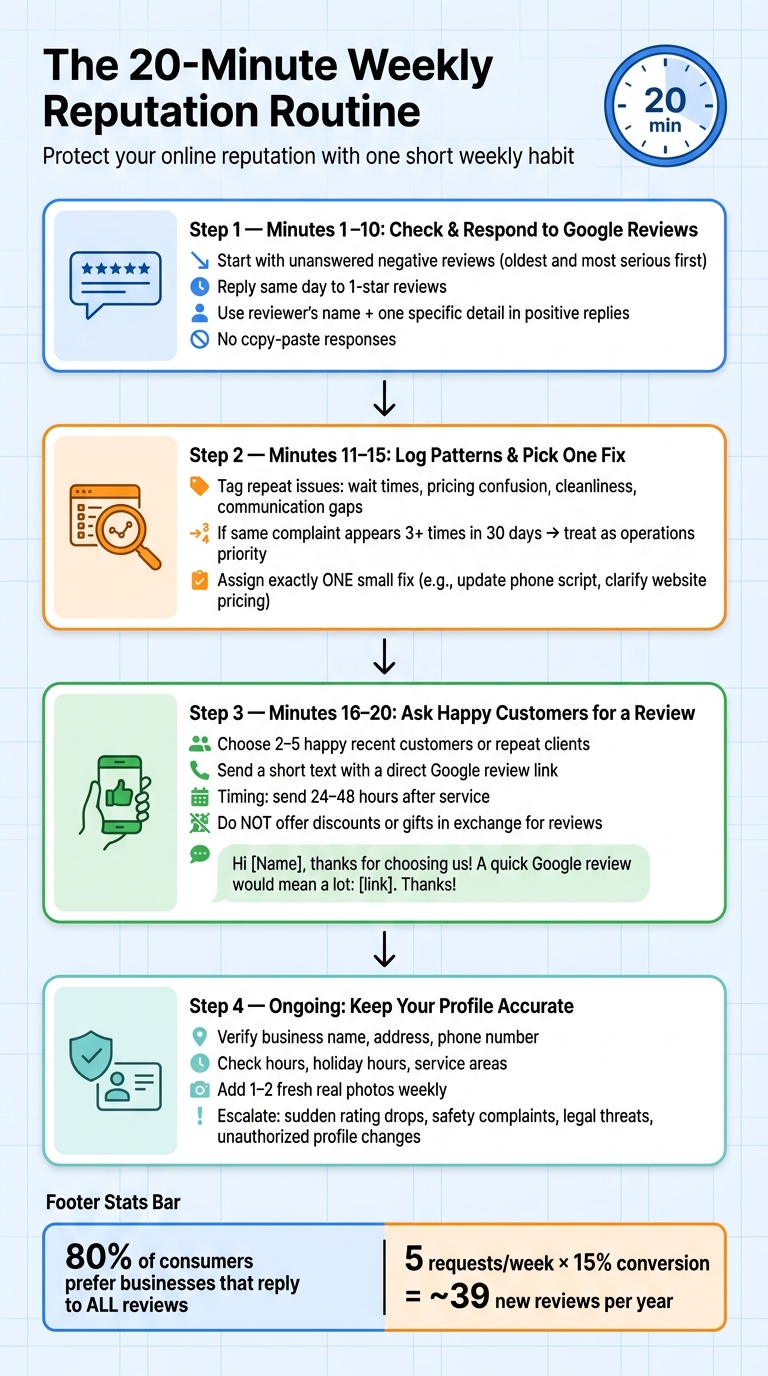
The 20-Minute Weekly Reputation Routine for Busy Business Owners
Set one fixed time each week and stick to it. Use the same 20-minute block every week so this never turns into a big project.
Open your Google Business Profile and work through new reviews. Start with unanswered negative reviews, beginning with the oldest and most serious first [1][2]. If you see a 1-star review that calls for a fast reply, answer it the same day [2].
For negative reviews, keep your response calm. Acknowledge the exact issue, then give the customer a direct way to contact you offline, like a phone number or email address.
Use the rest of this time for positive reviews. It helps to reply in batches. Use the reviewer’s name and mention one detail they shared, such as a service, product, or technician. Skip copy-and-paste replies.
After that, spend the next five minutes looking for patterns that keep coming up.
Open your tracking sheet and label repeat issues with simple tags like wait times, pricing confusion, cleanliness, onboarding issues, or communication gaps.
If the same complaint appears three or more times within a 30-day window, treat it as an operations priority [4]. At the end of the five minutes, assign exactly one small fix. That might be updating your phone script or making pricing clearer on your website.
Look at the past week’s completed jobs or invoices and choose 2 to 5 happy recent customers or repeat clients. Send each person a short text or email with a direct link to your Google review form, not just your profile page [2].
Text is often the better option here because texts are opened far more often than email [8]. A short message is enough:
Hi [Name], thanks for choosing us this week. If you have 30 seconds, a Google review would mean a lot: [link]. Thanks again for your business!
Timing matters. Send review requests 24 to 48 hours after the service is done, while the experience is still fresh in the customer’s mind [8]. And don’t offer discounts or gifts in exchange for a review. That breaks review policies [5][8].
The math is simple: if you send 5 requests each week and convert at 15%, that adds up to nearly 40 new reviews per year. That means more recent social proof, more trust, and stronger local visibility [2].
Jot down any profile detail that needs a quick correction next week.
After you deal with reviews, take a few minutes to make sure your profile still matches what's happening in the business. A good star rating helps, sure. But if your hours are wrong or your phone number is off, you can still lose calls, leads, and bookings.
Every week, verify your business name, address, and phone number. When that info doesn’t match across platforms, it can confuse search algorithms and weaken consumer trust [8][5].
Also review the basics customers rely on:
Those details should line up with what people will actually get when they contact or visit you.
Photos matter too. Add 1–2 real photos from recent work, and skip stock images or the same repeated shots. Fresh images give people a clearer sense of the business as it is now.
Some issues don’t belong in the weekly routine. They need more than a quick review reply.
Escalate sudden rating drops, a sudden flood of negative reviews, safety complaints, billing disputes, legal threats, discrimination claims, and unauthorized profile changes. In those cases, the public reply is only one part of the job. You also need to deal with the root operational issue when needed.
Use the weekly check for routine fixes. Escalate anything tied to safety, legal risk, or unauthorized changes.
Set aside 20 minutes each week. That’s often enough to stay on top of reviews, feedback, and profile details before small problems turn into bigger ones.
The most common mistake owners make is simple: they react in short bursts, then disappear for weeks. That approach usually backfires. Consistency beats cleanup. If your profile sits untouched for too long, it can start to look stale in search.
Block off a weekly 20-minute slot on your calendar. Then add a direct link to your Google Business Profile dashboard right inside the invite. It’s a small habit, but it helps keep your reputation current, visible, and easier to protect.
Don’t argue in public. Instead, take screenshots, note the timestamps, and report the review through your Google Business Profile if it breaks platform rules, like spam or a review from someone who was never a customer.
While Google looks into it - which can take anywhere from a few days to several weeks - you can post a short, professional reply that clears up the facts for anyone reading the review.
Yes. Google Alerts can help you spot brand mentions on news sites or blogs, but it works best as a backup, not your main review monitoring setup.
If you don’t use it, switch on native email or push alerts in your Google Business Profile, Yelp for Business, and Facebook Page settings. You can also route review messages to a dedicated inbox and run a manual search for your business name once a week.
Ask every satisfied customer at a natural moment, like right after a smooth purchase, a finished service, or a good interaction.
To stay in line with Google’s rules, don’t use review gating. Stick to the same process for all customers, whether you ask by email, text message, or a polite in-person request.
Discover strategies to elevate your business.