

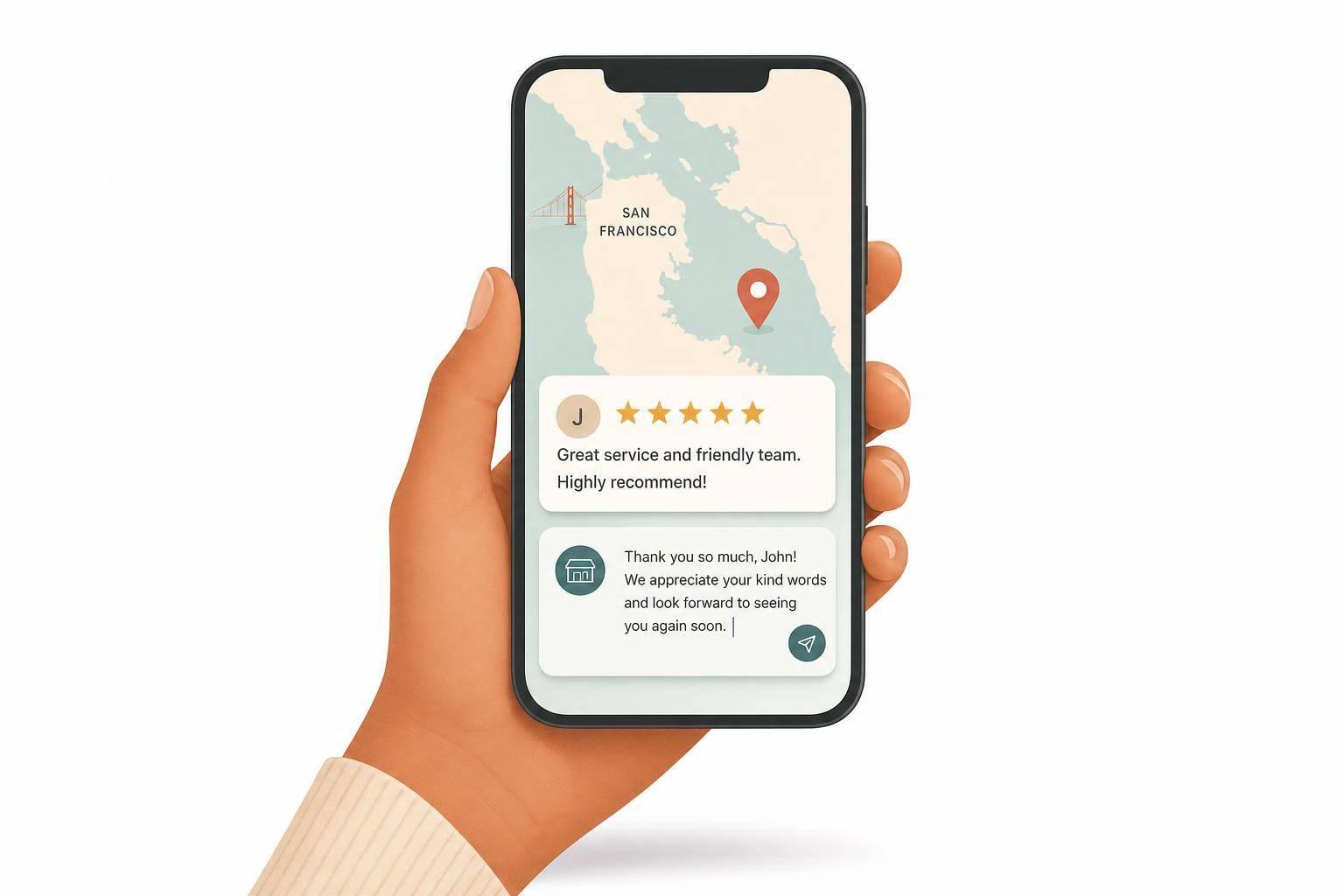
Yes - if your Google or Yelp profile has low ratings, old reviews, missing info, or no replies, you may already be losing calls. For Bay Area small businesses, online reputation management means watching how your business looks on Google, Yelp, social media, and search results, then fixing the issues that turn people away.
Here’s the short version:
If I were checking whether I need ORM this month, I’d look at these first:
This article boils ORM down to a few plain ideas: keep your profiles updated, reply to reviews fast, ask happy customers for feedback, and track mentions before small issues turn into lost leads. If even one of those weak spots shows up, it’s time to fix it.
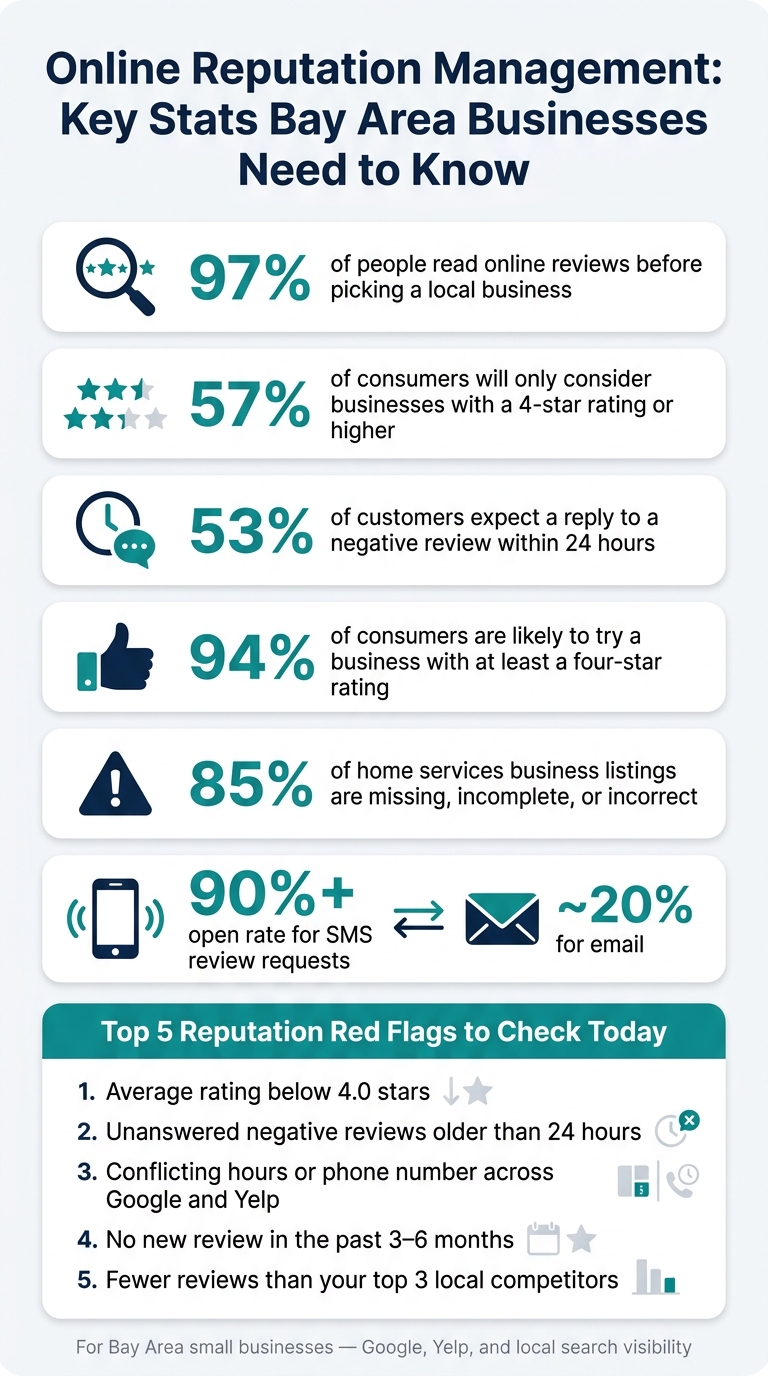
Online Reputation Management: Key Stats Bay Area Businesses Need to Know
These are the reputation signals that most often change whether a customer calls you.
When a complaint sits on Google or Yelp with no reply, it doesn't just sit there. It sends a message. Silence can look like you don't care.
And people notice fast. 53% of customers expect a business to respond to a negative review within 24 hours [3]. So every unanswered review is public proof for the next person comparing you with a competitor.
The fix is pretty simple. Reply in public, acknowledge the issue, and show some empathy. Then move the conversation offline with a direct phone number or email. A calm, fast response helps protect the review thread and the leads that may come from it.
Ratings shape who even gives you a chance. 57% of consumers will only consider businesses with a 4-star rating or higher [7]. If your rating slips below that line, many people may rule you out before they visit your site or pick up the phone.
A thin review profile can also work against you. If there aren't many reviews, or if the last one is old, the business can feel inactive. On top of that, search engines look at how often new reviews come in as a ranking signal for the local Map Pack [4]. That means a competitor with a steady flow of recent reviews can show up more often, even when your overall score is close.
This one sounds small, but it causes a lot of damage. A wrong phone number, an old address, or mismatched business hours across Google, Yelp, and Facebook creates friction right away. People hesitate. Some give up.
Google reacts too. Consistent Name, Address, and Phone details across directories help Google trust your listing [7][2]. When those details don't match, Google trusts the listing less, which can hurt rankings and cost you calls [2]. Duplicate listings make things messier by splitting reviews and confusing both customers and Google [4].
Start with these basics:
Google Maps rankings depend on proximity, relevance, and prominence. And the same things that make buyers trust a business often help Google rank that business too. Reviews, photos, and a complete profile all send those signals.
Small gaps in reviews, photos, and owner replies can change who gets the click.
Here’s what strong and weak reputation signals look like in search results:
| Signal | Strong | Weak | Likely Impact |
|---|---|---|---|
| Review recency | Multiple reviews in the last 30 days | No reviews in 6+ months | Fresh activity |
| Star rating | 4.0–5.0 average | Below 3.0 average | Often skipped |
| Owner responses | Personalized replies within 24 hours | No responses or copy-paste replies | Higher choice rate |
| Profile completeness | Updated photos, accurate hours, full services listed | Missing key details | Improves visibility |
| Review content | Detailed text mentioning services and location | Star-only ratings with no written feedback | Helps match specific local searches [8] |
In dense Bay Area neighborhoods, a business just eight blocks away can outrank you if it has stronger reputation signals [6]. That’s a small distance, but on Google Maps it can make a big difference.
Google also uses review text to match businesses with specific searches [8]. So if someone searches for a service in a certain neighborhood, reviews that mention both the service and the location can help your business appear.
Clicks, calls, direction requests, and website visits from your Google Business Profile also show Google that your listing matches what people want, which can improve visibility in Google Maps [6]. In dense Bay Area neighborhoods, that extra visibility can be the difference between getting the call and losing it to a nearby competitor. Once you know what to watch and how to reply, these signals are something you can manage.
A simple weekly routine can make your business look better online. Once you know which reputation signals matter, you can manage them with a straightforward system.
Start with Google Business Profile and Yelp. Claim and verify both profiles, then turn on email or push notifications so you know as soon as a new review comes in.
Fill out every field: hours, service area, description, and photos. Check these details every week and update them after any change. 85% of home services business listings are missing, incomplete, or incorrect [1], so fixing yours can put you ahead of nearby competitors fast. Reply to reviews within 24 to 48 hours [3][5]. Thank happy customers, and respond to unhappy ones in a calm, professional way.
Once your responses are under control, the next step is bringing in new reviews on a steady basis.
Most customers won't leave a review unless you ask. The best time to ask is right after the job is done, when the experience is still fresh. SMS review requests tend to work best: text messages have open rates above 90%, while email is closer to 20% [3][4]. A short text with a direct link to your Google review form cuts down almost all friction. More recent reviews build trust and help your listing compete better in Google Maps.
The goal is simple:
Set up a free Google Alert for your business name, owner names, and common misspellings. Also keep an eye on posts that mention your business without tagging it on places like Nextdoor or Reddit. And here's one rule you don't want to bend: never offer discounts or gifts in exchange for reviews. Google and Yelp both ban that, and it can lead to penalties or even suspension [3][4].
DIY reputation management makes sense when review volume is still manageable and you can spare a few minutes each day to check in. It costs little to nothing beyond your time, and your replies will usually sound more personal.
If you can't stay on top of these tasks each week, outsourcing is often the practical move. When review tracking starts slipping, bring in a local specialist to handle GBP optimization, review workflows, and visibility tracking.
Use the table below to match the right setup to your workload.
| Factor | In-House (DIY) | Local Help |
|---|---|---|
| Time required | 1–3 hours per week | Minimal (reviewing reports only) |
| Expertise needed | Basic (learning as you go) | High (SEO & ORM specialists) |
| Monthly cost | $0–$100 (tools only) | $250–$1,000+ |
| Speed of execution | Slow (manual tasks) | Fast (automated workflows) |
| Reporting clarity | Manual spreadsheets | Automated dashboards & AI insights |
If your profiles are already claimed and monitored, the next step is simple: figure out whether reputation work needs attention this month, not someday later.
That’s the part that matters. A few profile issues can quietly cost you calls, form fills, and walk-ins while nearby competitors win the click in Maps.
These signals suggest you could be losing leads right now. Each one affects whether people trust your business enough to call - or move on to someone else in Maps results.
If even one of these applies to your business, don’t put it off.
Use this table to tell the difference between a minor cleanup job and something that needs attention this month.
| Observable Issue | Likely Business Impact | Urgency |
|---|---|---|
| Average rating below 4.0 stars | 60% of prospects choose a competitor [8] | Immediate |
| Conflicting hours or address on Google vs. Yelp | Hurts Google Maps ranking and erodes trust [6] | Immediate |
| No reviews in the last 3–6 months | Listing looks inactive; weaker Map Pack visibility [6][2] | High Priority |
| Unanswered negative reviews older than 24 hours | Signals poor customer service [3] | High Priority |
| Fewer reviews than your top 3 local competitors | Lower visibility in neighborhood Map Pack searches [6] | Watch closely |
If these problems show up in your business, act now. The fixes are usually simple, and the upside is more trust and more local leads.
In crowded Bay Area search results, small reputation gains can decide who gets the call - and who loses it to a competitor one block away.
Online reputation management takes time. Search engines need a while to find new content, assess it, and decide where it should rank.
That said, steady effort can pay off. Businesses that keep asking for reviews and stay active on their profiles can see solid results over time. Some report an average of 36 additional leads.
The key is consistency. A positive, responsive online presence isn't a one-time fix. It's steady work that helps support long-term growth.
Google Business Profile matters most for any local business because it appears in Google Search and Maps.
After that, put your attention on sites that match your field. Yelp is a big one for restaurants and service providers, especially in the Bay Area. Angi and Houzz make sense for contractors. Healthgrades and Vitals are key for healthcare providers.
It also helps to keep Facebook, Apple Maps, and Bing Places updated and consistent. Small details matter here. If your business name, address, or phone number changes from one site to another, it can create confusion for both customers and search engines.
Yes - you can manage your online reputation yourself if you have a steady process and the right tools.
Start by setting up Google Alerts and turning on notifications across your main platforms so you can keep an eye on mentions and reviews. Then claim your Google Business Profile and Yelp listings so you have control over how your business appears and how you reply.
When feedback comes in, aim to respond within 24 to 48 hours. That window matters. A prompt reply shows people you're paying attention and that you take customer input seriously.
If keeping up with all of this starts to eat up too much time, it may help to use an automated dashboard tool or work with a specialized partner.
Discover strategies to elevate your business.


