

Want your Bay Area business to stand out on Google - without spending a dime on ads? Here's how:
Why this matters: Nearly 50% of local searches lead to a store visit within 24 hours, and 67% of searches in the Bay Area include specific location terms. By implementing a comprehensive SEO strategy, you can connect with high-intent customers ready to act.

Bay Area Local SEO Statistics and Impact Metrics
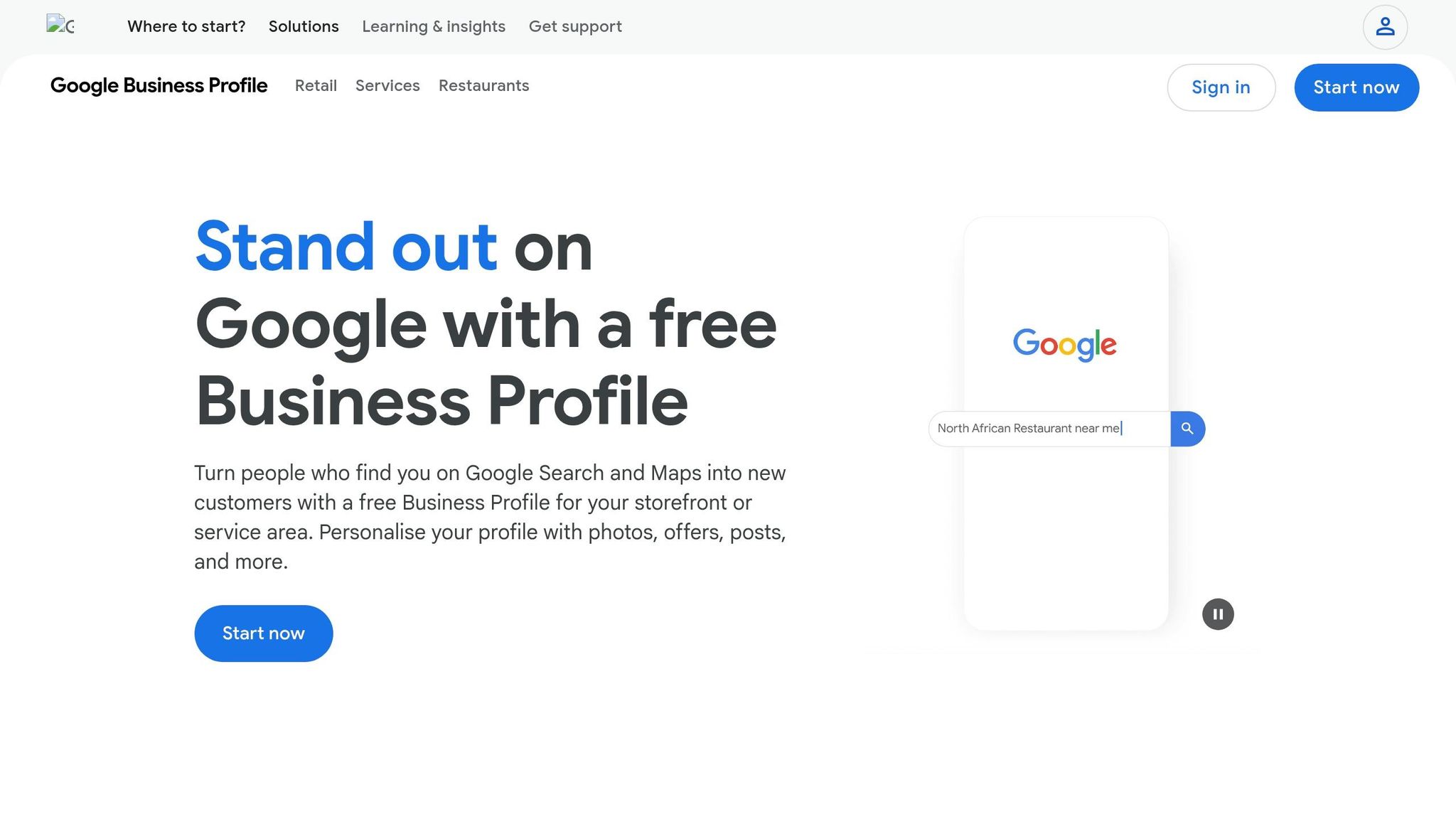
Start by searching for your business on Google Maps or Search. If your business appears, click either "Claim this business" or "Own this business?". If no profile exists, you’ll need to create one at business.google.com/add by entering your business name, category, and location [6].
Google will then verify your ownership through methods like a postcard, phone call, SMS, email, or even a video recording [7]. For service-area businesses (like mobile locksmiths), be sure to define your service zones instead of listing a physical address [5]. Avoid editing your business name, address, or category while waiting for the verification code - any changes will invalidate the code and force you to restart the process [7].
Once your profile is verified, you can move on to filling in the details.
After verification, take the time to complete every section of your profile. Use your exact legal business name as it appears on your signage. Adding extra keywords, like "Best Oakland Bakery", might sound tempting but could lead to your profile being suspended [9][10]. Choose a clear primary category along with up to nine secondary categories to accurately describe your business [10][8].
You have 750 characters for your business description - use this space wisely to showcase what sets you apart and mention the specific neighborhoods you serve in the Bay Area [9][1]. Don’t skip attributes like "wheelchair accessible", "women-owned", or "outdoor seating", as many customers filter search results using these tags [10]. Also, ensure your business name, address, and phone number (NAP) match exactly with what’s listed on your website to avoid potential penalties [8].
With the basics covered, it’s time to make your listing more engaging by adding visuals and regular updates.
Did you know that profiles with 20 or more photos get 35% more clicks and 42% more requests for directions compared to those with fewer images [1][10]? Add at least 20 high-quality, original photos (minimum 720x720 pixels) that showcase your storefront, interior, team, and products. Including recognizable local landmarks in your photos can also help reinforce your presence in the area [9][10].
To keep your profile fresh, post weekly updates about new offers, events, or other business news. Remember, standard Google Posts expire after seven days, so regular updates show Google that your business is active [9][10]. Use the Q&A section to answer common questions like "Do you have parking?" or "What are your hours?" This not only helps potential customers but also prevents competitors from posting incorrect information about your business [9][10].
After optimizing your profile and fine-tuning your content, these local SEO strategies can help strengthen your visibility in the Bay Area.
Incorporate natural "service + location" phrases like "coffee shop Mission District" or "tax accountant San Francisco" into your content. This matters because about 46% of Google searches are locally focused, and 42% of users click on results in the Map Pack [11].
Use neighborhood names (e.g., SoMa, Sunset, Nob Hill, Richmond, Hayes Valley) and conversational phrases tailored for voice search. Examples include "emergency plumber SoMa" or "What's the best pizza near Union Square?" Place these strategically in headers, descriptions, service lists, and even your responses to reviews [2].
"San Francisco local SEO is not about ranking for broad 'near me' terms alone. The real money is in high-intent searches that signal someone is ready to call, book, visit, or buy." - Ankord Media Team [2]
Avoid the mistake of creating multiple near-identical pages that only swap out neighborhood names. Google penalizes this "thin content" approach [2].
Once your content is optimized, genuine customer reviews can further enhance your local trustworthiness.
Customer reviews are a powerful way to solidify your local reputation. They directly impact your Google rankings by contributing to what Google calls "prominence" - how credible and well-known your business appears [12]. To maximize reviews, ask for feedback within 24 hours of service when customer enthusiasm is at its peak. Combining email and SMS requests can increase response rates to 26%, compared to 15% for email alone [12]. Use tools like Google-generated QR codes at checkout and train staff with simple scripts for requesting reviews. Just be sure to avoid offering incentives, as this violates Google's terms [12].
When responding to reviews, follow the "Acknowledge, Address, Invite" method: validate the customer's concerns, explain any fixes, and invite them to reach out directly. This approach can make a difference - 62% of negative reviewers are willing to reconsider if their issue is resolved [13].
"Think of every review as a public conversation - a chance to shape perception and influence future customers." - Backlinko [12]
Encourage customers to mention specific services and neighborhoods in their reviews, as this boosts your visibility for targeted searches. For example, a review that says "Great haircut in Berkeley" helps your SEO for that exact phrase [3]. Also, keep in mind that over 50% of consumers specifically look for reviews with photos when deciding on a local business [12].
Consistency is key when listing your business in directories. Make sure your business name, address, and phone number are identical across all platforms. Start with your Google Business Profile, followed by Yelp, which is crucial in the Bay Area market [1].
Expand your reach by listing in directories like the Better Business Bureau, Yellow Pages, and your local Chamber of Commerce (San Francisco, Oakland, or your specific city). These high-authority directories send strong signals to Google about your local presence [1][2]. For niche industries, explore specialized platforms like Healthgrades for healthcare or Avvo for legal services [3].
Bay Area-specific citations, such as those from the San Francisco Chronicle, SFGATE, or local neighborhood groups (e.g., SoMa or Mission District associations), provide a regional relevance that national directories can't match [2][3]. Regularly audit your listings to remove duplicates, as having multiple Google Business Profiles for the same business can hurt your rankings [3].
Finally, remember that 96% of US consumers read local business reviews before making a purchase, and 79% rely specifically on Google for those reviews [13].
Free tools can make a big difference in tracking your performance and solving problems. Take Humble Help's Milo AI Marketing Coach, for example. It provides personalized, step-by-step advice on what to improve next [16]. Milo AI focuses on crucial fixes like NAP (Name, Address, Phone) inconsistencies or missing profile details, tailoring its recommendations to your business needs. The Free Business CRM organizes all your leads and deals in one central place, while the Analytics Dashboard reveals how customers discover you - whether through Google searches, Maps, or direct visits [16]. Together, these tools remove the guesswork and help you take the right actions. They also work hand-in-hand with the local SEO strategies mentioned earlier, offering clear and actionable insights.
Beyond Humble Help's offerings, there are other tools worth exploring. Google Search Console lets you track which keywords drive traffic to your site and flags indexing problems that could harm your rankings. BrightLocal's Local Search Results Checker is another useful option, showing what customers in specific Bay Area ZIP codes - like SoMa, the Mission, or Palo Alto - see when they search for businesses like yours [15]. If you're looking to understand your audience better, AnswerThePublic offers three free searches daily to uncover common questions people ask about your industry. You can use this information to create blog posts or Google Business Profile updates that address these queries [15]. Lastly, Screaming Frog (free for up to 500 URLs) scans your website for broken links and 404 errors, which can hurt your local search credibility [15].
"SEO is no longer just about ranking on Google. It's about ensuring that your brand remains visible wherever people search, whether that's a search engine, an AI assistant, or a social media platform." - DMB.sg [14]
These tools provide valuable insights and solutions, helping you stay ahead in an ever-changing digital landscape.
Ready to make your business stand out in the Bay Area? You don’t need a huge budget to show up on Google. By focusing on simple yet effective strategies - like claiming your Google Business Profile, using neighborhood-specific keywords, building a review system, and leveraging free tools - you can make a real impact. Nearly 50% of all searches with local intent lead to a store visit within 24 hours [4], so improving your visibility can directly translate to more foot traffic and revenue.
Start by revisiting your Google Business Profile to ensure everything is accurate and up to date. Check critical details like your photo count and the consistency of your Name, Address, and Phone (NAP) information. Did you know profiles with at least 20 photos attract 35% more clicks? [1] These small but essential steps can make a big difference.
Once your profile is polished, shift your attention to content. Use location-specific keywords to capture high-intent searches. For example, phrases like "emergency plumber SoMa" or "tax accountant Mission District" target customers who are actively looking for services in those areas. Since 67% of Bay Area searches include location-specific terms beyond just "San Francisco" [1], this level of precision helps you connect with people who are ready to take action.
Don’t stop there - track your performance regularly. Use your Google Business Profile dashboard to monitor key metrics like calls, website visits, and direction requests [2]. Free tools, such as Humble Help's Milo AI Marketing Coach and Analytics Dashboard, can help you identify trends and fine-tune your approach. Local SEO isn’t a one-and-done task - it requires consistent effort. But by applying these steps regularly, you’ll steadily improve how Bay Area customers discover and choose your business.
Ranking in local Google searches without spending on ads can take several months. How long it takes depends on things like how competitive your market is, how well your local SEO strategy is implemented, and the quality of your efforts. To get started, focus on optimizing your Google Business Profile, targeting location-specific keywords, and encouraging customer reviews. While you might see small improvements early on, achieving noticeable results usually requires ongoing effort and patience.
Start by identifying the suspension type: soft or hard.
To minimize the risk of future suspensions, always adhere to Google's policies and steer clear of using unauthorized third-party tools.
Call tracking tools like CallRoot and CallRail can help you figure out which Bay Area keywords are driving phone calls and visits to your business. These tools come with features like dynamic number insertion - which assigns unique phone numbers to different keywords - and visitor-level tracking, allowing you to trace calls back to specific search terms or user journeys.
By using these tools, you can pinpoint which keywords are performing well and use that data to fine-tune your local SEO strategies. This approach ensures you're focusing on the terms that bring in the most value for your business.
Discover strategies to elevate your business.


