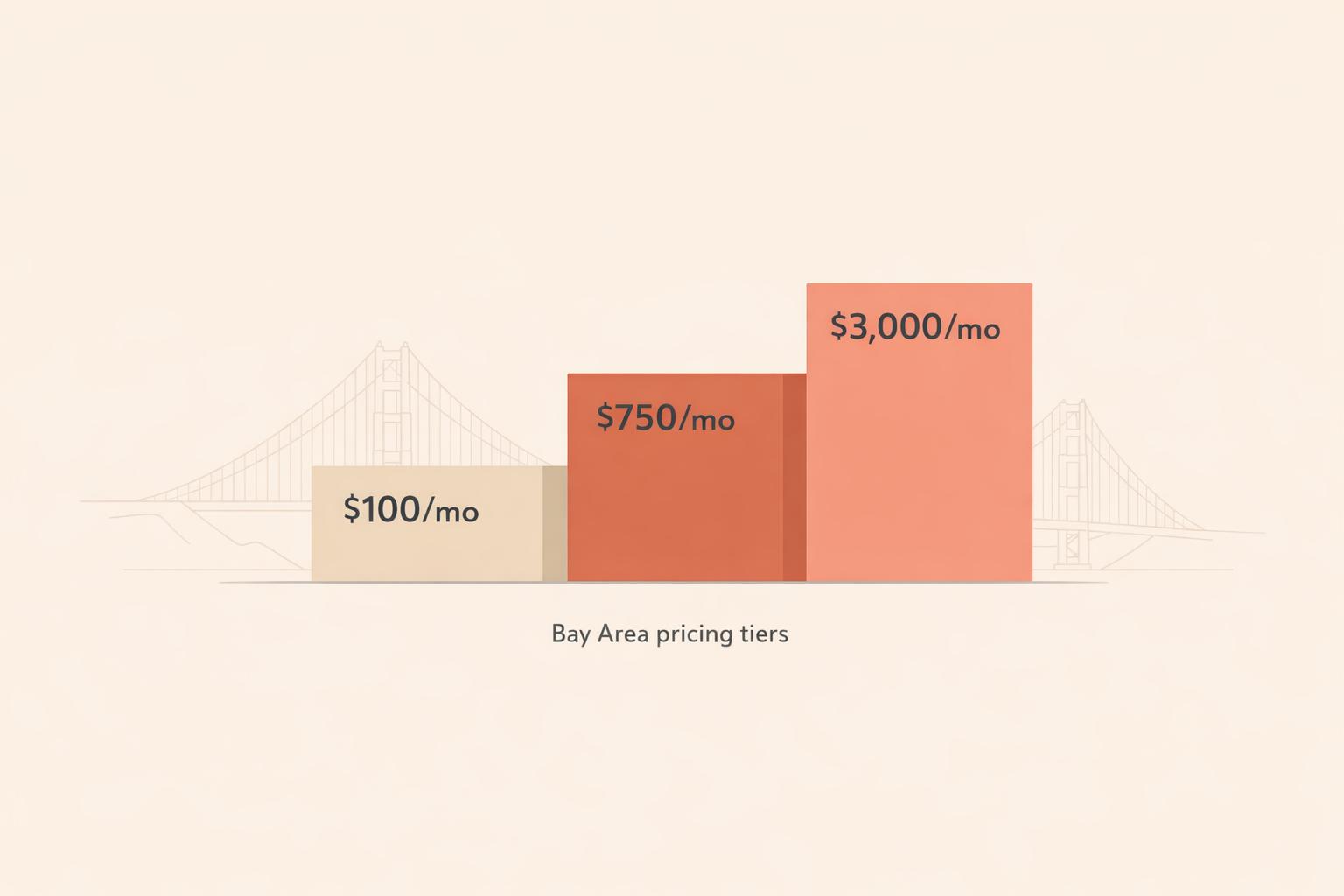
Managing a Google Business Profile (GBP) in the Bay Area typically costs between $100 and $3,000 per month, depending on the level of service and competition. Here's a quick breakdown:
Costs vary based on services included, competition level, and update frequency. Businesses in highly competitive areas like San Francisco or San Jose may need to invest more in higher-tier plans to secure top visibility in local search results.

Google Business Profile Management Costs in the Bay Area: Pricing Tiers Compared
Managing a Google Business Profile (GBP) in the Bay Area comes with a range of pricing options, depending on the level of service you need. Entry-level services cost between $100–$300/month and typically include essentials like 4–8 posts per month, keeping business details accurate, and providing a monthly performance report [1]. These plans are ideal for businesses in less competitive areas or those just starting out.
If you’re looking for more support, mid-range plans priced at around $499/month add features like review management, citation building, and regular photo updates [2]. On the higher end, premium plans starting at $999/month include a dedicated account manager, spam mitigation, competitor analysis, and Q&A management [2]. These advanced services are particularly helpful for businesses in competitive areas like San Francisco or San Jose.
"The cheapest option rarely includes review response, regular posting, or performance reporting, which are the tasks that actually sustain your rankings over time." - Multi Web Team [1]
In addition to monthly costs, setting up or optimizing your GBP often requires a one-time fee. If your profile hasn’t been properly created or optimized, this step is crucial. These one-time projects typically cost between $150 and $800 per location, depending on the scope of work [1][6]. For example, a basic setup in San Francisco - which includes claiming the profile, uploading photos, and defining the service area - might cost around $299. A professional audit for this kind of setup usually takes 2–3 hours per location [2].
More extensive setups, such as refining category selection, adding strategic keywords, and seeding Q&A sections, can cost anywhere from $300 to $800 [6]. While this initial investment lays a strong foundation, ongoing management remains essential, as Google rewards businesses that keep their profiles active and updated.
For businesses wanting a broader digital marketing strategy, bundled packages are a great option. These packages combine GBP management with other local SEO services. A Local SEO + GBP management bundle typically costs between $500 and $2,000/month, with some comprehensive plans in San Francisco reaching $2,000–$3,000/month [1][2]. These packages often include GBP management, website SEO, and local link-building efforts.
For businesses with multiple locations, costs per profile drop significantly, usually ranging from $50 to $150/month per location. This makes bundled options more cost-effective when managing multiple locations at scale.
Here’s a breakdown of typical monthly costs and what’s included at each tier:
| Service Type | Typical Monthly Cost | What's Included |
|---|---|---|
| Entry-Level Standalone | $100 – $300 | 4–8 posts, basic updates, monthly report [1] |
| Mid-Range Standalone | ~$499 | Review management, citation building, photo updates [2] |
| High-Touch Standalone | $999+ | Dedicated manager, spam mitigation, competitor analysis, Q&A management [2] |
| Multi-Location (per profile) | $50 – $150 | Scaled management for multiple locations [1] |
| Bundled Local SEO + GBP | $500 – $3,000 | GBP management, website SEO, local link building [1][2] |
The range of services offered is a major factor in determining costs. A basic plan that ensures profile accuracy - correct business hours, address, and phone number - will naturally cost less than one that includes more involved services like weekly Google Posts, uploading professional photos, responding to reviews, and monitoring Q&A sections.
These additional tasks require more effort and resources. For example, responding to reviews and regularly uploading fresh photos are time-intensive but impactful. Profiles with updated visual content get 35% more clicks from Google Maps compared to those with outdated or minimal images [4]. If you notice a price gap between two service plans, it’s often due to whether these higher-effort tasks are included or excluded.
Here’s a tip: check whether review responses are part of the flat monthly fee or if they’re billed individually. If billed per response, your monthly expenses can become unpredictable.
Aside from the scope of services, factors like your industry and the competition in your market also play a big role in pricing.
Your business type and location significantly influence costs. For instance, a boutique in a quiet suburb like Fremont will have different needs - and costs - compared to a personal injury law firm in downtown San Francisco. The law firm faces heavy competition from rivals with large budgets, meaning the agency managing its GBP profile must put in more effort to stay competitive.
"Industries like legal, medical, home services, and real estate in large cities rank among the most expensive for local SEO due to intense market competition." - Arc4 [6]
In high-competition industries and urban areas, the stakes are higher. Ranking improvements in these markets can lead to substantial revenue gains, making the investment worthwhile [4]. However, these environments often demand specialized services like spam fighting, where fraudulent competitor listings are identified and reported. This type of work requires experienced professionals, which increases costs.
The frequency of updates also plays a key role in determining pricing.
The level of service - whether light-touch or high-touch - has a noticeable impact on both results and pricing. For example, Google Posts are visible for about seven days [4]. A plan that only includes monthly posts leaves your profile inactive for most of the month. Regular updates, on the other hand, can boost profile engagement by 30–40% [4]. This makes the frequency of updates a direct driver of profile performance.
Here’s how update frequency and support level affect costs:
| Service Level | Monthly Cost | Update Frequency | Key Support Features |
|---|---|---|---|
| DIY / Tool-only | $50 – $99 | User-defined | Automation tools, no expert support |
| Standard Management | $250 – $500 | Bi-weekly / Weekly | Post creation, review monitoring, reporting |
| Advanced / High-Touch | $500 – $1,000+ | Multiple weekly updates | Dedicated manager, spam fighting, Q&A management |
It’s also worth considering the hidden costs of DIY management. Handling your GBP profile on your own typically takes 1–3 hours per location each month [4]. If your time is valued at $50–$75 an hour, that $99 DIY tool could end up costing you $150–$225 in labor - making a managed service seem more cost-effective than it initially appears.
Handling your Google Business Profile (GBP) on your own might seem like a cost-effective choice. Google's free tools allow you to set up your profile, schedule posts, and reply to reviews manually. In low-competition markets, this could work. But in areas like the Bay Area, where competition is fierce, it often falls short.
The main issue with DIY management is what it lacks. Features like automated review responses, monitoring Q&A sections, and maintaining a steady stream of photo uploads - tasks that actually drive results - aren't included in Google's free tools.
"Free tools are sufficient for post scheduling only - the highest-ROI automation tasks (review responses, Q&A, photo cadence) require a third-party platform." - US Tech Automations [7]
Consider this: listings with over 100 photos get 520% more calls than those with fewer than 10 [7]. Keeping up with that volume of updates manually is nearly impossible without a proper system. If you're sticking to DIY, you might find tools like Humble Help's free CRM or Milo AI Marketing Coach useful for staying on top of tasks and prioritizing effectively. For businesses needing just a bit more support, entry-level monthly plans are a logical next step.
Entry-level plans are designed to address the limitations of DIY management. These plans typically include profile setup, category optimization, a basic business description, and occasional updates. However, they usually skip over regular Google Posts, active review management, and detailed performance reporting.
This tier ensures your GBP profile is verified and accurate, which is a solid foundation. But in competitive markets like the Bay Area, maintaining a spot in the top three local results requires more consistent and strategic activity. For example, businesses with 50+ reviews rank 4.2x higher than those with fewer than 10 [5]. Building that kind of review volume takes a structured approach - something entry-level plans don’t usually cover.
Mid-range and high-touch plans go beyond the basics, offering more frequent updates and a hands-on approach to review management. In the mid-range tier, you can expect 4–8 monthly Google Posts, active responses to reviews, fresh photo uploads, and local citation building to ensure your NAP (Name, Address, Phone) details are consistent across directories [1][2]. Reporting also improves, giving you better insights into your GBP performance.
High-touch plans, which start at $500, offer even more. They include spam fighting, competitor analysis, niche-specific citation building tailored to your industry, and a dedicated account manager [2]. Spam fighting is especially crucial in areas like San Francisco and San Jose, where fake or keyword-stuffed competitor listings can skew the Map Pack results. Tackling these issues effectively requires experienced professionals.
Here’s a quick breakdown of what mid-range and high-touch plans offer:
| Feature | Mid-Range ($250–$500) | High-Touch ($500+) |
|---|---|---|
| Post Frequency | 4–8 posts/month | Multiple weekly updates |
| Review Management | Active responses | Monitoring + reputation strategy |
| Competitive Analysis | Basic monitoring | Spam fighting + link intersect |
| Support | Automated/general queue | Dedicated account manager |
| Reporting | Monthly automated | Detailed audits + strategy alignment |
For Bay Area businesses with multiple locations, high-touch plans are often the most practical solution. Each location requires unique descriptions and locally relevant content, as using duplicate content across profiles signals low effort to Google, which can hurt rankings [1]. Managing multiple locations typically adds an extra $50–$150 per location to the base price [1][2].
Choosing the right GBP (Google Business Profile) management option means aligning your business needs with the services available. Here's how to make the best choice for your situation.
Start by defining exactly what you want to achieve with your GBP. Are you aiming to appear in the Local Pack on Google Maps? Do you want more inbound calls or increased foot traffic to your store? Each goal will guide you toward the appropriate level of service.
Your budget should align with these goals. For instance, a restaurant in San Francisco competing for top-3 visibility has very different needs compared to a solo contractor in the East Bay seeking occasional leads. As a reference, standalone GBP management typically costs between $100–$499 per month for a single location, while bundled local SEO packages can range from $799 to $3,000 per month [1][3]. If you manage multiple locations, expect an additional $50–$150 per profile [1].
Here's a key insight: A business ranking fifth organically but appearing in the Local Pack often gets more calls than one ranking second organically but missing from the pack [3]. Prioritizing Local Pack visibility could deliver better results, so allocate your budget accordingly. These initial steps will help you evaluate providers and their offerings effectively.
Be honest about your team’s ability to manage GBP consistently. If you can’t maintain regular updates - especially during peak seasons - your profile activity will drop, and so will your rankings.
DIY GBP management requires 8–12 hours of work each month [7]. Even with automation tools, the initial setup alone takes 6–8 hours [7]. For many small businesses with 5–50 employees, GBP management is often the first task to be neglected when things get busy [7]. If that sounds like your situation, outsourcing or using a professional platform (costing $200–$400 per month) may be the smarter option.
"A fully optimized, actively managed GBP outperforms a neglected one every single time. The gap is not even close." - Don Phelps, Founder, NSYGHT [3]
Once you’ve assessed your internal capacity, you can move on to evaluating Bay Area GBP providers.
When reviewing potential providers, focus on measurable results and detailed deliverables. Avoid vague promises and insist on specifics. Ask for a written list of services - such as the number of posts, how often they’ll respond to reviews, and their photo upload schedule. Reviewing sample reports and posts can give you a sense of their quality before committing [1].
The quality of reporting is just as important as the work itself. Look for providers who track meaningful actions like calls, direction requests, and website clicks, rather than just profile views. The best providers also use local search grid tracking, which shows how your business ranks across your entire service area, not just near your location [3]. Additionally, confirm that they optimize your profile structure for AI Overviews, as Google’s AI-generated local recommendations rely heavily on structured GBP data [3].
Be cautious about providers requiring contracts longer than six months unless they include an exit clause [1][3]. And remember, no legitimate agency can guarantee a top-3 ranking - Google’s algorithm is beyond anyone’s control [1].
Managing your Google Business Profile (GBP) in the Bay Area is far from a one-size-fits-all solution. A solo contractor in the East Bay will have vastly different requirements compared to a multi-location restaurant group in San Francisco. Instead of defaulting to the cheapest option, it’s crucial to align the service level with your specific needs and goals. The tiers outlined above can help guide your decision.
Lower-cost plans often skip over key services like responding to reviews or posting updates regularly, which can limit the potential for meaningful improvements. On the other hand, investing in a $300/month plan that includes consistent monthly work - such as 4–8 Google Posts, review responses within 48 hours, and performance tracking for calls and clicks - can deliver more measurable results.
Before committing to a provider, take a few hours to audit your profile. Look for missing information, outdated business hours, or low-quality photos. Spending 2–3 hours per location on this self-audit can give you a clear starting point and help you determine what you need most.
Ultimately, your choice should balance your operational goals with your internal capacity. Make sure the provider’s deliverables are clearly outlined in writing, and evaluate them carefully to ensure your budget is being used effectively where it matters most.
A $300/month Google Business Profile (GBP) plan often includes services such as profile optimization, consistent updates, review management, and performance reporting. Some providers offer packages priced between $299 and $499, which usually cover these tasks. However, the exact cost can differ depending on the specific services and features offered.
Managing your Google Business Profile can boost rankings within a timeframe of about 4 weeks to 6 months. The exact timeline depends on a few key factors, such as the level of local competition, the quality of your optimization efforts, and how quickly you can gather new reviews. While results can vary, sticking to a consistent management strategy often brings noticeable improvements over time.
If you're already handling SEO effectively, you might not need dedicated GBP management - provided you can keep your profile updated and optimized. That said, GBP involves ongoing tasks like replying to reviews, sharing updates, and fine-tuning photos. Professional services, which typically cost between $125 and $400 per month, can help save time while improving local visibility. This can be especially helpful for businesses managing multiple locations or those lacking the resources to consistently maintain their profiles.
Discover strategies to elevate your business.