

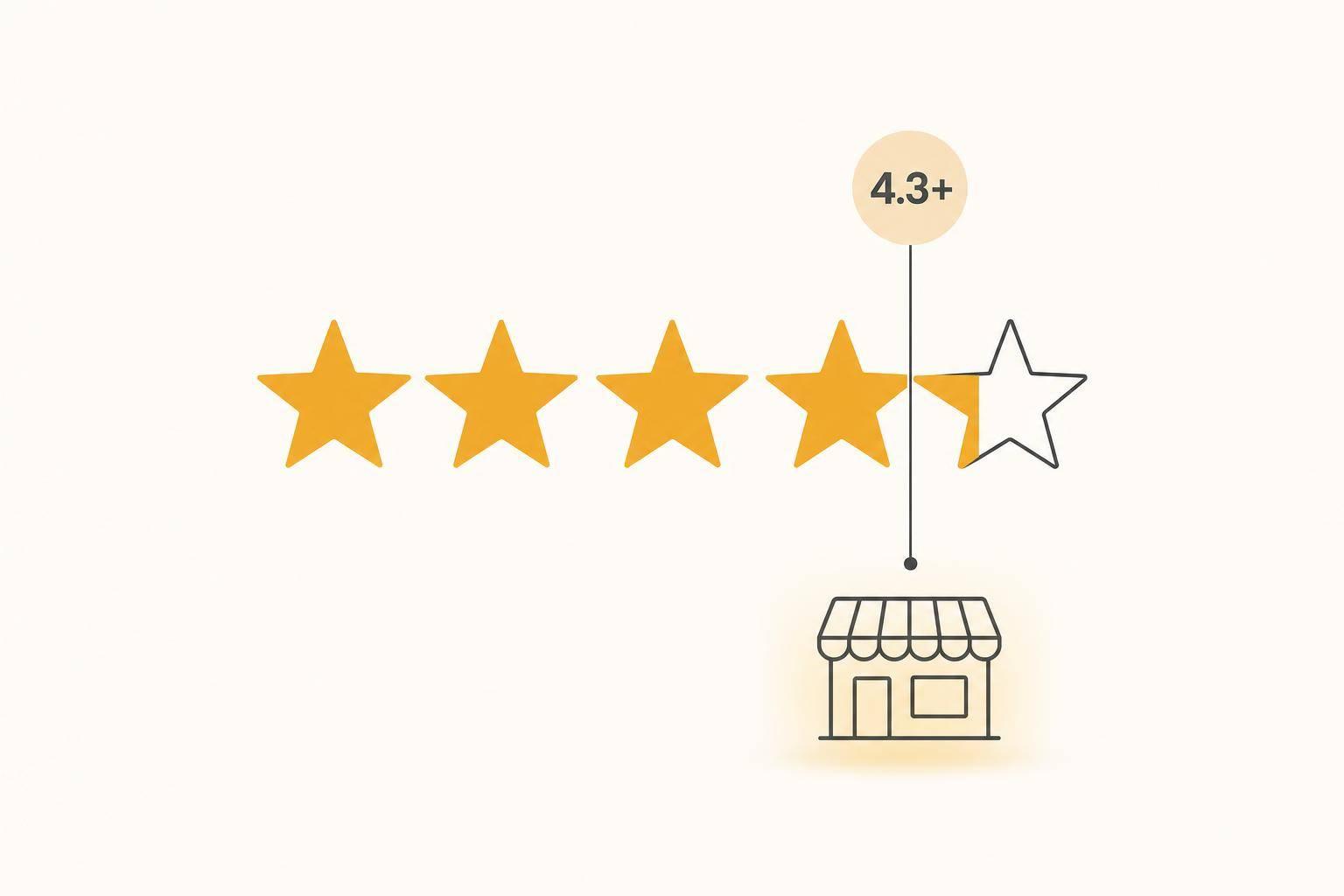
If your business is below 4.3 stars, AI tools may skip you. That is the short version.
I’d read the article this way: AI search is less like Google Maps and more like a short list of names it feels safe naming. And that changes the game for local businesses.
Here’s what stood out to me:
A simple way to check where you stand:
AI vs Google Maps: Star Rating & Review Requirements for Local Business Visibility
| Tool | What it tends to do | What matters most |
|---|---|---|
| Google Maps | Shows more local options | Proximity, relevance, reviews |
| ChatGPT | Names only a few businesses | Rating, review timing, outside mentions |
| Gemini | Pulls from Google’s data stack | Google Business Profile details, reviews |
| Perplexity | Blends web results into an answer | Citations, review timing, web mentions |
My takeaway is simple: a high rating alone is not enough. If your profile is quiet, thin, or inconsistent, AI may pass you over for a competitor with a slightly lower score but more recent activity.
That means the job is not just getting to 4.3+. It is staying active, getting steady reviews, replying to them, and keeping your listings aligned across the web.
Once you’re past the 4.3-star mark, AI tools start looking harder at what sits behind that number. They don’t judge your rating in isolation. They look at your average rating, total review count, and how recent those reviews are as one combined signal.
Here’s a simple way to read the risk:
Review volume matters too. About 20 reviews establishes baseline credibility; 50+ improves recommendation odds [7][3].
Fresh reviews carry extra weight. A profile with old reviews can look inactive, even if the star rating still looks solid [1]. And rating by itself won’t always win. When two businesses look close, profile depth can tip the balance.
After reviews, AI checks whether your business details line up across the web. Your business name, address, and phone number, or NAP, should match on Google, Yelp, Facebook, Apple Maps, and Bing Places. Even small NAP differences can weaken trust [5][7].
Your Google Business Profile also does more work than many owners think. Primary and secondary categories, hours, a complete business description, active Q&A sections, and relevant attributes help AI connect your listing to the exact kind of query someone types or says [7]. If those details are missing, AI has less to work with in conversational search.
Photos help as well. Google’s Vision AI can scan uploaded images to sort what your business does, and new photos signal that the business is active [7]. Review responses matter too. 88% of consumers are more likely to use a business that responds to all its reviews [2]. AI tools read that as a sign that someone is paying attention.
Google Maps tends to show a longer list of options. AI tools usually mention only a handful. That’s why a business can look fine in Google Maps and still get left out of AI answers.
| Feature | Google Maps | ChatGPT | Gemini | Perplexity |
|---|---|---|---|---|
| Main input | Google Business Profile | Training data + live web browsing + third-party sites | Direct Google/GBP access | Real-time web search |
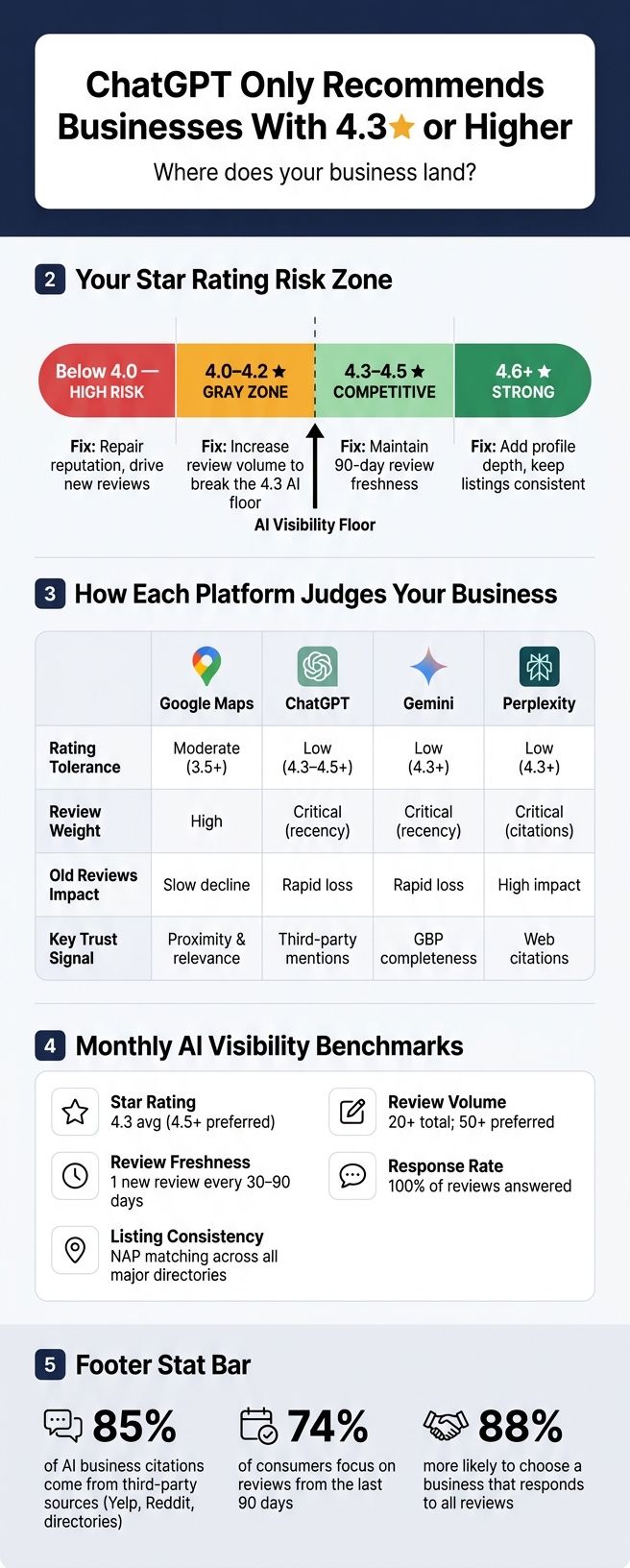
| Rating tolerance | Moderate (often shows 3.5+) | Low (prefers 4.3–4.5+) | Low (often 4.3+) | Low (often 4.3+) |
| Review weight | High (volume and rating) | Critical (recency and sentiment) | Critical (recency and GBP) | Critical (citations) |
| How it chooses | Proximity and relevance | Third-party corroboration | Real-time Google ecosystem | Search result synthesis |
| Effect of old reviews | Slow ranking decline | Rapid loss of AI citation | Rapid loss of AI citation | High (needs fresh data) |
Next, use these signals to find your actual risk range.
Start with your current rating. That gives you a quick first read. Then look at review volume and freshness to see if you clear the AI visibility floor. The table below shows what each band means for AI visibility.
A good star rating can still fall short if there aren’t many reviews behind it, or if those reviews are old. Freshness matters because AI tends to favor active listings over quiet ones.
74% of consumers focus on reviews from the last 90 days when choosing a local business [1]. So if new reviews aren’t coming in on a steady basis, that’s a problem.
"AI notices silence and favors the competitor with fresh reviews." - Alex Heudes, Co-Founder, Vyzz [1]
Replies matter too. No replies at all, or bland copy-and-paste responses, can work against you. Personal replies show that someone is paying attention. That helps build trust.
Use this table to spot your range and find the bottleneck most likely holding back your AI visibility.
| Rating Range | AI Visibility Risk | Primary Bottleneck | Priority Fix |
|---|---|---|---|
| Below 4.0 | High Risk | Reputation & Trust | Repair reputation and drive new reviews. |
| 4.0–4.2 | Gray Zone | Competitiveness | Increase review volume and cadence to break the 4.3-star AI visibility floor. |
| 4.3–4.5 | Competitive | Recency & Freshness | Maintain 90-day review freshness. Complete all GBP attributes. |
| 4.6 and Above | Strong | Profile completeness | Add depth and keep listings consistent. |
Next, check whether your GBP itself supports the signal your rating sends.
A 4.0–4.2-star rating can still be enough to show up in Google Maps. But that same rating often misses the bar for AI recommendations.
That gap matters. Google Maps can still surface businesses with borderline ratings. ChatGPT and similar tools tend to be more selective. They look less like directories and more like trust filters. So when a business sits in the 4.0–4.2 range, even small trust gaps can keep it out of the results.
That’s why review freshness and third-party confirmation matter more than the average rating by itself. A decent score helps, but it usually isn’t enough on its own.
AI systems also check whether the rest of the web backs up what the business profile claims. Roughly 85% of AI business citations come from third-party sources such as Yelp, Reddit, and industry directories, not from the business’s own website [5]. If a rating is already borderline, and outside sources don’t support it, the listing looks weaker. That’s often the line between being visible and being named.
Here’s what that looks like in practice.
| Rating | Recent Reviews | Review Volume | Profile Completeness | Third-Party Corroboration | AI likely to... |
|---|---|---|---|---|---|
| 4.8 stars | None in 12 months | Moderate | Complete, but stale | Limited | Skip |
| 4.6 stars | 15+ in last 60 days | Strong | Active, consistent NAP | Confirmed across sources | Recommend |
| 4.1 stars | Few, older feedback | Low | Thin | Little outside confirmation | Skip |
Next, fix the profile signals that help a borderline rating clear the floor.
If your business is stuck in the 4.0–4.2 gray zone, start with the fixes that move the needle fastest.
Before you chase more reviews, fix your NAP across the places that matter most: Google Business Profile, Bing Places, Yelp, and key industry directories.
Your business name, address, phone number, and website should match exactly on every listing. Even small differences can create mixed signals. And yes, claiming your Bing Places profile matters. ChatGPT's "Browse" feature uses Bing as its search backbone [4].
After your listings match, then shift your attention to review flow. Clean listings help, but a profile that hasn't seen any new activity can still look old.
A steady stream of reviews works better than a short burst.
If your profile goes quiet for 90 days, it can start to look inactive. That's not where you want to be.
A simple way to handle this: text 3–4 happy customers each week right after service. Ask them to mention the exact service they got. That wording gives AI more context and helps connect the review to what you do [6][5].
Then reply to every review in plain language. Short, human replies add trust and give your profile new context over time [1][2].
Use these monthly targets to hold onto the gains from your listing cleanup and review push.
| Benchmark | Minimum Target |
|---|---|
| Star rating | 4.3 average (4.5+ preferred) |
| Review volume | 20+ total reviews; 50+ preferred |
| Review freshness | At least one new review every 30–90 days |
| Review response rate | 100% of reviews answered |
| Profile consistency | NAP matching across major directories |
Once a month, open ChatGPT, Gemini, and Perplexity and type: "What are the best [your service] in [your city]?" Then check two things:
That quick monthly test is free, and it gives you a simple way to see whether your offline profile work is turning into actual AI visibility.
Not exactly. 4.3 stars is better seen as a general benchmark, not a hard cutoff.
AI recommendations often lean toward businesses with 4.3 stars or higher, especially when that rating is backed by recent reviews and active profile signals.
Yes. AI recommendations often put a lot of weight on how recent reviews are and how many there are. So a business with more recent positive reviews may be more likely to get recommended, even if its overall rating is a bit lower.
That said, the overall rating still matters.
Usually, it takes 4 to 6 weeks of steady work to see movement. Platforms like ChatGPT often update recommendations every 2 to 4 weeks, so better review signals and profile activity can start shaping visibility during that time.
For some businesses, adding 12 to 20 recent, high-quality reviews over a 30-day period may start to help by week six. After that, you need to keep the momentum going. New reviews, reply activity, and profile updates still matter, because visibility can slip within three months if that work stops.
Discover strategies to elevate your business.


