

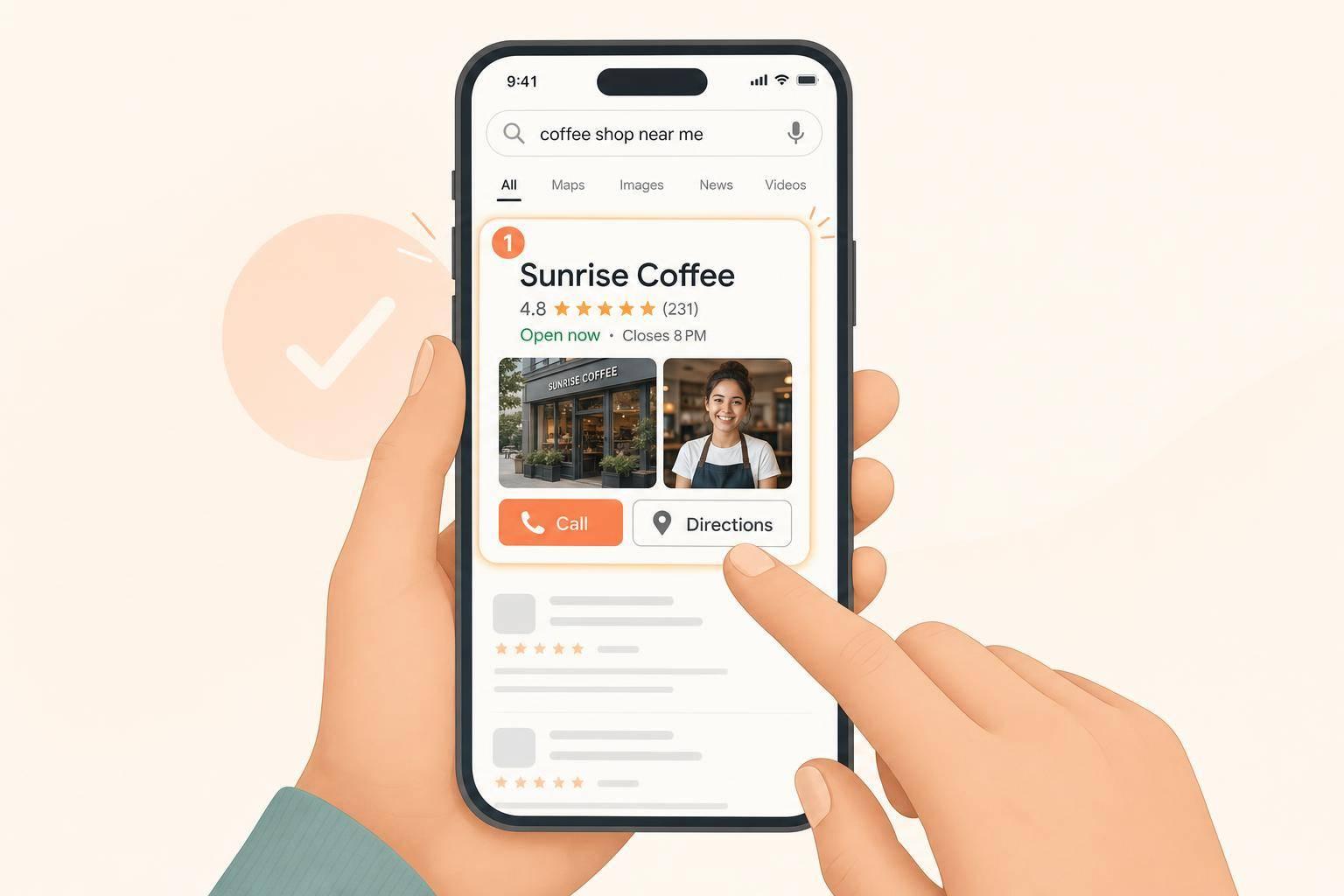
Getting seen on Google does not win the customer. Getting the click does.
If I want more calls from Google, I need to make my business look like the safest and easiest choice at a glance. That usually comes down to a few things people check fast: reviews, recent photos, correct hours, the right category, and a website that matches the listing. The article’s main point is simple: people do not pick the top result just because it ranks. They pick the business that looks most active, clear, and easy to contact.
Here’s the full idea in plain English:
A few numbers from the article stand out:
If I had to boil the whole article down to one checklist, it would be this:
That’s the core lesson: on Google, the business that looks more current, more complete, and easier to trust usually gets picked first.
Google Business Profile: Key Stats That Win Local Clicks
When someone opens Google Maps, they don’t study each listing line by line. They scan fast and compare the proof they can see right away.
Star rating and review recency tend to matter most. A business with 40 reviews from the last three months will often look more dependable than one with 200 reviews from two years ago [7][8].
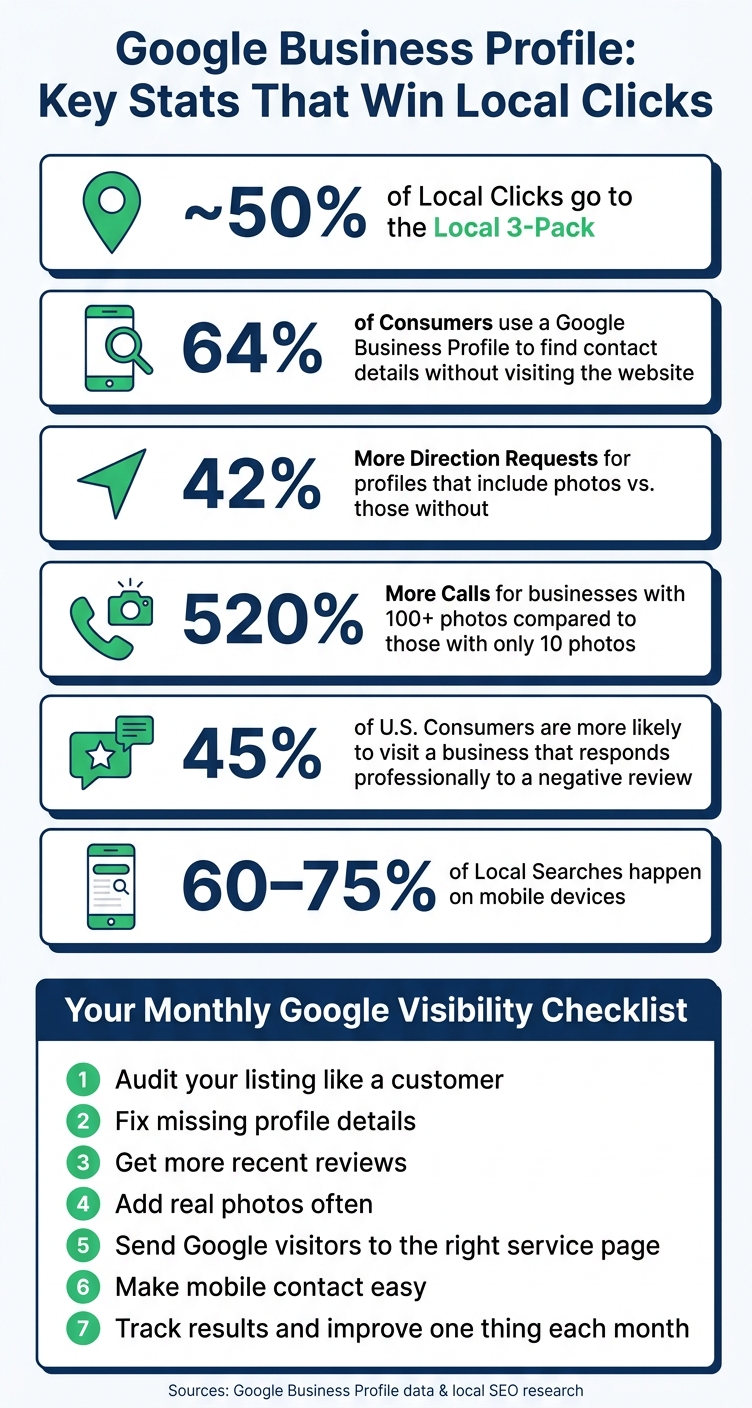
Your primary category also plays a big role. People usually want the closest match they can find, like "Pediatric Dentist" instead of just "Dentist." Photos matter too. Profiles with photos get 42% more direction requests than those without, and businesses with 100+ photos get 520% more calls than those with only 10 [7][1].
What counts as strong proof will shift by business type. But the core idea stays the same: show buyers the proof they care about as fast as you can.
Look at your own listing through that same lens.
Once you know what people compare, check whether your profile answers those questions fast.
Open an incognito window, search for your service, and stack your listing up against the top three results. Compare review recency, photo quality, category specificity, and how clearly the profile explains what you do [5][6]. A focused profile audit, like updating your description and adding newer photos, can lead to a big jump in profile views and direction requests within weeks.
Then search your business name and review what shows up in your profile panel. Make sure your hours, phone number, and services are filled out. If any of those are missing, fix them first.
That’s the low-hanging fruit. Close the gaps that make your business look smaller, slower, or less current than the top results.
After the audit, fix the profile signals people see before they click.
Start by verifying the profile. Then fill in the details people use to decide if your business looks legit: category, hours, service area, and contact info.
Your primary category should match the service that drives most of your revenue. Then add secondary categories for the other services you offer [13]. Keep your name, address, and phone number exactly the same across your profile, website, and directories [12][15]. Set precise hours, and update holiday hours ahead of time. When a profile looks current, easy to reach, and clearly tied to a real business, people feel less doubt.
If you run a service-area business, you can set up to 20 service areas by city, ZIP code, or region, while keeping your street address hidden [13].
Use the description to answer the main thing a searcher wants to know: "What exactly do you do, and why should I trust you?"
Use all 750 characters. Lead with your service and location. Then add one or two trust signals, like years in business, specialties, or the type of customers you serve. Work in 2–3 core service terms in a natural way, and keep the wording plain and neighborly.
Also fill out your Services section with separate line items and short descriptions. If showing prices makes sense for your business, add realistic USD price ranges. Only select attributes like "Veteran-owned", "Women-owned", or "Wheelchair accessible" when they are factually correct. These attributes act as search filters in Google Maps and can help the right customers find you faster [16].
Photos send a trust signal fast. Aim for at least 20 high-resolution original images, including:
Use natural light when you can, and skip stock images. Real photos help people feel more sure about your business [12][13].
Post every 7 to 14 days so the profile doesn't look stale. Use "Offer" posts for limited-time deals, "What's New" for same-day availability, and "Event" or "Product" posts when they make sense. Each post should include a call-to-action button that points to a matching page, such as "Call Now", "Book", or "Learn More" [17].
Once the profile looks complete, reviews become the next signal people use to decide.
Once your profile is filled out, reviews often decide who wins the click. New reviews help keep your listing active and make it easier for people to trust what they see in Search and Maps.
Set up a simple system and stick to it. A text sent about 2 hours after service tends to convert better than email [18].
One thing you can't do: offer discounts, freebies, or any other reward in exchange for a review. That breaks both Google's policies and FTC guidelines [18][20].
Ask customers to describe the service and mention their city or neighborhood in their own words. Those details can help Google connect your listing with local searches. They also give future buyers the kind of specific proof that helps them feel more sure about choosing you [11].
Keep the request neutral. For example:
"Please share your honest feedback, good or bad"
That wording helps you stay in line with FTC and Google guidelines [20].
Your replies don't just speak to the person who left the review. They also speak to the next person reading your profile. In that sense, every response becomes part of the proof future buyers use to judge your business.
Reply to every review within 24–48 hours. Thank positive reviewers by name and mention the service they used. For negative reviews, take the issue offline and include a direct phone number or email [4][11].
That effort matters. 45% of U.S. consumers are more likely to visit a business that responds professionally to a negative review than one that ignores it [21].
In many cases, fresh reviews with solid replies can beat a bigger review count that's gone stale. A Scottsdale spa used weekly SMS review requests and 24-hour responses to move from #5 to #2 in Maps in 90 days [11].
When someone clicks over from your Google Business Profile, they’re not starting from scratch. They already showed intent. Your website should back up what they saw on Google, not make them second-guess the click.
Mixed details can break trust in seconds. Your GBP and website should match on your business name, phone number, and address. Use one or two real photos that line up with what people saw on Google, so it’s obvious they landed in the right place [14][2].
Your address should also appear as crawlable text in the footer, not tucked inside an image. That gives Google a clear way to compare your site with your profile [9].
There’s a simple tweak that can help here: instead of sending the GBP Website button to your homepage, point it to the most relevant service page or location page [19]. Fewer clicks. Less friction. A better path to the info the visitor wants.
Once the page lines up with the profile, the job shifts to getting that person to the exact service details they came for.
A generic Services page usually isn’t enough for a local business. Each main service should have its own page. That page needs to spell out what you do, where you do it, what it costs or how pricing works, how the process works, and why someone local should feel good about hiring you [22][23][24].
Be specific about your service area. Name the cities and neighborhoods you serve. If you can, show starting prices or price ranges in USD, or say that you offer upfront pricing or free estimates [24][14].
You can also pull common questions from your GBP Q&A and turn them into an FAQ block on the matching service page [14][10]. That way, people get answers before they ever pick up the phone.
Once the page matches what the person searched for, the first screen has to do the heavy lifting.
As of 2026, 60% to 75% of local searches happen on mobile devices [6]. So on mobile, the top of the page should make action easy. Put these above the fold:
Right below that, show the proof people look for: your license, insurance, certifications, and one recent review or star rating [14][6].
A site people trust tends to be fast, mobile-friendly, easy to contact, clear by service, and consistent with your GBP.
Getting found on Google is only half the job. The other half is figuring out if those visitors turn into calls, visits, and leads - and fixing the leaks when they don’t.
Once your profile and website match up, the next step is simple: watch what happens next.
Your GBP Insights dashboard shows calls, direction requests, website clicks, and search terms. It also breaks out direct searches from people who already know you and discovery searches from people finding you by service. A strong profile tends to earn more discovery impressions than direct searches. If discovery is low, go back and check your categories and service terms.
If views stay flat while calls drop, that’s a warning sign. People are seeing the profile, but they aren’t taking action.
Raw view counts can look nice on paper, but they don’t tell you much. What matters is whether those views lead to calls, clicks, and visits.
After you spot what’s working, track the profile details that lead to those actions and clean up the weak areas.
Add a "How did you hear about us?" field so you can connect Google traffic to actual leads. Then pair that with form submission tracking and call volume monitoring. Tools like CallRail can track calls from local search [13]. Put calls, form fills, and direction requests into one monthly sheet so you can see patterns without digging through three different places.
Use the data from your profile and website to decide what to fix next. Don’t guess.
A simple way to keep this from turning into a second job is the one-change rule: pick one high-impact update each month, make the change, and watch the result over the next 2–4 weeks [3][17]. One month, that might mean adding 3–5 new photos. The next month, it could be updating a service description or tightening your primary category. Another month, it might be adding 3–5 Q&A answers.
To choose the right next step, compare your profile with your top 5 local competitors each month. Look at:
That side-by-side check usually makes the next move pretty obvious [3].
Use GBP Insights for calls and clicks, Google Analytics for form fills, and a monthly log to track trends over time.
Businesses picked first on Google usually look more trustworthy, more complete, and easier to contact - and they keep getting better month after month.
Google Business Profile updates often affect search rankings in 2 to 4 weeks. In some cases, a change like picking a more accurate primary category can improve your map position in 3 to 5 weeks.
That’s a lot faster than general website changes, which often take 3 to 6 months. When you handle these updates the right way, they can help you outrank many local competitors within 30 days.
Having only a handful of reviews is normal for a new or growing business. The key is to start building them now and keep at it week after week.
Ask happy customers for a review as soon as the job or service is done. That timing matters. If you wait too long, people get busy, forget the details, or simply move on.
Try to keep a steady rhythm of three to five new reviews per week. Use your Google Business Profile review link to make the process easy. You can also prompt customers to mention the specific service they got and the city they’re in. Those details make reviews more useful and more relevant for local search.
First, make sure your profile is complete and verified. If your listing is missing key details or still isn't verified, it likely won't get much visibility.
Then focus on a few core areas:
Discover strategies to elevate your business.


