

CRMs are transforming how small businesses grow in 2026. They centralize customer data, automate tasks, and improve customer interactions, enabling businesses to increase revenue and retention. With AI-driven features, CRMs help small teams compete with larger ones by automating follow-ups, managing leads, and creating personalized customer experiences.
CRMs help small businesses grow by simplifying customer management, automating tasks, and delivering better customer experiences. Whether you're just starting or scaling up, choosing the right CRM tailored to your needs is essential for success.
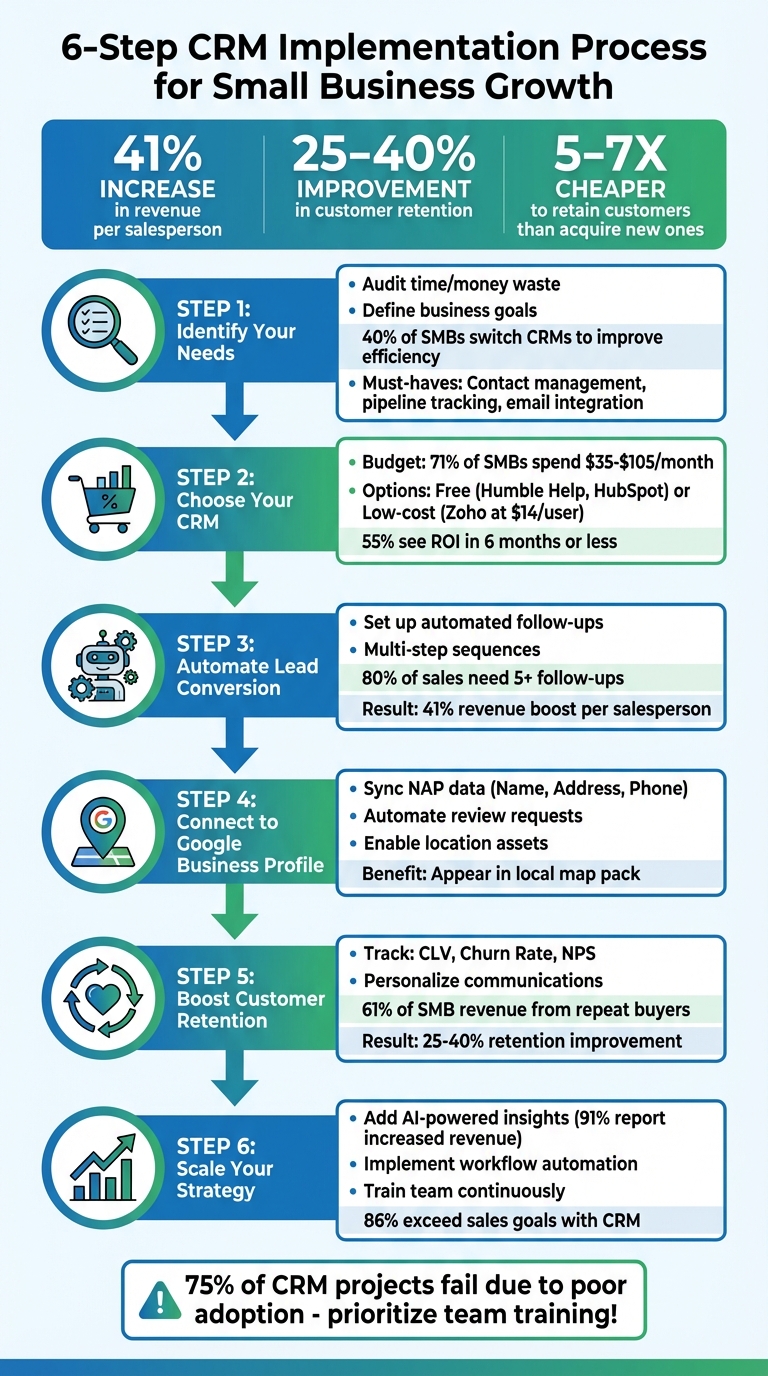
6-Step CRM Implementation Process for Small Business Growth
Diving into a CRM without a plan is like buying a truck when all you need is a sedan - you’ll end up overpaying for features you’ll never use. Start by spending your first week identifying where time and money are being wasted [2]. Are follow-ups falling through the cracks? Is manual data entry eating up more than two hours a week? Is customer data scattered across different platforms? Pinpointing these pain points will help you choose the right CRM for your business [8].
Use this initial audit to identify the specific problems your CRM needs to address. Whether it’s shortening your sales cycle, improving lead follow-up, boosting email campaign performance, or automating repetitive tasks, make sure the CRM you choose aligns with your key challenges [9]. If you need features like real-time pipeline visibility or revenue forecasting, jot those down, too [8]. Think ahead - where will your business be in 6, 12, or even 24 months? Picking a CRM that can grow with you will save you from the hassle of switching systems later [2].
Here’s a telling statistic: 40% of small and medium-sized businesses switch CRMs to improve efficiency, and 31% do so because their current system lacks essential features [9]. Avoid this pitfall by choosing a tool that fits your workflow from the start.
Focus on the basics first. Core features like contact management, pipeline tracking, and email integration should be top priorities [8][2]. A good CRM will centralize customer profiles and interaction history, eliminating duplicate records [9]. It should also include visual, drag-and-drop deal stages to help you quickly act on opportunities [9], and automatically log emails from platforms like Gmail or Outlook while tracking opens and clicks [8][11]. Automating tasks such as follow-up reminders and lead assignments can free your team from tedious manual work [7].
Integrated CRMs can make a big difference - businesses using them report tripling lead generation and closing 94% more deals [8]. Seamless integration with tools like calendars, accounting software, and social media platforms is crucial [11][12]. If your team works in multiple locations, mobile access is a must. Look for CRMs with full-featured apps for iOS and Android, including offline functionality [8][10].
"More features don't necessarily equal better results - easier-to-use features do." - Nutshell Editorial Team [2]
Finally, clean up your data before getting started. Remove duplicates, standardize names, and ensure everything is accurate. Messy spreadsheets lead to poor decisions, and 88% of sales professionals agree that accurate data is critical [2][8]. By prioritizing clean data and aligning your CRM with your audit findings, you’ll set yourself up for success from day one.
After identifying your business needs, the next step is finding a CRM that fits your budget. The great news? There are plenty of CRMs offering free or low-cost plans tailored specifically for small businesses. According to research, 71% of small and midsized businesses allocate between $35 and $105 per month for CRM tools [9]. Starting with a free plan is a smart move, giving you room to upgrade as your business grows. Here are three excellent CRM options designed with small businesses in mind.
Humble Help's Business CRM is entirely free and built with local businesses in mind. It simplifies lead tracking, deal management, and pipeline organization, all while being easy to use. You can keep detailed customer notes, follow up on leads, and view your sales process in one place. Unlike many enterprise CRMs that require hours of training, Humble Help is designed for quick setup - ideal for service-based businesses, local retailers, or restaurant owners who want a no-frills solution. If you need more advanced features as your team grows, HubSpot CRM might be your next step.
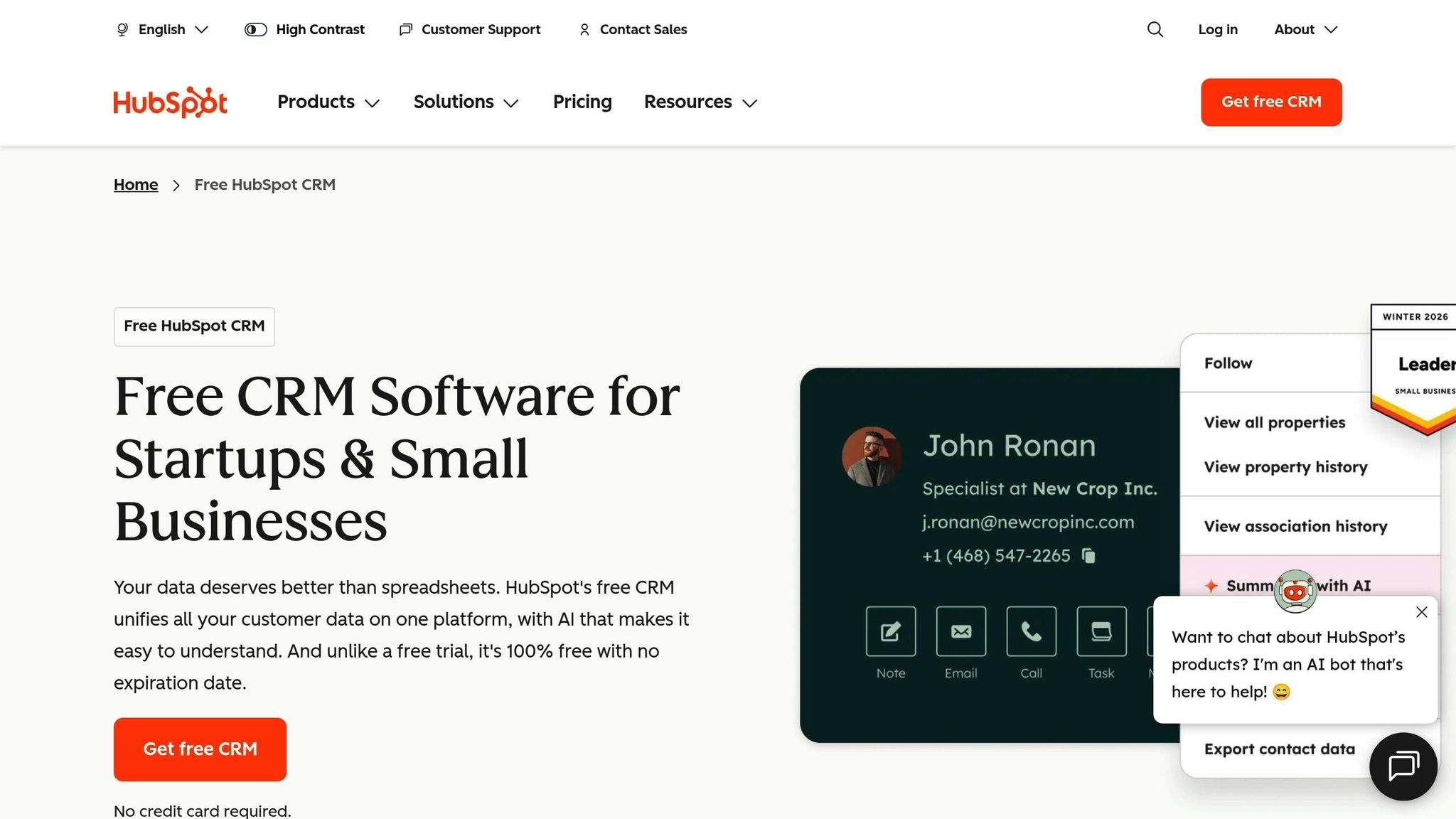
HubSpot CRM offers a robust free plan with no limits on users or contacts [8][14]. It includes key features like contact management, email integration (compatible with Gmail and Outlook), visual pipeline tracking, and basic task automation. Its user-friendly design ensures your team can get started quickly. When it’s time to expand, HubSpot’s paid plans start at about $30 per user per month, adding advanced tools like custom reporting, enhanced automation, and AI-driven insights. These features are perfect for scaling your marketing efforts. For a more comprehensive approach to customer engagement, Zoho CRM is worth exploring.

Zoho CRM’s free plan supports up to three users and 5,000 records [15][16]. What makes Zoho stand out is its omnichannel capabilities - you can manage emails, social media, live chats, and phone calls all from one platform [7]. For growing businesses, paid plans start at around $14 per user per month, offering workflow automation, advanced analytics, and mobile apps with offline functionality. While Zoho’s interface might take some getting used to, its features make it a strong choice for businesses looking to manage customer interactions across multiple channels as they scale up.
Once you've chosen your CRM, it's time to put automation to work. Quick responses make a big difference - reaching out to a lead within minutes can double your chances of booking a meeting [22]. With automation, your CRM takes care of this for you, freeing up time to focus on closing deals. Here's a striking fact: 80% of sales require at least five follow-ups, yet nearly half of sales reps give up after just one [17]. By using CRM automation, businesses report a 41% boost in revenue per salesperson, and 81% of sales and marketing professionals now rely on CRM tools with automation features [20]. These tools make targeted, efficient follow-ups easier than ever.
When a lead interacts with your website - like filling out a form or clicking a high-intent call-to-action - your CRM should spring into action. It might send a thank-you email, a text, or even a booking link instantly. For example, Pole Design, a UK-based home décor brand, used Pipedrive's automated workflows and saved two full workdays each week by eliminating manual follow-up tasks [20].
Instead of sending just one message, create a multi-step sequence to keep leads engaged. This could include an introduction, a follow-up with a case study, answers to common questions, and a final incentive. 360 Payments did this with Pipedrive, which helped them prioritize their workload and achieve a 26% increase in new accounts and a 40% growth in gross revenue [20].
You can also use lead scoring to identify your most engaged prospects. Set up alerts to notify your team - via email or Slack - whenever a high-value lead enters the system, so they can act quickly [18].
Beyond automation, a good CRM centralizes all customer interactions for a smoother experience. Modern CRMs combine emails, calls, texts, live chats, and even social media into one dashboard [19][21]. This unified system allows any team member to pick up a conversation seamlessly, without digging through separate inboxes.
Take IN-18, a small golf business, as an example. They used HubSpot's Starter Platform to consolidate disconnected payment and communication systems. This not only gave their brand a more professional image but also streamlined how they managed client relationships [8]. Similarly, Bruce Henry, a business owner using OnePageCRM, doubled his annual sales to €250,000 by sticking to the CRM's structured follow-up process [13].
"OnePageCRM creates a sales process, and all we have to do for our success is to follow it. Last year, we expanded our business and doubled our sales to €250,000."
– Bruce Henry, Business Owner [13]
Integrate your CRM with your email and calendar so every interaction is logged automatically. Pre-built email templates for tasks like outreach or appointment confirmations ensure consistent communication and save time [13][8]. With everything centralized, you'll never lose track of a conversation or miss a critical follow-up.
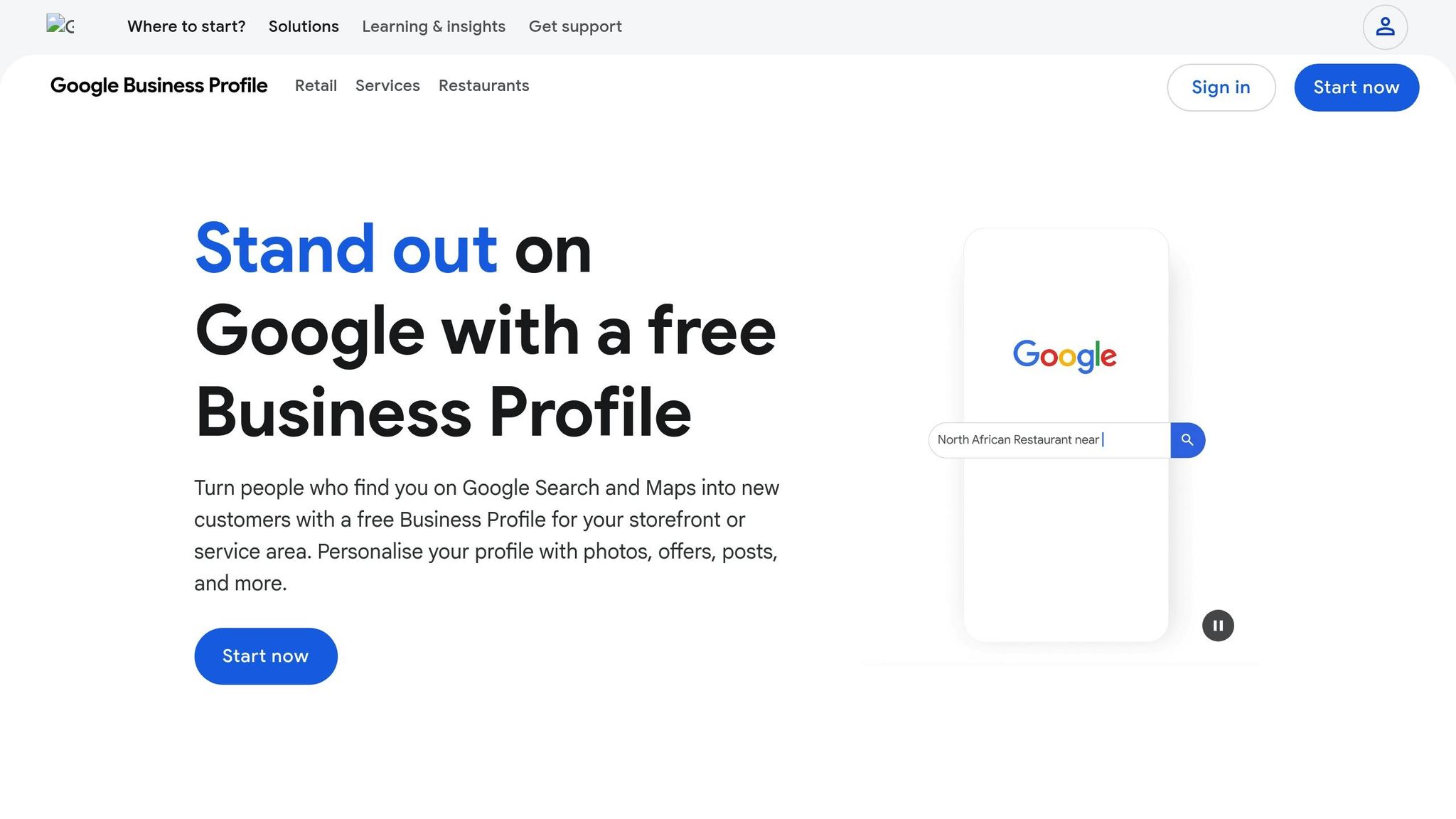
Your CRM plays a key role in boosting local visibility by ensuring your business details are accurate when potential customers search online. Google Business Profile (GBP) often shows up before your website in mobile searches, acting as a virtual storefront that heavily influences customer decisions [24]. By integrating your CRM with GBP, you can keep business information up to date, respond to reviews promptly, and use customer insights to attract more local shoppers.
Accurate and consistent business information is essential for local search success. Google prioritizes local businesses based on factors like relevance, distance, and prominence [23]. To avoid confusion or penalties in search rankings, make sure your CRM's business name, address, and phone number (NAP) match exactly with the details on your Google Business Profile [24][27]. Use your CRM as the central hub for managing this information - updates to hours, service areas, or contact details can be automatically pushed to GBP using tools like Zapier or built-in connectors [23][3]. This ensures customers won’t encounter outdated information, like a closed location or an inactive phone number.
Reviews are another major factor in local SEO [24]. Set up automated workflows in your CRM to send customers a Google review link as soon as you mark a job as "completed" or a deal as "closed" [24][12]. Responding to reviews quickly not only improves your prominence score but also increases your chances of appearing in the coveted "map pack" - the top three local search results displayed alongside a map [24][27].
Once your data is synced, you can start using CRM insights to engage with local customers more effectively.
With synced data in place, your CRM becomes a powerful tool for targeting your local audience. Segment your contact list by zip code or neighborhood to create tailored offers that can only be redeemed at your physical location [12]. For example, if your CRM shows a high concentration of customers in a specific area, you can send them a "locals-only" discount to drive repeat visits.
If you’re running Google Ads, connect your CRM-managed account to your Business Profile to enable location assets. These assets display your address, a map, and the distance to the searcher, making it easier for nearby customers to find you [26]. For an added edge, Local Services Ads can funnel leads directly into your CRM, and you only pay when a customer contacts you [25].
Keep your profile active by regularly posting updates from your CRM or social media directly to GBP Posts [24]. This activity signals to Google that your business is engaged and up-to-date. Use your CRM’s calendar to update special hours for holidays or events, ensuring customers always have accurate information about your availability [27].
Did you know it’s five to seven times cheaper to keep an existing customer than to attract a new one? [30][31] That’s where your CRM becomes a game-changer. By tracking every interaction, purchase, and preference, your CRM helps you pinpoint which customers might be slipping away and which ones are ready to make another purchase. The key? Use this data to keep them engaged and coming back.
Your CRM isn’t just a tool for storing data - it’s your secret weapon for boosting loyalty. Start by monitoring metrics like:
Here’s why these metrics matter: even a 5% drop in retention can lead to a 25% hit on profits [30]. For example, setting up your CRM to send NPS surveys after purchases or support calls helps track customer satisfaction over time. Small businesses that use CRMs often report a 25% to 40% boost in customer retention [31]. Plus, regularly reviewing these numbers can help you identify at-risk customers - like those who haven’t made a purchase in 60 days or have unresolved support issues.
Numbers are great, but what truly keeps customers loyal is how you make them feel. Your CRM holds all the data you need to create personalized and meaningful communication. For instance, use purchase history to recommend products that match their interests. If someone bought running shoes in March, why not send them a reminder in September about upgrading or replacing them? It’s a small gesture that shows you’re paying attention.
Take Cenversa, an Australian pet care company, as an example. In 2025, they implemented monday CRM to centralize customer data, automate repetitive tasks, and make smarter decisions about who to target. The result? They saved 3,500 hours of manual work annually and improved customer outreach [28].
You can also automate messages for special milestones - like anniversaries, birthdays, or even when a customer hasn’t interacted with you in a while [32]. These small touches make a big impact. In fact, 61% of small and medium-sized businesses say repeat buyers account for more than half of their revenue [29]. And giving customers control over the messages they receive - through a preference center, for example - can make them feel valued. By 2026, 73% of customers reported feeling like brands treated them as individuals, compared to just 39% in 2023 [29].
With the right CRM strategy, you can turn occasional shoppers into loyal advocates who keep coming back for more.
Once your CRM system is up and running smoothly, it's time to think about scaling it to match your growing business. A CRM that worked perfectly for a handful of customers may struggle to keep up when you're handling hundreds or even thousands. Instead of scrapping everything and starting over, focus on timely upgrades that help your system grow alongside your business. As you master the basics, shifting toward more advanced features is key to staying efficient and keeping up with demand.
If your team starts feeling bogged down by repetitive tasks or if customers are slipping through the cracks, it’s a clear sign you need to take your CRM to the next level. Tools like AI-powered insights are no longer reserved for large enterprises. In fact, 91% of small and medium-sized businesses using AI in their CRMs report increased revenue [1]. These tools can predict which leads are most likely to convert, analyze customer sentiment in real time, and even suggest the ideal time to follow up.
Another must-have? Workflow automation. With automated multi-step workflows, you can streamline lead routing and follow-up tasks, eliminating manual effort and freeing up your team to focus on higher-value activities. This upgrade can save time and drive revenue growth.
As your business expands, consider integrating omnichannel communication. This feature brings email, phone, social media, and SMS into a single, unified view, so your team doesn’t have to jump between multiple platforms. And don’t overlook enhanced security measures. With 43% of cyberattacks targeting small and medium-sized businesses [33], investing in features like data encryption and multi-factor authentication is no longer optional - it’s a necessity.
Even the most advanced CRM features won’t make an impact if your team doesn’t know how to use them effectively. Here’s a startling fact: about 75% of CRM implementation projects fail, largely due to poor user adoption [2][34]. The best CRM in the world is useless if your team doesn’t embrace it. That’s why training isn’t just a one-time task - it’s an ongoing process.
One effective approach is the "train the trainer" model. Organize short, role-specific sessions (around 30 minutes each) to get your team comfortable with the system [2][5][34]. Identify tech-savvy employees in each department to act as "CRM champions." These individuals can coach their colleagues and help troubleshoot common issues.
The key to driving adoption is showing your team how the CRM benefits them personally. When employees see how the system simplifies their tasks and reduces their workload, they’re much more likely to embrace it [6]. For example, Truescope, a media monitoring company, used this strategy to triple its team size across four countries while also shortening its sales cycle [5]. The results speak for themselves: businesses that successfully implement CRMs report a 41% increase in revenue per salesperson [2][34][3].
"A CRM is only as successful as your team's ability to use it confidently over time." - Nutshell [2]
A well-chosen CRM can completely reshape how small businesses interact with their customers - whether it’s the first connection or years into a loyal relationship. By centralizing data from emails, social media, phone calls, and point-of-sale systems, you get a 360-degree view of your customers. This ensures every interaction feels personal and meaningful [21][11]. Beyond just staying organized, a CRM can supercharge your results - boosting lead conversion rates by 300% and improving customer retention by 27% [21]. Even better, 55% of CRM users see a return on investment in six months or less [21].
Before diving into CRM software, take the time to define your needs. Look for a free or budget-friendly option that matches your technical skills and financial constraints. Set up automated follow-ups to stay in touch with leads consistently, and link your CRM to tools like Google Business Profile to better connect with local customers. Use the data you gather to personalize your outreach and monitor key metrics that drive retention. As your business grows, you can expand your CRM with advanced features like AI-driven insights and prioritize regular team training to keep everyone on board.
Your CRM isn’t just a tool - it’s the foundation for delivering an outstanding customer experience and driving long-term growth. By 2026, businesses that succeed will be those using CRM data to predict customer needs and create loyalty-building experiences. Consider this: 86% of companies using a CRM are more likely to exceed their sales goals [2]. Start by choosing a system that integrates smoothly with your current workflow. Clean up your existing customer data before importing it, and focus on mastering core features like contact management before adding more complexity [2]. And don’t forget, 80% of business buyers believe the experience a company provides is just as important as the products or services it offers [4]. With the right CRM, you can deliver those exceptional experiences at scale, turning leads into lifelong customers.
To select the best CRM for your business, start by clearly defining what you need. Take a close look at your sales and customer service workflows, and identify areas where things could run more smoothly. Are you struggling to track leads? Do you need to automate follow-ups or get a clearer view of your sales pipeline? Once you’ve pinpointed these needs, focus on CRMs that provide key features like contact scoring, email automation, analytics, and integration with tools you already use, such as Google Business Profile or email platforms. For small businesses, look for options with budget-friendly pricing, an easy-to-use interface, and a quick setup process, especially if you don’t have access to a dedicated tech team.
After narrowing down your choices, take advantage of free trials or demos to see how user-friendly the platforms are. Opt for a CRM that can grow alongside your business, offering flexible pricing plans, more advanced reporting tools, and reliable customer support as your needs evolve. Lastly, make sure the CRM complies with U.S. data security standards to safeguard your customers and your business. A well-thought-out, needs-based selection process will ensure you choose a CRM that works for today and scales for tomorrow.
Integrating AI features into a CRM takes it beyond just managing contacts - it transforms it into a tool that automates repetitive tasks and delivers insights you can act on. For small businesses, this means identifying the most promising leads, crafting personalized marketing messages, and even managing basic customer service inquiries. The result? Your team can shift focus to more strategic priorities, boosting productivity and speeding up sales cycles.
AI doesn’t just streamline operations - it also elevates the customer experience. By pulling data from emails, calls, and social media into one unified view, it gives you a complete picture of your customers. With predictive analytics, AI can suggest next steps, automate follow-ups, and support smarter decisions. The payoff for small businesses? Greater efficiency, stronger customer engagement, and deeper loyalty through timely, personalized interactions that truly resonate.
CRM automation allows small businesses to keep their customers engaged by supporting personalized and timely follow-ups while maintaining consistent communication. It simplifies sales operations by cutting down on repetitive manual work, organizing customer data in one place, and offering real-time insights to help make quicker decisions.
With tasks like email reminders, lead tracking, and data analysis handled automatically, businesses can dedicate more time to strengthening relationships and finalizing deals. This not only boosts customer happiness but also makes the sales process more efficient.
Discover strategies to elevate your business.


