

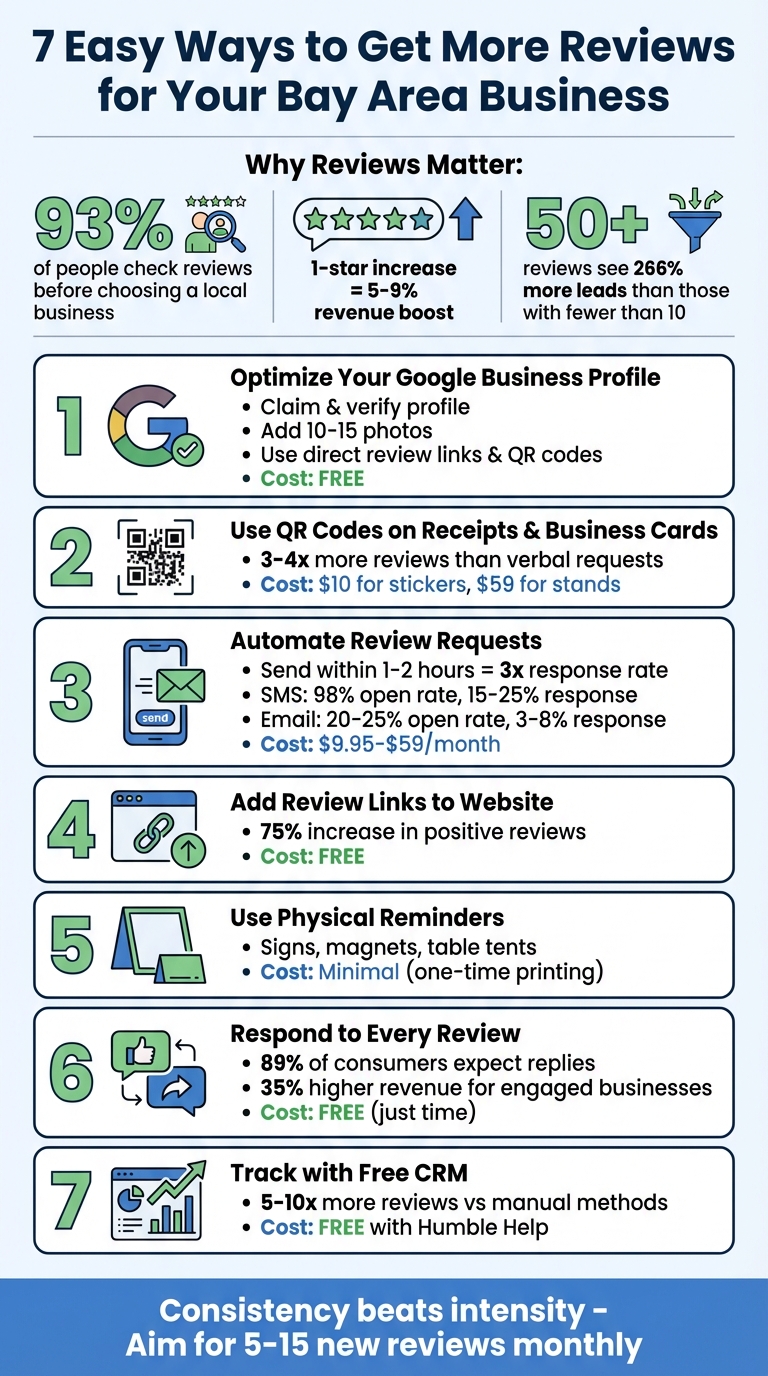
If you're a Bay Area business owner, getting more customer reviews can directly boost your revenue and improve your online visibility. Here's why it matters: 93% of people check reviews before choosing a local business, and even a one-star increase on Google can raise revenue by 5-9%. Plus, businesses with over 50 reviews see 266% more leads than those with fewer than 10.
This article shares 7 simple strategies to help you get more reviews:
These methods are cost-effective, easy to implement, and tailored to help small businesses in competitive markets like San Francisco, Oakland, and San Jose. Start applying them today to grow your reviews and attract more customers.
Impact of Customer Reviews on Bay Area Business Revenue and Leads
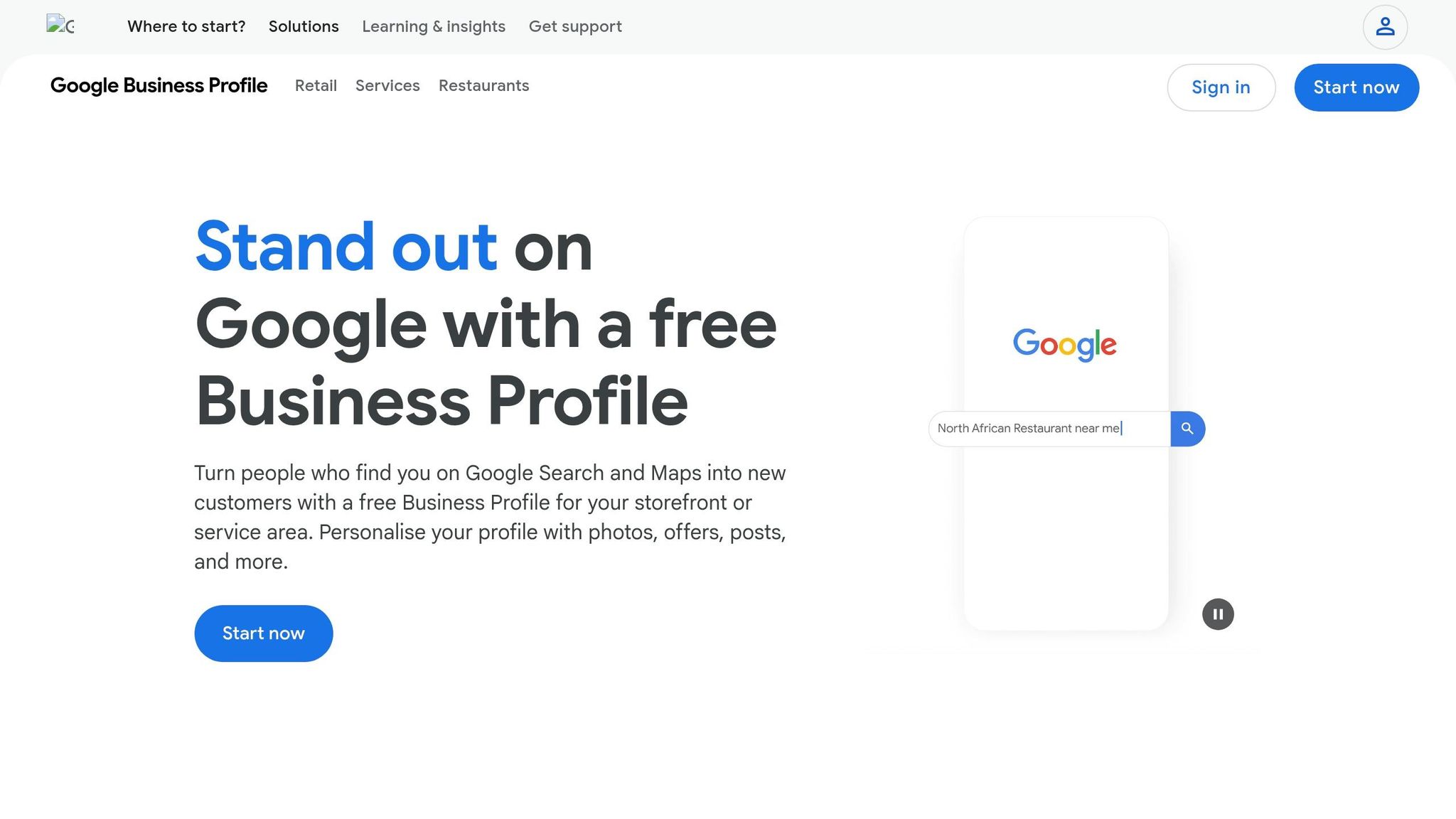
Start by claiming your free Google Business Profile to begin collecting reviews. Head over to business.google.com to claim and verify your profile. The verification process typically takes a few business days [7][8]. To avoid unnecessary re-verification audits, use an email address that matches your website domain (e.g., manager@yourbusiness.com) rather than a generic Gmail address. This simple step can reduce the likelihood of manual audits by 32% [8].
Once your profile is verified, use the "Ask for Reviews" button to create a direct review link [7][2]. To make sharing easier, shorten the link with a tool like Bitly (e.g., bit.ly/ReviewOurCafe).
"The single biggest thing you can do to increase your review volume is to make leaving a review as easy as possible." - ReviewGen Team [7]
Make your profile stand out by uploading 10–15 high-quality photos and adding up to nine secondary categories for better visibility [7][8]. For example, a café in San Francisco could include categories like "Breakfast Restaurant" and "Coffee Shop" alongside "Café."
Google also provides a QR code linked to your review page, accessible from your dashboard. Print this QR code on business cards, table tents, or near the checkout area to make it even easier for customers to leave reviews [6].
The best part? All these features are completely free with your Google Business Profile [7]. Tools like the direct review link and QR code eliminate the hassle of customers searching for your business online, making the process seamless without any added costs.
With your profile optimized, you can now integrate review requests into every customer interaction.
Once your Google Business Profile is polished, take it a step further by incorporating QR codes into receipts and business cards to make review requests easier for your customers.
QR codes turn every receipt or business card into a shortcut to your Google review form. With a quick scan, customers can access the form in just 30 seconds [9]. To maximize visibility, add QR codes to the footers of POS system receipts (like Square, Clover, or Toast) and digital PDF invoices. For pre-printed receipts, a custom stamp featuring the QR code works well. On business cards, dedicate the back to a prominent QR code with a friendly message like, "Loved your experience? Scan to leave a quick review." For example, a dental office added QR codes to checkout receipts with the note, "Your feedback helps us improve," and saw their monthly reviews jump from 3–4 to 12–15 within two months [9].
QR codes are incredibly effective, driving three to four times more reviews compared to verbal requests [10]. One neighborhood barbershop saw dramatic results by placing QR decals on mirrors and training staff to encourage scans. Over 14 months, they increased reviews from 60 to over 300, all while maintaining a stellar 4.9-star rating [9].
Creating QR codes won’t break the bank. Tools like ReviewGen.AI's Google Review Link Generator let you make them for free [10]. Adhesive QR stickers cost around $10, and countertop display stands start at about $59 [11]. To boost scan rates, train your team to mention the QR code during checkout - it’s a small step that can yield big results [9][2].
After setting up in-person prompts like QR codes, the next step is automating your digital review requests. This ensures every customer gets a timely nudge without adding extra work to your schedule [14].
Timing is everything. Sending a request within 1–2 hours after service completion can triple the response rate compared to requests sent days later [3]. On the flip side, waiting a week can reduce engagement by 80% [12]. A great way to approach this is through a "3-touch" sequence: start with an SMS 1–2 hours after the service, follow up with an email 24 hours later, and send a final reminder 3–5 days later to anyone who hasn’t responded [12][13]. This system complements the in-person prompts, creating a well-rounded strategy for generating reviews.
Text messages are highly effective, boasting a 98% open rate and a 15–25% response rate. In comparison, emails see a 20–25% open rate with a 3–8% response rate [3][13]. Businesses that automate their review process often experience a 300% increase in monthly reviews within 90 days [12].
Platforms like CustomerFlows make this process simple by integrating with tools like Square or Stripe. For example, a review request can be triggered automatically when an invoice is marked "paid" or an appointment is marked "completed" [3][13]. Personalization plays a big role - adding the customer’s name and referencing the specific service helps avoid coming across as spammy [13]. Including a direct Google review link that opens the star-rating selector can also make it easier for customers to leave feedback [3][12].
| Tool | Monthly Cost | Best For |
|---|---|---|
| Reputigo | $9.95–$14.95 | Small businesses [14] |
| Ricorda | $14.99–$24.99 | Small service businesses [14] |
| CustomerFlows | Starts at $59.00 | SMBs using Square/Stripe [3] |
| NiceJob | $75.00–$125.00 | Small businesses [14] |
For small businesses in the Bay Area, tools like Ricorda and Reputigo offer solid value, especially compared to pricier platforms like Podium, which costs $249–$599 per month and includes features many small businesses don’t need [14][15]. A clever tactic is to use a "review funnel." This system directs satisfied customers (4–5 stars) to Google while guiding unsatisfied ones (1–3 stars) to a private feedback form. This allows you to address issues privately before they impact your online reputation [3][12]. By integrating these automated tools into your workflow, you can streamline the process and significantly boost your review count.
Your website can be a quiet yet powerful tool for collecting customer feedback. By adding a "Review Us" button on key pages, you create a passive but effective way to gather reviews around the clock.
Placing this button on your homepage or thank-you pages, especially after a positive interaction, makes it easy for customers to share their thoughts. This approach is particularly useful in competitive areas like the Bay Area, where staying ahead often means understanding and acting on customer feedback quickly.
Thank-you pages are a prime spot for follow-up review requests. In fact, studies show that these follow-ups can increase positive reviews by 75%, and 60% of customers check reviews before making a purchase [16]. To make the process even smoother, use a direct Google review link from your Business Profile dashboard. This eliminates unnecessary steps, making it simple for customers to leave feedback.
Adding a review link to your website is straightforward and free. Place it as a noticeable button, ensuring it stands out. For eCommerce businesses, you can direct customers to a dedicated review page right after checkout. Using a clean and professional-looking URL adds a polished touch.
"The best way to ask for a Google review is to send a direct link within two hours of a positive interaction... That's when the experience is still fresh." – Chris Kirksey, Founder & CEO of Direction.com [18]
This strategy leverages your existing website, making it budget-friendly. Free tools like LocalImpact's review link generator [18] or REVIEWS.io's trial [17] can help automate the process. For more advanced needs, platforms like CustomerFlows, starting at $59/month, integrate seamlessly with payment systems like Square and Stripe [3]. Unlike traditional paid ads, these website prompts work continuously without adding to your marketing costs.
Physical reminders - like QR code cards, table tents, and counter signs - make it easy for customers to leave reviews on the spot, cutting out the need to search for your business online. For walk-in businesses in the Bay Area, whether it’s a café in Oakland, a clinic in San Jose, or a boutique in San Francisco, these tangible tools can prompt satisfied customers to act immediately.
These reminders simplify the process and encourage instant action. For instance, placing a QR code at the checkout counter or printing it on receipts allows customers to access your review page in seconds. No searching, no hassle.
"The verbal mention combined with the physical card dramatically increases the conversion rate compared to either alone" [2].
Since online reviews play such a crucial role in attracting new customers, streamlining the process can significantly increase the number of reviews your business receives.
Creating and using these reminders is straightforward. Generate a QR code from your review link using free online tools, then print it on cards, receipts, or signs to place near your register or exit [2][1]. Train your staff to say something simple, like, "If you enjoyed your visit, just scan the QR code on this card to leave us a quick review" [2]. This combination of physical and verbal prompts works alongside your digital efforts to keep customers engaged.
This method is also incredibly budget-friendly. While many Bay Area marketing agencies charge between $2,000 and $10,000+ per month for their services [19], generating a QR code is free, and printing costs are minimal. It’s a one-time expense that leverages your existing foot traffic, eliminating the need for ongoing ad spend or pricey PPC campaigns.
"Friction kills conversions. The easier you make it (a direct link, a QR code), the more reviews you will get" [2].
For small businesses watching their expenses, this low-cost strategy can deliver long-term results. When paired with your online review requests, these physical prompts create a well-rounded system for generating more customer feedback.
Taking the time to respond to reviews isn’t just courteous - it’s an effective way to encourage more feedback. When customers notice that you actively read and reply to reviews, they’re more inclined to share their thoughts, knowing their input won’t go unnoticed. Just like automated reminders and in-store prompts help gather reviews, your responses reinforce trust. In fact, 89% of consumers expect companies to reply to reviews, and businesses that consistently engage with reviews tend to see 35% higher revenue compared to those that don’t [20].
Engaging with reviews creates a cycle of interaction with your customers. When potential customers see you addressing feedback - whether it’s thanking someone for a positive review or resolving an issue - they’re more likely to trust your business. For instance, 97% of people who read reviews also check how businesses respond [21]. Plus, following best practices for replies can lead to a 12% boost in average star ratings over time [22]. Even a thoughtful response to a 4-star review can inspire a customer to bump it up to 5 stars [2]. Handling negative reviews effectively also matters - a well-crafted reply can make 45% of consumers more likely to visit your business [3].
You don’t need a big team to stay on top of this. Regularly check notifications on your Google Business Profile and respond promptly to new reviews [22]. For negative feedback, personalize your reply by addressing the reviewer by name, acknowledging their frustration, and offering to take the conversation offline [20]. Positive reviews deserve attention too - mention specific details like a staff member’s name or a service they enjoyed to show you’re paying attention [20][4]. If time is tight, AI tools can help draft responses, which you can tweak to keep your tone personal [20][22]. This hands-on approach not only builds loyalty but also encourages more customers to leave reviews.
Pairing review responses with your existing review collection methods maximizes their impact. This approach only requires a few minutes each day but delivers a strong return. Consistently engaging with reviews builds trust, and even improving your average rating by one star can increase revenue by 5–9% [3][21]. For small businesses watching their expenses, this is a low-cost, high-impact way to enhance your reputation and attract more customers.
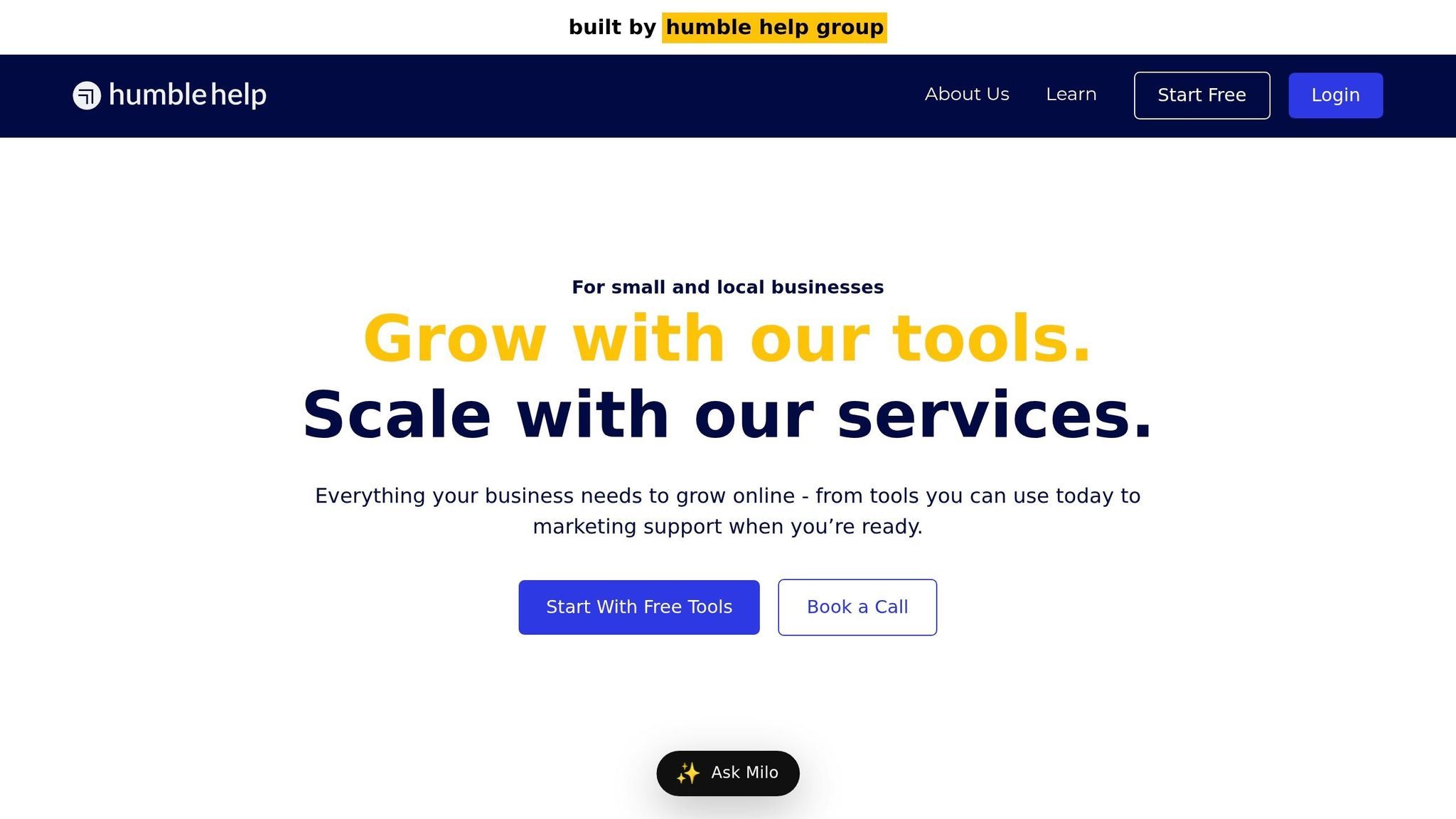
Tracking your review requests is vital to understanding how effective they are. Yet, many Bay Area businesses don't have a system in place to monitor request views, clicks, and responses. That’s where Humble Help's free CRM comes in - it keeps tabs on your review requests, automates follow-ups, and organizes customer feedback, all without adding to your expenses.
This CRM simplifies the process by automatically sending review requests when you mark an invoice as paid or mark an appointment as "Completed" [13][3]. It can send an SMS first and follow up with an email if no response comes through [13]. Once a customer submits a review, the system stops sending further requests, keeping things efficient. Businesses using automated review requests report generating 5 to 10 times more reviews compared to those relying on manual methods [3].
Getting started with the CRM is quick and straightforward. In just a few minutes, you can connect your Google Business Profile, which will then sync your review history and automatically check for new reviews every hour [15]. You can personalize review requests with templates that include customer names and service details. Plus, the dashboard organizes requests into categories like "New", "Pending Response", and "Responded", making it easy to track progress [15]. For businesses with multiple Bay Area locations, this tool consolidates all reviews in one place, eliminating the hassle of managing multiple accounts [15]. And, if a low-star review comes in, you'll get instant notifications so you can address the issue promptly [15].
Review management tools typically cost between $30 and $100 per month, while platforms like CustomerFlows start at $59 [15][3]. Hiring professional agencies can cost anywhere from $500 to over $2,000 monthly [15]. Humble Help's CRM is completely free, saving you hundreds - if not thousands - of dollars annually while drastically cutting down your weekly workload [15]. Considering that businesses with 50+ reviews see 266% more leads than those with fewer than 10 [15][3], and improving your rating by just one star can increase revenue by 5-9% [3], this tool offers a powerful way to grow your business without spending a dime. It’s a seamless addition to your review strategy that delivers measurable results.
Boosting your reviews in the Bay Area doesn’t require fancy tools or expensive systems. The strategies outlined above - like online prompts, in-person reminders, and thoughtful follow-ups - are straightforward yet highly effective at improving your online reputation. By combining these seven tactics, you can create a strong system: optimizing your Google Business Profile, adding QR codes to invoices or business cards, automating text and email requests, embedding review prompts on your website, using physical reminders, responding to reviews, and tracking everything with Humble Help's free CRM.
"Consistency beats intensity. A one-time push that generates 20 reviews followed by six months of silence looks suspicious to Google" [2].
Focus on generating a steady flow of 5 to 15 new reviews each month. This consistent effort pays off over time - businesses with 50+ reviews attract 266% more leads than those with fewer than 10 [3]. Plus, even improving your rating by one star can increase revenue by 5–9% [3]. Reviews also play a critical role in local search rankings, contributing 20% to your visibility and helping you stand out in the Google Local 3-Pack [5].
These strategies don’t just improve your online presence; they also build trust within your community - a key factor for Bay Area businesses. Choose the methods that align with your workflow, whether it’s printing QR codes for your checkout area, setting up automated requests, or simply sharing your review link with customers. The secret to success isn’t perfection - it’s consistently encouraging happy customers to share their experiences. Start today and watch your reviews grow steadily over time.
Yes, requesting Google reviews from customers is perfectly fine - and even encouraged - when approached the right way. The key is to make your request feel natural, choose the right timing, and simplify the process for them. This not only helps strengthen trust but also increases the likelihood of receiving more reviews.
To create a direct link for Google reviews, go to your Google Business Profile and click on either ‘Share review form’ or ‘Get more reviews.’ This generates a link that customers can use to leave feedback with a single click. By making the process easier, you increase the chances of receiving more reviews.
Negative reviews can feel like a setback, but they’re also a chance to show your dedication to customer care. Here’s how to turn those situations around:
Start by acknowledging the customer’s concern. Show that you’ve heard them and understand their frustration. A simple, “We’re sorry to hear about your experience,” can go a long way in establishing empathy.
If the situation calls for it, apologize sincerely and take responsibility for any mistakes. Avoid making excuses or shifting blame. Instead, focus on how you can make things right.
Next, offer a solution and provide a way to continue the conversation privately. Invite the customer to reach out via phone or email so you can address their concerns directly. For example: “We’d love the chance to resolve this for you. Please contact us at [your contact info], and we’ll do our best to make things right.”
Throughout your response, maintain a calm and respectful tone. Avoid defensiveness, even if the review feels unfair. A composed approach demonstrates professionalism and your commitment to resolving issues.
Finally, end on a positive note. Reaffirm your dedication to delivering excellent service and thank the reviewer for their feedback. For instance: “Your feedback helps us improve, and we hope to have the opportunity to serve you better in the future.”
By responding with empathy and a clear plan of action, you can transform a negative review into a chance to showcase your commitment to exceptional customer service.
Discover strategies to elevate your business.


